139
8.3.5 “Control” main menu option
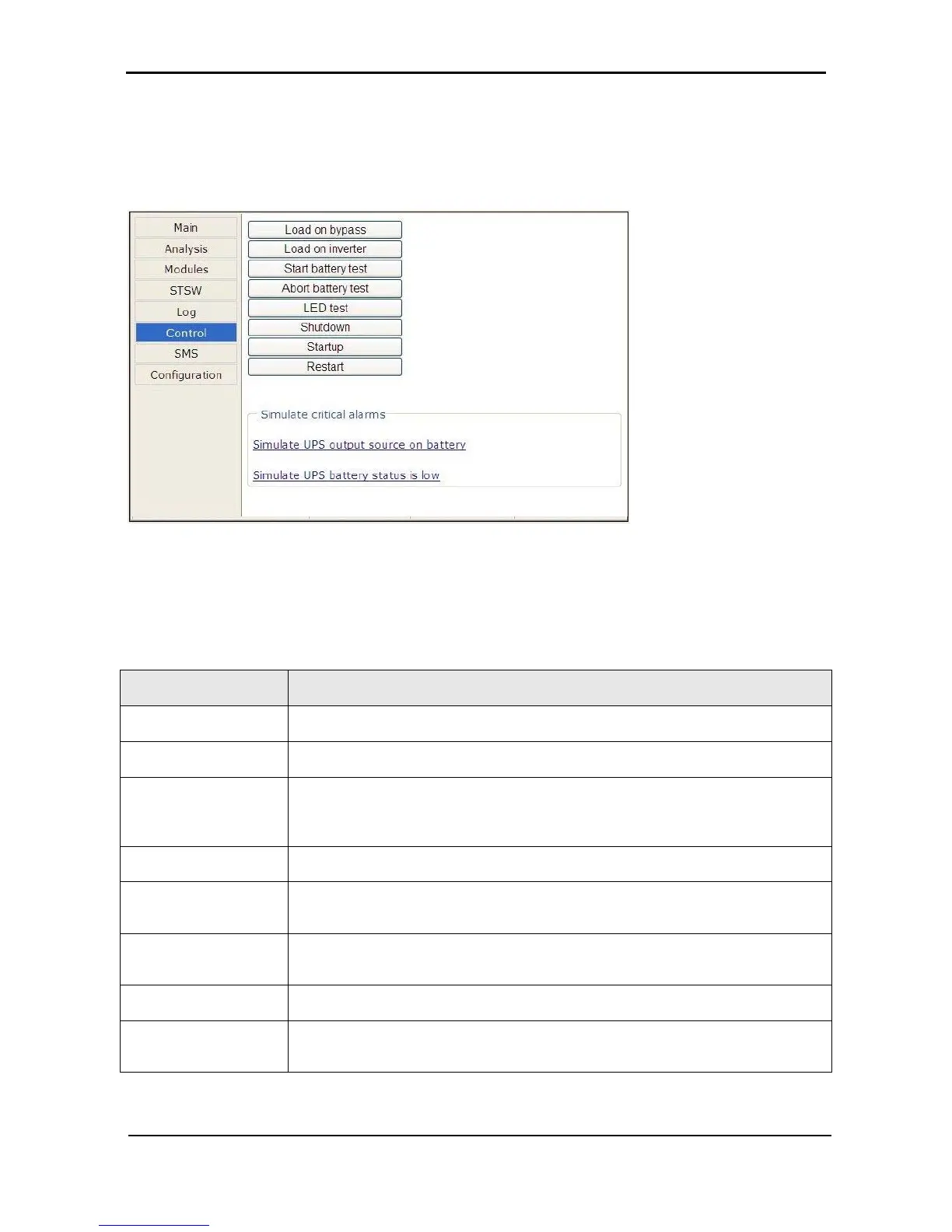
The “Control” main menu option enables the user to initiate any of a number of UPS processes. The
commands available are described in Table 15 below.
Figure
294: The "Control" main menu option screen
Table 15: Commands available on the “Control” screen
MENU OPTION DESCRIPTION
Load on bypass
Transfers the load to the bypass voltage.
Load on inverter
Transfers the load to the inverter.
Start battery test
Initiates a battery test. Note: it is recommended that a battery test not be initiated
when the when the UPS is operating near 100 % capacity and at the same time
the battery is known to be not fully charged or not connected or otherwise faulty.
Abort battery test
Stop a battery test immediately.
LED test
The UPS beeps briefly and all of the LEDs on the control panel light up, to reveal
any faulty LEDs.
Shutdown
Shuts down the Power+. Power will continue to be available to the loads from the
bypass voltage.
Startup
Starts up the Power+ when it is in an “OFF” condition.
Restart
When the Power+ is “ON”, this command initiates a shutdown of the Power+
followed by a startup.











 To Next Page