3
────────────────────────────────────────────────────
1.3 Names and Functions of Parts
────────────────────────────────────────────────────
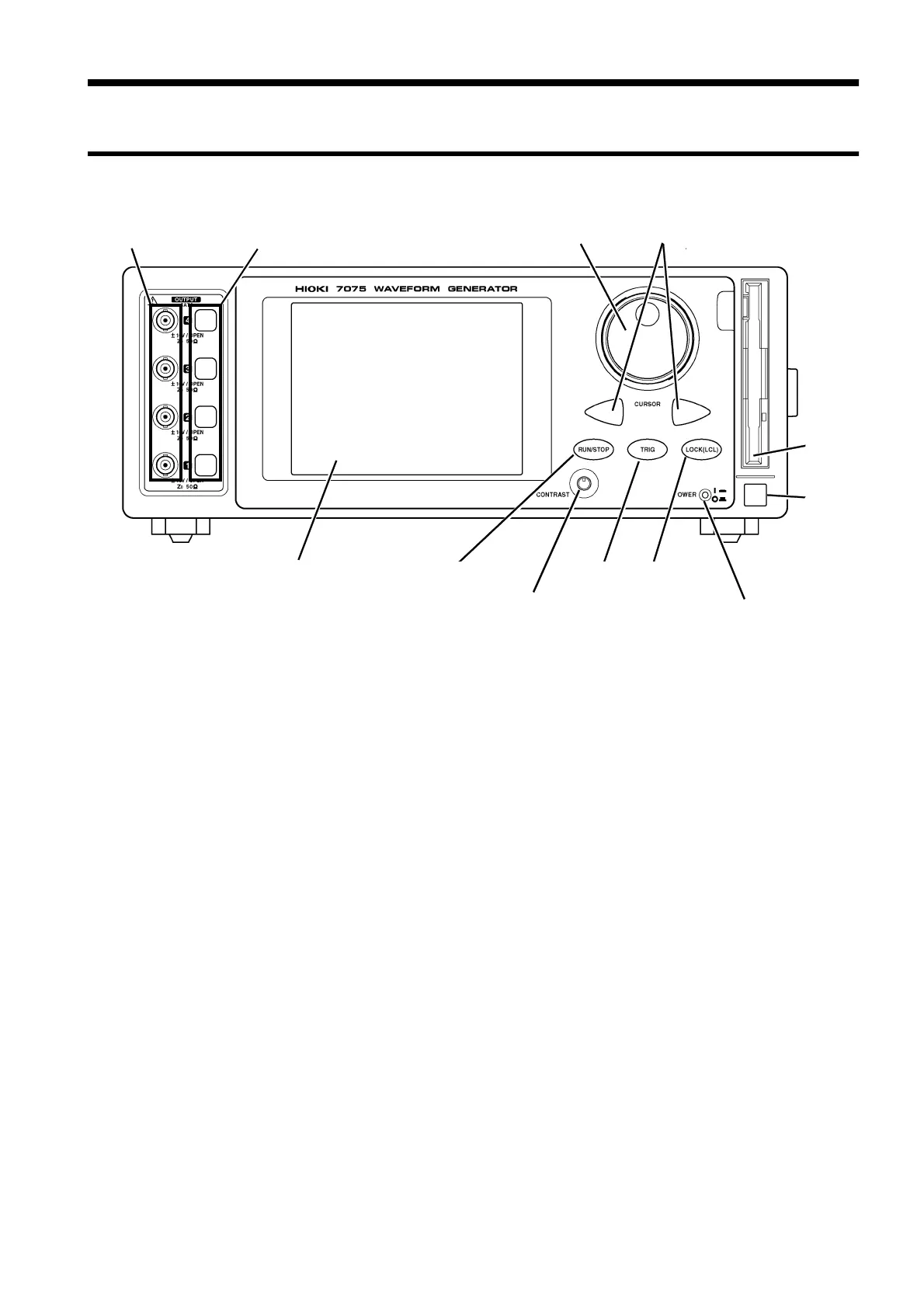
1.3.1 Front Panel
Jo
and Shuttle controls
Cursor ke
s
Channel On/Off ke
RUN/STOP ke
TRIG ke
LOCK ke
LCD
Out
ut connecto
Contrast ad
ust knob Power indicator
FDD
Power
switch
Output connector
These waveform output connectors for channels 1 to 4 are ordered
from the bottom up.
Channel On/Off key
These analog output on/off keys light red when on (during output).
LCD
The touch panel over the 5.7-inch LCD accepts direct input by
finger touch.
Jog and Shuttle controls
These controls adjust numeric levels and select rows in the sweep
table.
Cursor keys
These keys are used together with the Jog and Shuttle controls to
adjust numeric levels and shift digit selection.
RUN/STOP key
This key runs and stops waveform output. The key lights red
during waveform output.
TRIG key
During sweep operation, this key interrupts an infinite loop or the
specified hold. This key is disabled when it lights red.
LOCK key
This key lights red during remote GP-IB operation, and when the
keys are locked. All keys are disabled in this case. Pressing
LOCK(LCL) for more than 2 seconds unlocks the keys.
Contrast adjust knob
This dial adjusts screen contrast. Turning it to the left darkens the
display, and turning it to the right lightens the display.
Power indicator
Indicator flashes red when the power of the unit is ON.
FDD
The 3.5-inch floppy disk (2HD/2DD) can be used.
Power switch
The power of the unit is turned on and off.
1.3 Names and Functions of Parts



 To Next Page