22
────────────────────────────────────────────────────
3.4 Setting the Waveform Parameter
────────────────────────────────────────────────────
3.4.4 Phase/Delay Settings
Sine, square, pulse, triangle,
ramp-up, ramp-down waveforms
-360.00 to 360.00 deg
(0.01 deg)
Noise, DC
NOTE
For the function generator (Sine, square, pulse, triangle, ramp-up, and ramp-
down waveforms), set the phase. For the arbitrary waveforms, set the delay.
Setting range The setting range and resolution
Function generator
Arbitrary waveforms
-128000 to 128000
Setting unit
deg
A phase angle can be set for the function generator. There are no
units for the delay setting.
Method
Direct Entry
1. Press the Phase/Delay setting button (
PHASE
/
DELAY
) to open the
PHASE/DELAY Setting window.
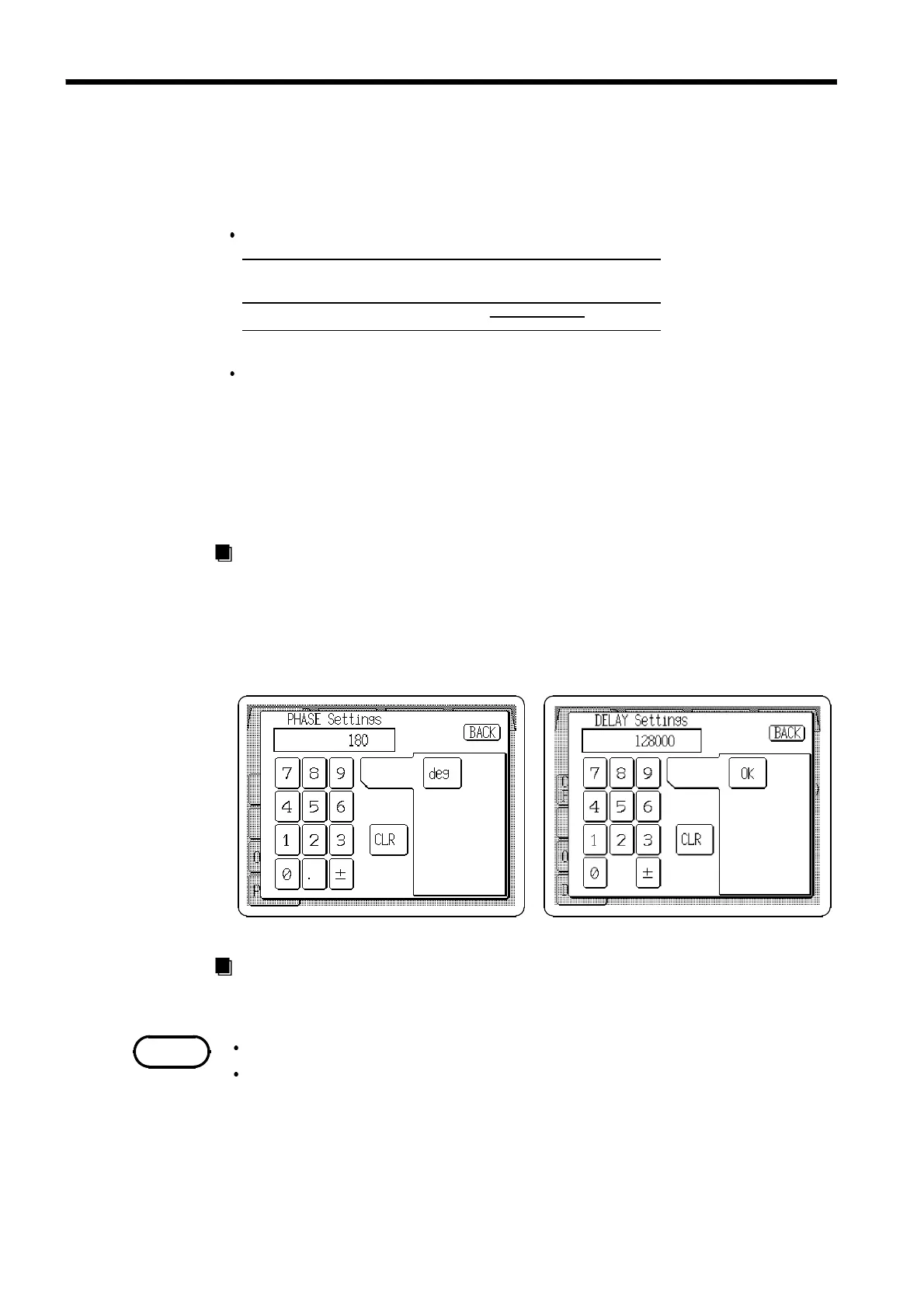
2. Enter the numeric value by the tenkeys.
3. Pressing the
deg
or
OK
button returns to the main Output Settings screen. If
the setting is invalid, the entry is cleared.
Jog Dial Entry
The Jog dial can be used to set phase or delay.
Phase and delay values are positive, indicating leading phase.
The delay is set to 0 when changing the waveform type from function
generator to arbitrary waveform.



 To Next Page