50
────────────────────────────────────────────────────
5.2 Floppy Disk
────────────────────────────────────────────────────
5.2.3 Other Operations
NOTE
NOTE
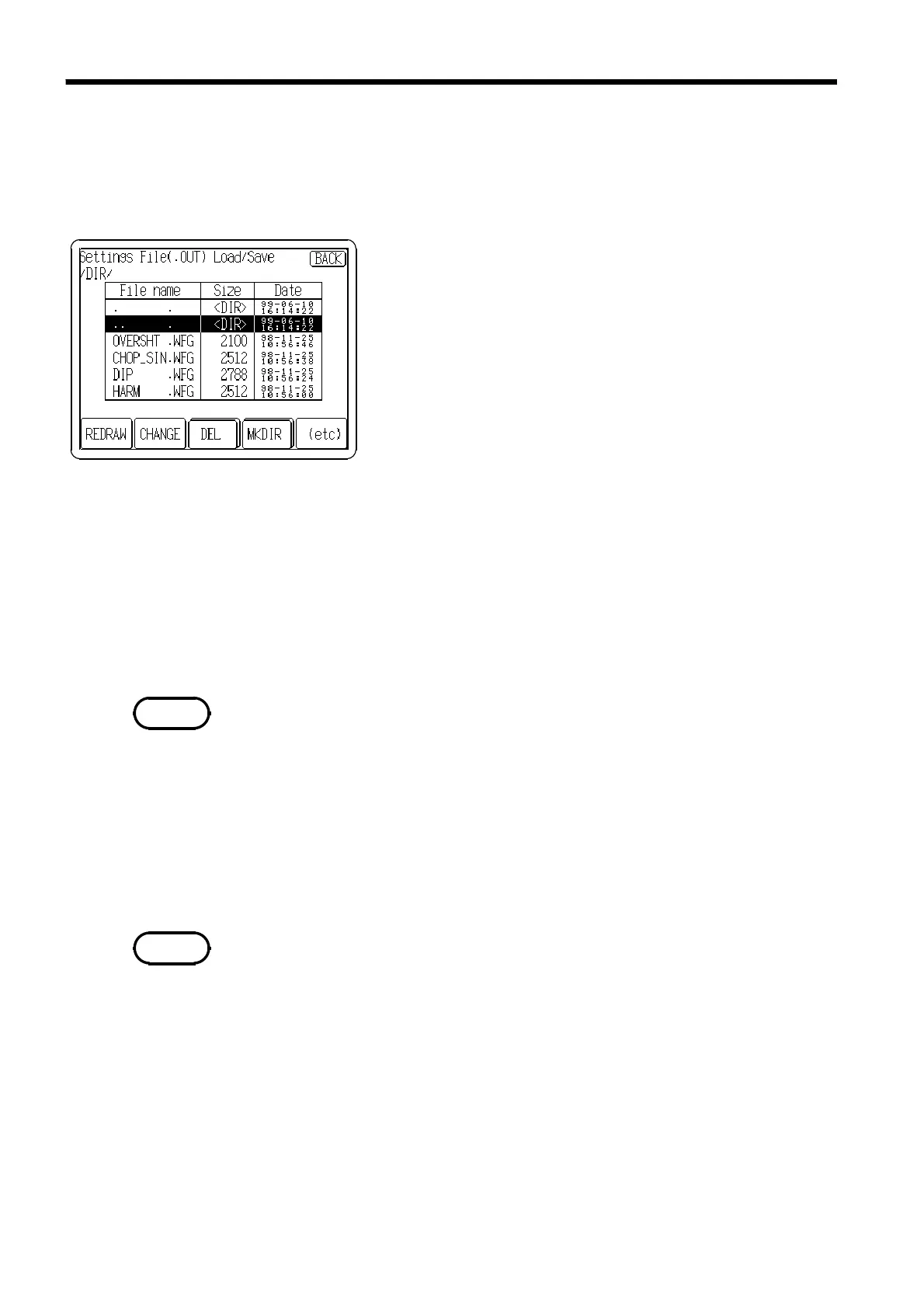
On the FD I/F screen, it is also possible to move the current directory, delete
files, create directories.
(1) Moving the current directory
1. Insert the floppy disk and press "File Utility" on the FD
I/F screen.
2. Move the cursor to select the directory by using the
Jog control or touching directly the file name on the
screen.
3. Press the
CHANGE
button.
".." moves up one directory
(2) Deleting files
1. Insert the floppy disk and press "File Utility" on the FD I/F screen.
2. Move the cursor to select a file by using the Jog control or touching directly
the file name on the screen.
3. Press the
DEL
button to delete the specified file. If the
DEL
button is not
displayed, press
(etc)
to display the
DEL
button.
The directory can be deleted. First delete all of the contents of the directory,
and then delete it.
Before inserting a floppy disk, release a write-protect. To delete a file, write
protection on the floppy disk must be disabled before inserting it.
(3) Creating directories
1. Insert the floppy disk and press
File Utility
on the FD I/F screen.
2. Press the
MKDIR
button. If the button is not displayed, press
(etc)
to display
the
MKDIR
button.
3. Enter the directory name and after that press the
OK
button to create a
directory.
Before creating directories, release a write-protect. To delete a file, write
protection on the floppy disk must be disabled before inserting it.



 To Next Page