41
────────────────────────────────────────────────────
3.8 Marker Output Function
────────────────────────────────────────────────────
3.8.3 Setting the Line Marker
NOTE
*:Reference value
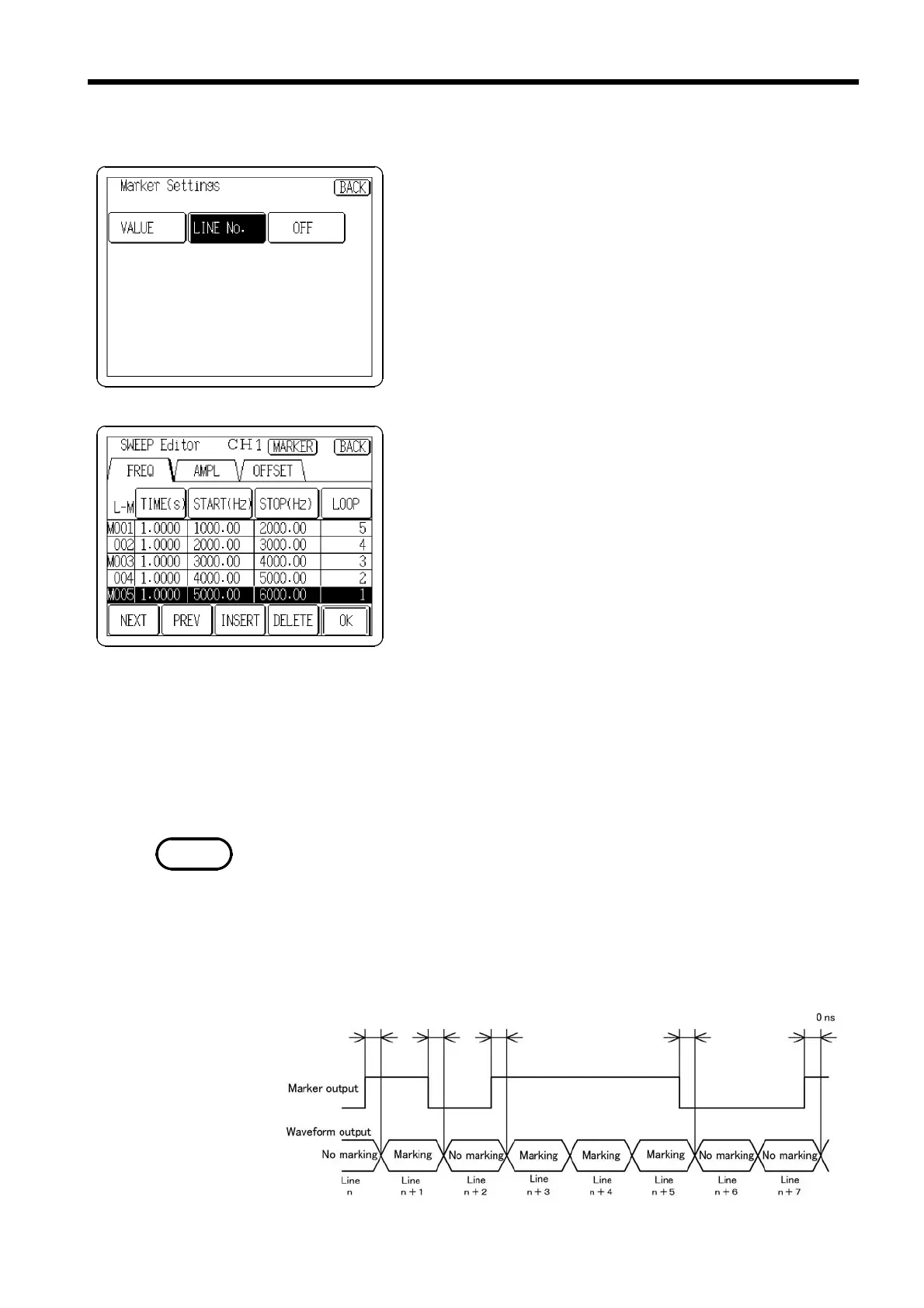
Max 400 ns* Max 400 ns* Max 400 ns* Max 400 ns* Max 400 ns*
Press the
LINE No.
button on the Marker Settings screen so
that it displays in reverse.
The line number marker can be set for all lines
simultaneously.
(1) Setting the output line (output line)
Select the line to be output.
1. Press the
LINE No.
button on the Marker Settings screen
so that it in reverse.
2. Press the
BACK
button to return to the SWEEP Editor
screen.
3. Selecting from the lines in Sections 3.7.8 through
3.7.14, move the cursor to the number of the line you
wish to output.
4. Press the number of line, an "M" mark will appear to
the left of the number to indicate that the marker
applies to this line number. (To erase the mark, press
the line number again.)
5. Make sure that all lines you wish to output are marked
with "M." Then press the
OK
button. The 7075 creates
sweep data including information on the marked lines.
The line number marker becomes effective only when sweep data is created.
See Section 3.7.15, "Creating Sweep Data."
The line number marker is output during sweeping of the line, regardless of
whether the loop is effective or not.
(2) Output timing
Indicates the output timing for line numbers.



 To Next Page