28
────────────────────────────────────────────────────
3.7 Waveform Sweep Settings
────────────────────────────────────────────────────
3.7.1 Selecting the Sweep Settings Screen
3.7.2 Selecting the Sweep Waveform
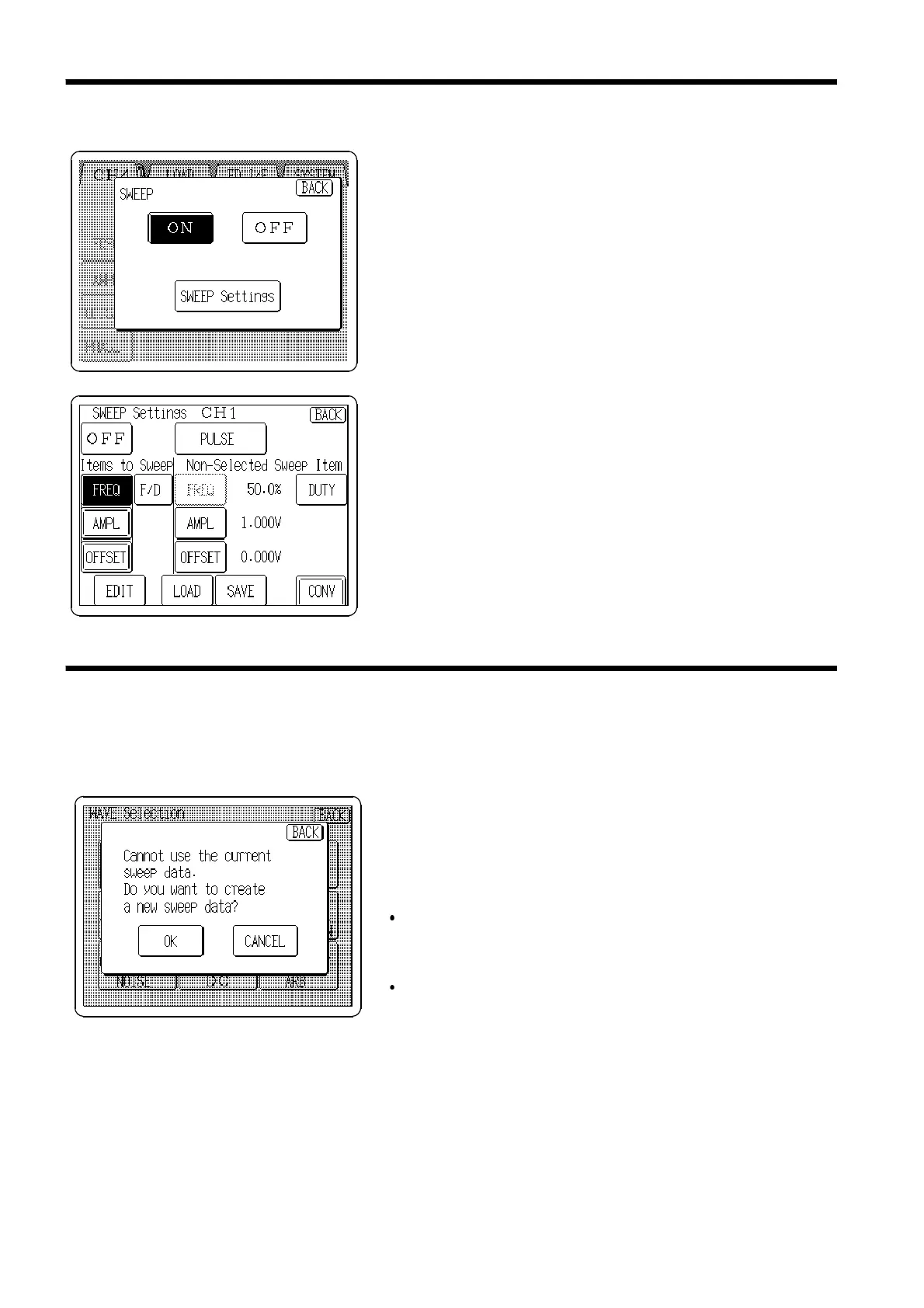
Select the Sweep Settings screen
1. Press the
SWEEP
button on the Output Settings screen,
and the Sweep selection window opens.
2. Press the
SWEEP Settings
button, and the SWEEP
Settings screen opens.
Press the Waveform display button to select the waveform.
The method of settings is same as the procedure in Section 3.3.
When selecting a waveform, the display shown at the left
may appear.
Press the
OK
button to delete all sweep data, or press
CANCEL
to leave the waveform unchanged.
This display can appear for the following reasons:
The frequency setting cannot be changed after changing
the waveform (when changing from a sine or square
wave to another waveform).
The offset setting cannot be changed after changing the
waveform (when changing from DC to another
waveform).



 To Next Page