10
────────────────────────────────────────────────────
2.5 Screen Description
────────────────────────────────────────────────────
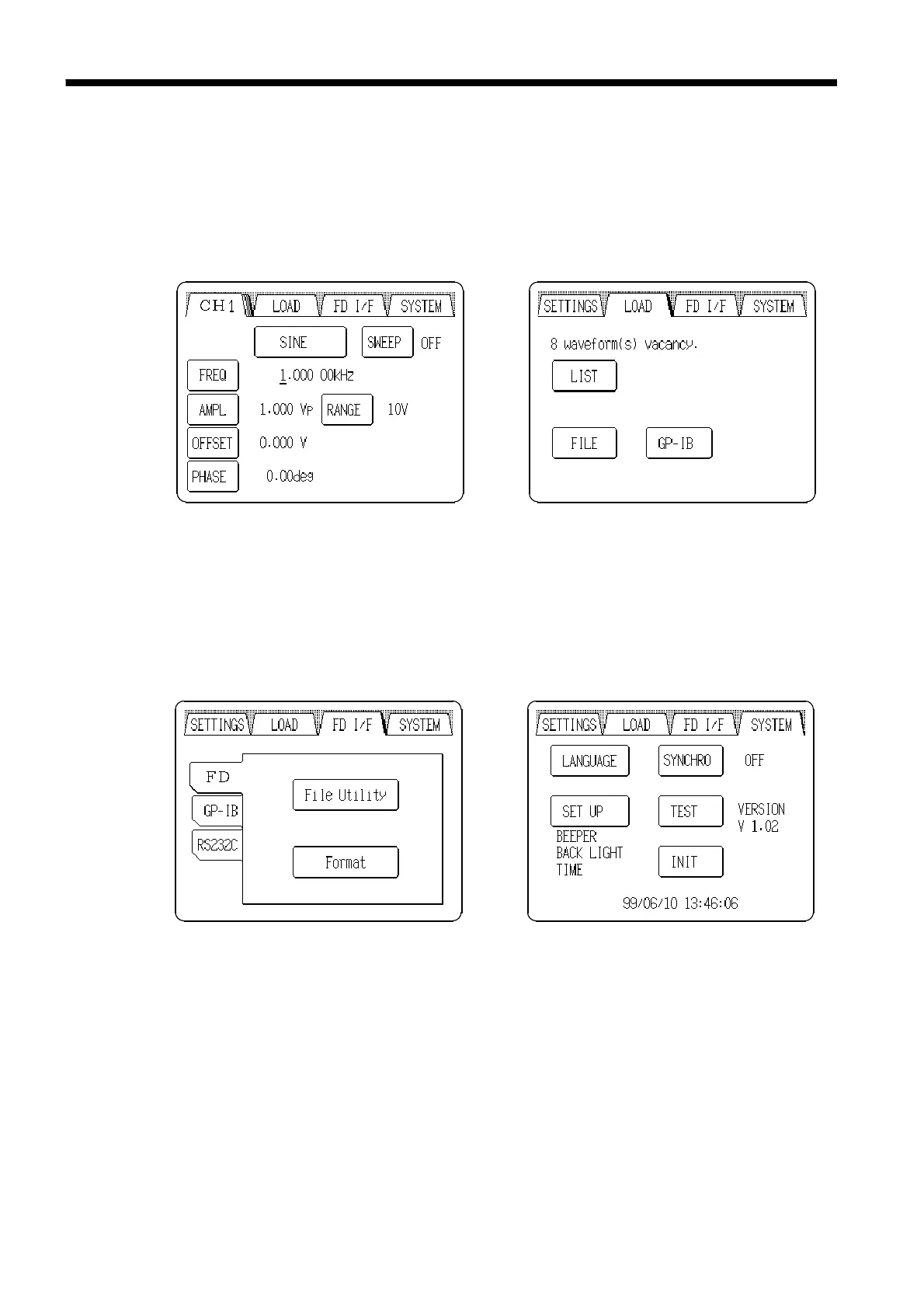
Output Setting screen
Waveform Input screen
SYSTEM screenFD I/F screen
The output channels and
waveforms, and various waveform
parameter settings can be selected
and set from this screen.
The output values of each items
are displayed.
Custom waveform data can be
entered from this screen.
The output state can be saved to
floppy disk and the interface can
be set up from this screen.
Various conditions of the unit can
be set and self testing can be
performed from this screen.
2.5 Screen Description
The 7075 has the following four main screens.
Pressing the tabs at the top of the LCD selects each main screen. The tabs
do not appear on lower level screens, but pressing the Return button returns
to the higher level at which the main screen selection tabs are accessible.



 To Next Page