45
────────────────────────────────────────────────────
4.2 Waveform Input
────────────────────────────────────────────────────
4.2.2 Using the GP-IB Interface
CAUTION
The GP-IB connection cable should be used only with this controller
model.
NOTE
Waveforms stored in the MEMORY HiCORDER's memory can be input
directly through the GP-IB cable connector.
Set the MEMORY HiCORDER to send GP-IB data. This is normally when
data has been stored with the MEMORY function, and it is in the STOP
state.
1. Press the
GP-IB
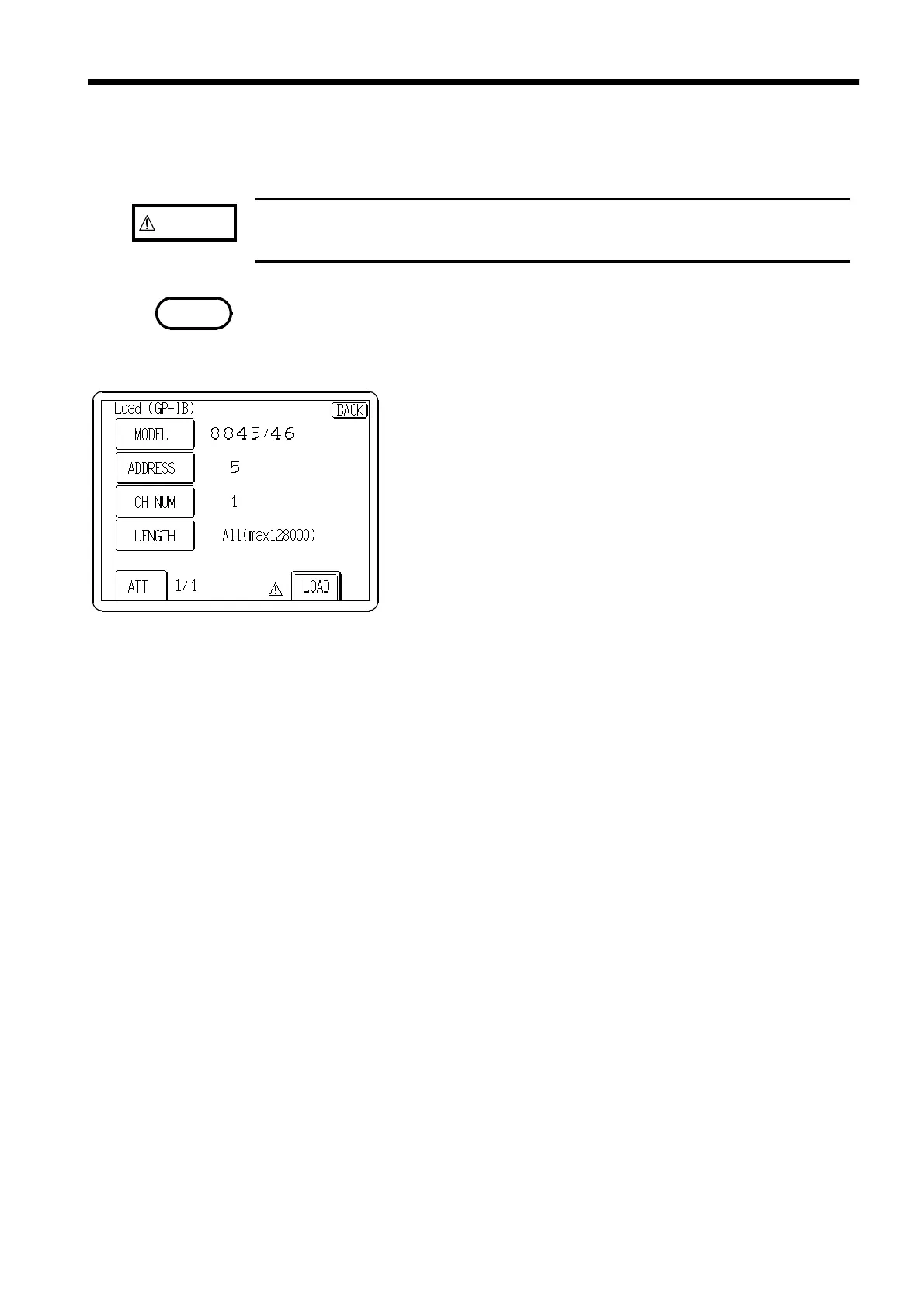
button to display the screen on which to
select the source device
*1
and amount of data (number
of words) to be loaded.
2. Enter a waveform name and press the
OK
button. You
can either specify a name for the waveform, or leave
the entry blank, in which case a default name
(WAVE_1 to WAVE_8) is assigned when you press the
OK
button.
3. Confirm your settings, and press the
LOAD
button.
MODEL
*1
Compatible Models
Select the model to read from the following.
8845, 8846, 8841, 8842, 8835, 8826, 8840, 8852, 8853, 8825, 8830
ADDRESS Specify the GP-IB address.
CH NUM
Channel number
Specify the channel number of the Memory HiCorder.
LENGTH
Words to be read
The number of words to load is specified.
ATT
Damping Ratio
The voltage damping ratio is specified. For example, if a 1/10 ratio is specified, 5 V
data is read as 0.5 V.



 To Next Page