56
────────────────────────────────────────────────────
6.3 Miscellaneous Settings (SET UP)
────────────────────────────────────────────────────
6.3 Miscellaneous Settings (SET UP)
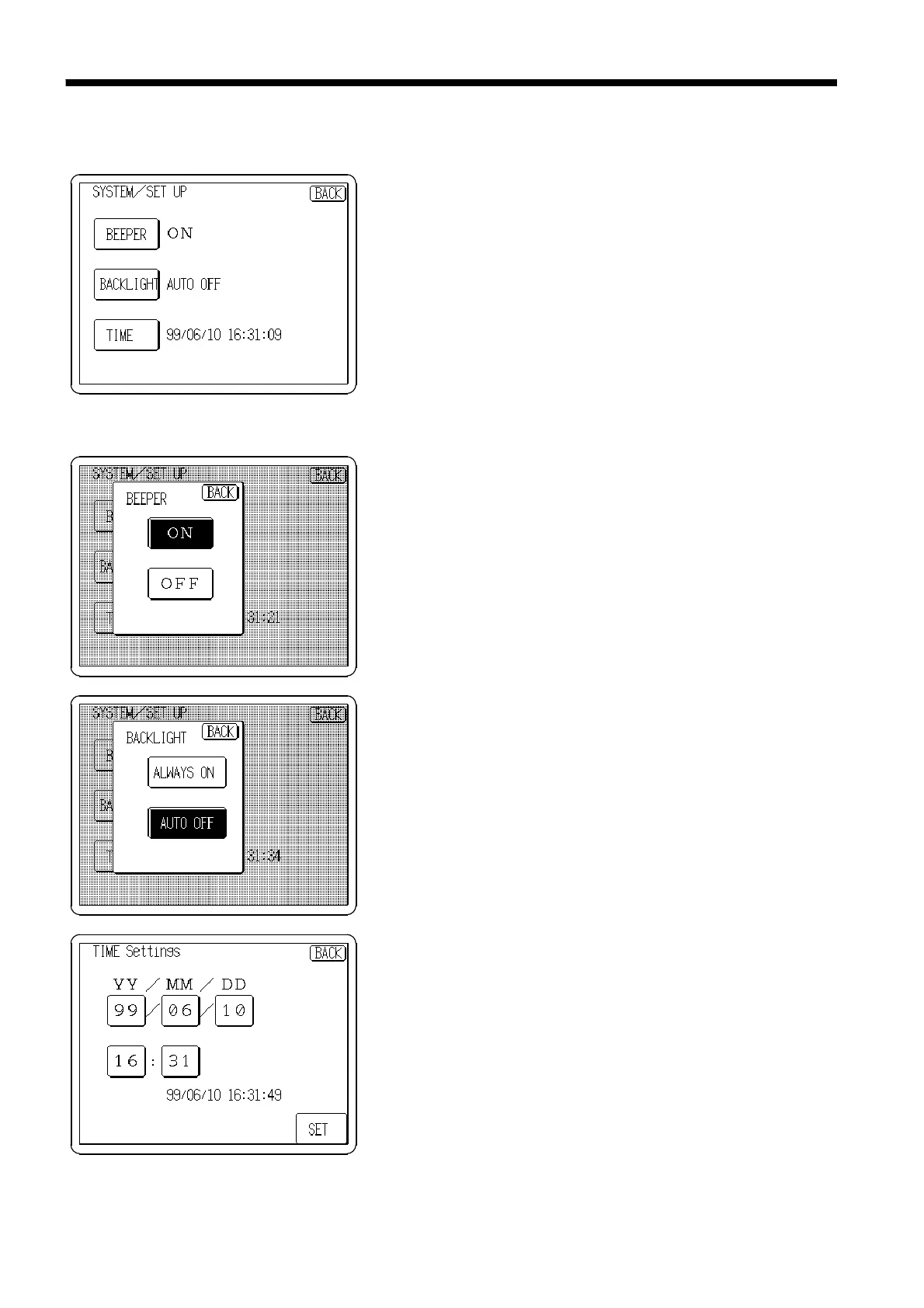
This screen is for miscellaneous settings. The beeper,
automatic backlight off and time can be set.
Beeper
The beeper is set from this window. Select whether the
beeper should sound when a key is pressed.
Backlight
Automatic backlight off is selected from this window.
Select
ALWAYS ON
to have the backlight always lit, or
select
AUTO OFF
to have the backlight automatically turn
off if there is no key input for more than 3 minutes, which
saves power and extends the life of the backlight.
Clock
The internal clock is set from this screen. Press the
SET
button to change its contents, then press the
SET
button to
accept the new settings.



 To Next Page