24
────────────────────────────────────────────────────
3.4 Setting the Waveform Parameter
────────────────────────────────────────────────────
3.4.7 Duty Settings
NOTE
3.4.8 Setting the Number of Loops
NOTE
The duty cycle of pulse waveforms can be set.
Setting range 1 to 99% (resolution 0.1%)
Setting unit
%
: the percentage of high level in each cycle
Method
Direct Entry
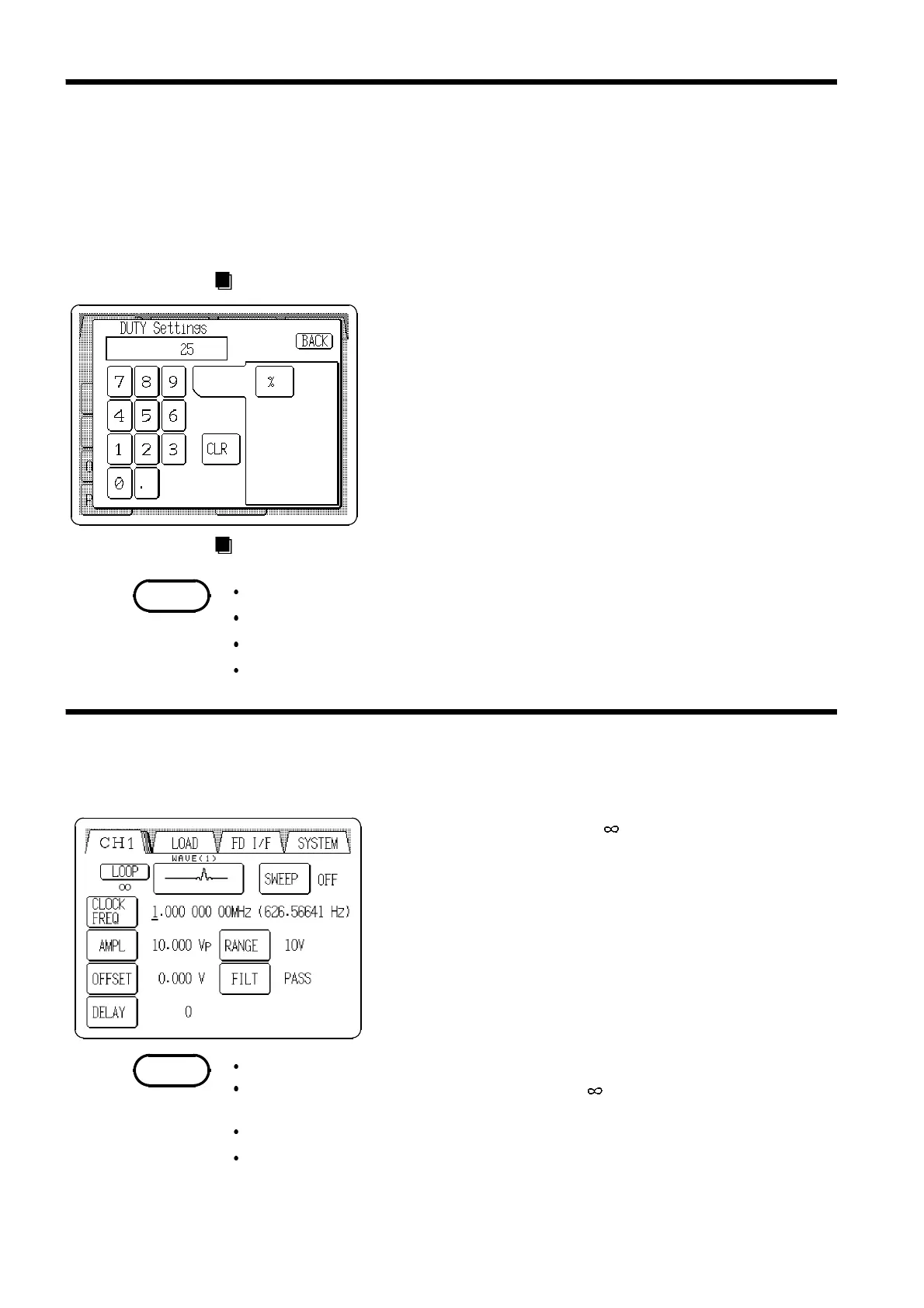
1. Press the Duty setting button (
DUTY
) to open the DUTY
Settings window.
2. Enter the numeric value by the tenkeys.
3. Select the units. Pressing the
%
button accepts the value
entered, and returns to the main Output Settings screen.
If the setting is invalid, the entry is cleared.
Jog Dial Entry
The Jog dial can be used to set duty.
Setting is inhibited when sweep is active
Setting is inhibited for waveforms excluding pulse.
Waveforms with less than 100 ns pulse width may not be output correctly.
Pulse width generates 100 ns jitter.
Set the number of loops for arbitrary waveforms.
Setting range: 1 to 65535 or
1. Select the arbitrary waveform on the output setting
screen, the
LOOP
button is displayed.
2. Press the
LOOP
button and the Arbitrary waveform
setting window opens.
3. Enter the number of loops by the tenkeys.
Can be set individually for each channel.
The number of loops of sweep data is set to when shipped from the
factory, and when the device is reset.
This setting is not effect on sweep data of the arbitrary waveforms.
Even when one channel is inactive because of a setting for the number of
loops of sweep data (total number of loops), the LED on the
RUN/STOP
key
remains lit if outputs are being made on other channels.



 To Next Page