66
────────────────────────────────────────────────────
7.3 Description of Sync hronized Operation
────────────────────────────────────────────────────
7.3.3 Synchronized Operation Settings
7.3.4 Precautions for Using Synchronized Operation
Master
Slave 1
Slave 2
Slave 3
Master/Slave Selection
Synchronized drive settings are made on the System screen.
SYNC OFF
Select this setting to disable synchronized drive.
The MASTER CLK and SYNC CLK signals will not be output, and signals
at the MASTER CLK IN and SYNC CLK IN will be ignored.
SYNC Master
Set the 7075 to Master.
The MASTER CLK and SYNC CLK signals will be output, and signals at
the MASTER CLK IN and SYNC CLK IN will be ignored.
SYNC Slave
Set the 7075 to Slave.
Clock signals input at the MASTER CLK IN and SYNC CLK IN terminals
substitute for the internal clock.
The clock signals input at the MASTER CLK IN and SYNC CLK IN
terminals are passed through to the MASTER CLK OUT and SYNC CLK
OUT terminals.
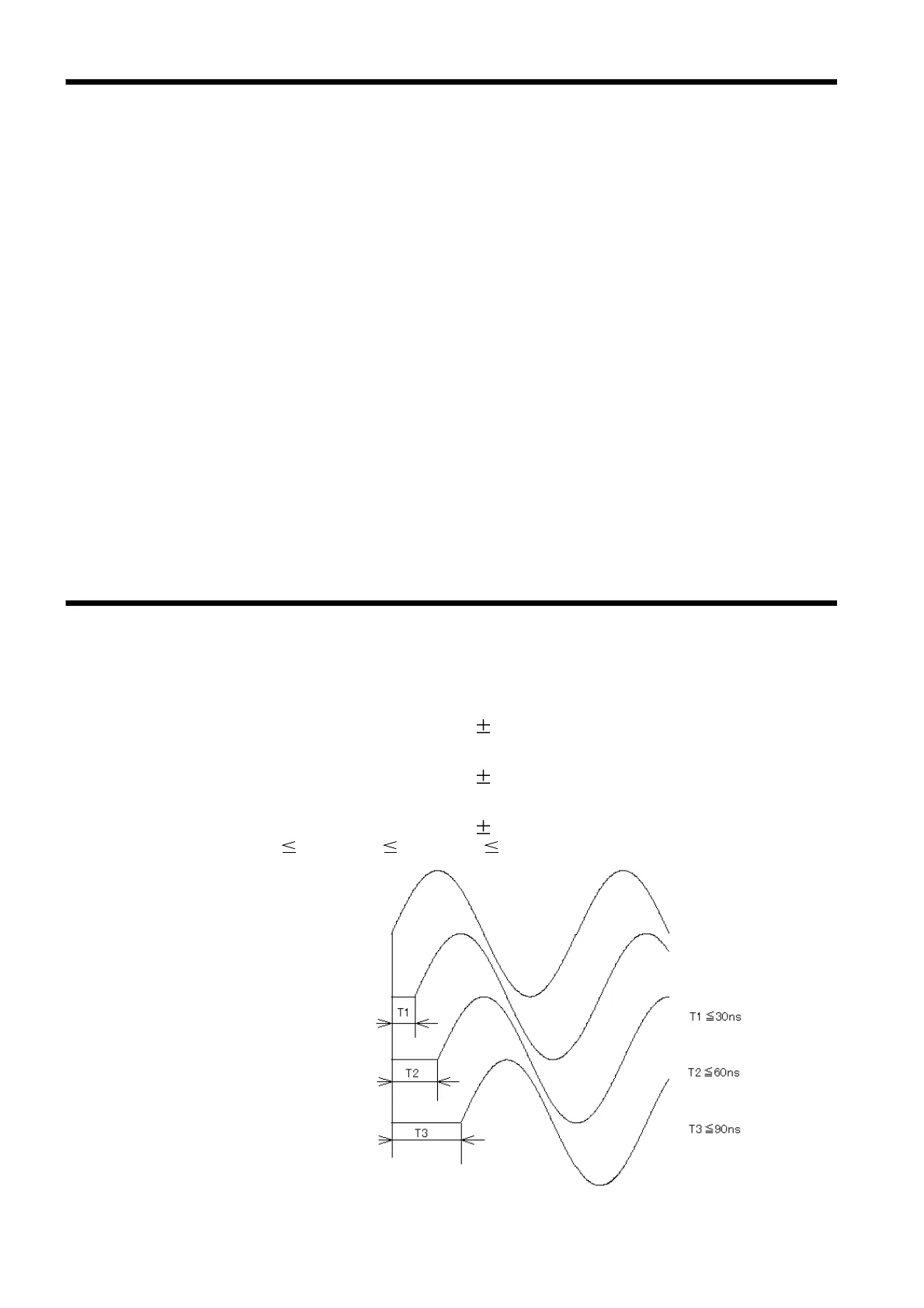
The total skew when using synchronized drive is as follows.
(1) Synchronized operation with 2 Units
T1 (inter-unit skew) less than 25 ns (from inter-channel skew)
(2) Synchronized operation with 3 Units
T2 (inter-unit skew) less than 25 ns (from inter-channel skew)
(3) Synchronized operation with 4 Units
T3 (inter-unit skew) less than 25 ns (from inter-channel skew)
*T1 30 ns, T2 60 ns, T3 90 ns



 To Next Page