12
────────────────────────────────────────────────────
2.6 Example of Basic Operations
────────────────────────────────────────────────────
2.6.3 Simple Waveform Output
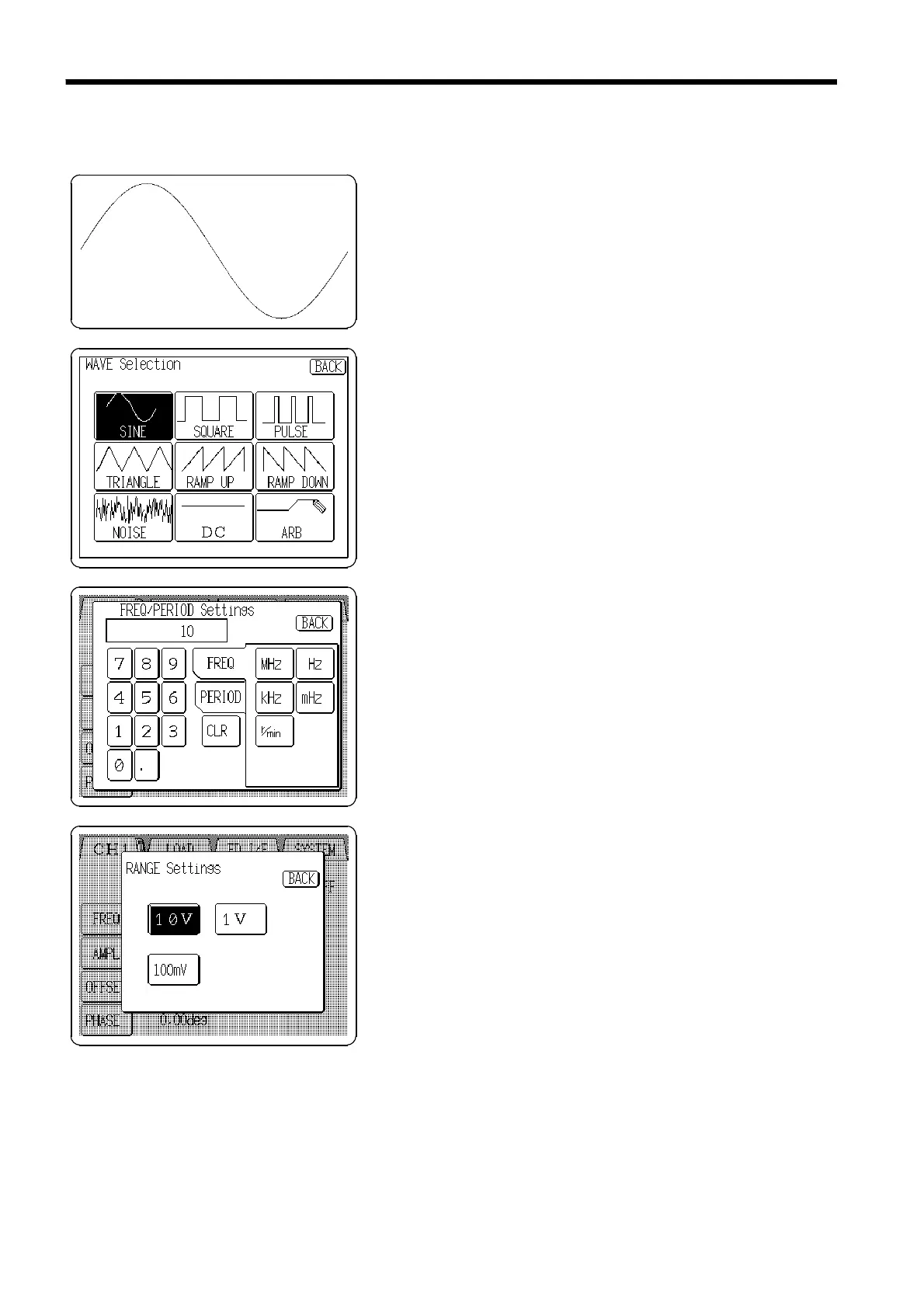
Example
Waveform: Sine waveform
Output channel: Channel 1
Output frequency: 10 kHz
Output amplitude: 5 Vp
1. Press the Waveform display button on the Output
setting screen, and the WAVE Selection screen appears.
2. Press the
SINE
button.
3. Press the Frequency/Period setting button (
FREQ
/
PERIOD
) on the Output setting screen, and the
FREQ/PERIOD Settings window appears.
4. Set to
10 kHz
.
5. Press the Range setting button on the Output setting
screen, and the Range setting window appears.
6. Select the
10 V
button.



 To Next Page