13
────────────────────────────────────────────────────
2.6 Example of Basic Operations
────────────────────────────────────────────────────
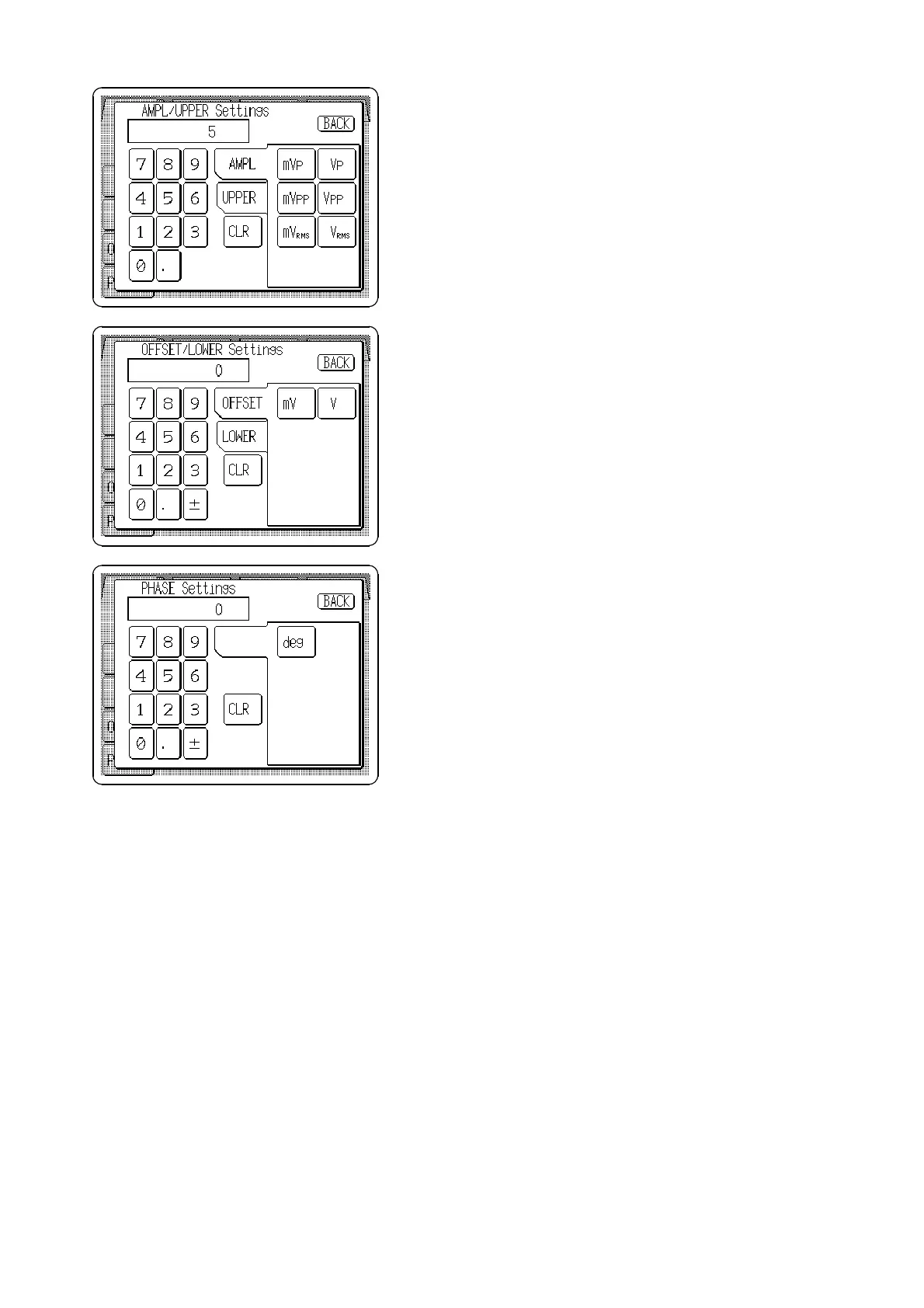
7. Press the Amplitude/Upper limit setting button (
AMPL
/
UPPER
) on the Output setting screen, and the AMPL/
UPPER (amplitude/upper limit) Settings window
appears.
8. Set to
5Vp
.
9. Press the Offset/lower limit setting button (
OFFSET
/
LOWER
) on the Output setting screen, and the OFFSET/
LOWER(lower limit) Settings window appears.
10. Set to
0V
.
11. Press the Phase/delay setting button (
PHASE
/
DELAY
)
on the Output setting screen, and the PHASE Settings
window appears.
12. Set to
0 deg
.
13. When finished settings, press the Channel On/Off key
(CH1) at the lower left front panel. The key will light
red to indicate standing by for output.
14. Press the
RUN/STOP
key at the lower right front panel.
The key will light red as the waveform is output.



 To Next Page