44
────────────────────────────────────────────────────
4.2 Waveform Input
────────────────────────────────────────────────────
4.2.1 Using the Floppy Disk
HIOKI WAVEFORM GENERATOR
data
7070/7075/7075-01
Waveform Creation Software data 7990
Binary data of the HIOKI MEMORY
HiCORDER
8806/8806-01/8807-01/8807-51
8808-01/8808-51/8825/8826/8835
8835-01/8840/8841/8842/8852
8853/8855
Text file in CSV format *2 TEXT1/TEXT2 (reserved)
4.2 Waveform Input
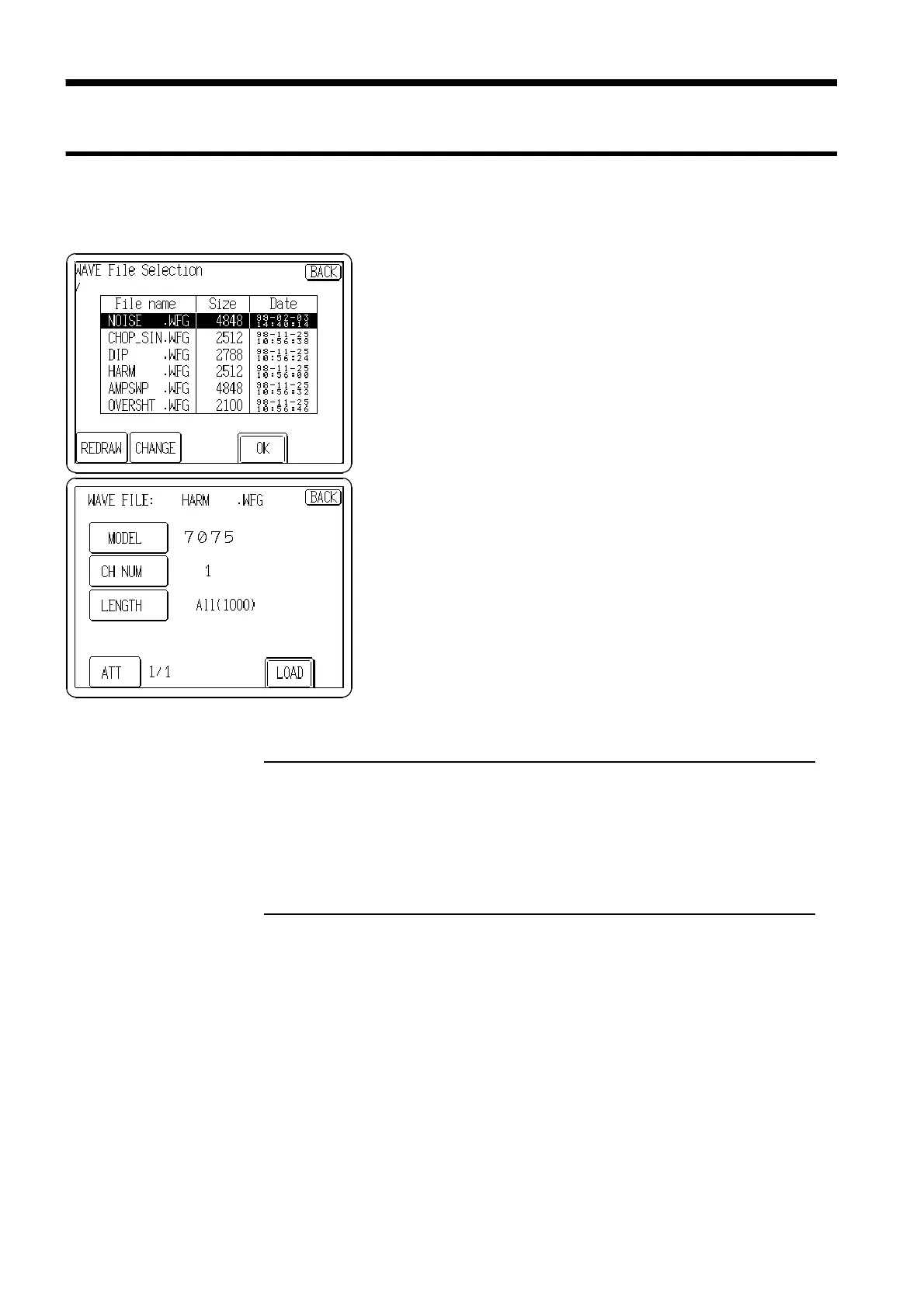
Input the waveform data saved on a floppy disk to the unit.
1. Press the
FILE
button to display the file list of the floppy
disk.
2. Rotate the Jog dial, or press the file name to select the
file. To change the current directory, press the
CHANGE
button.
3. Press the
OK
button to display the screen on which to
select the source device
*1
and amount of data (number
of words) to be loaded.
4. When finished making the settings, press the
LOAD
button.
5. If changing the waveform name, enter the new name and
press the
OK
button. If not changing the waveform name,
just press the
OK
button to load the waveform.
MODEL *1
Source Device Models
The device model is selected automatically, but can also be specified manually.
*2 Text file: Files with the extensions .TXT, .CSV and .PRN are all recognized as text files.
Non-numeric data at the head of a line causes that line to be treated as a header, and not
processed.
Strings separated by a comma and a space are recognized as separate channels. Up to 32
data lines can be specified.
CH NUM
Channel Number
When binary data is loaded from the MEMORY HiCORDER, the channel number
of the MEMORY HiCORDER is specified. The default channel to be loaded is the
lowest-numbered channel. A line is specified for the text.
LENGTH
Words to be read
The number of words to load is specified.
ATT
Damping Ratio
The voltage damping ratio is specified. For example, if a 1/10 ratio is specified, 5 V
data is read as 0.5 V.



 To Next Page