16
────────────────────────────────────────────────────
3.3 Selecting the Waveforms
────────────────────────────────────────────────────
NOTE
3.3 Selecting the Waveforms
Select the waveform to be output from the following list.
Function generator: Sine, square, pulse, triangle, ramp-up, ramp-down, noise
and DC waveforms
Arbitrary waveforms (8 pre-stored waveforms)
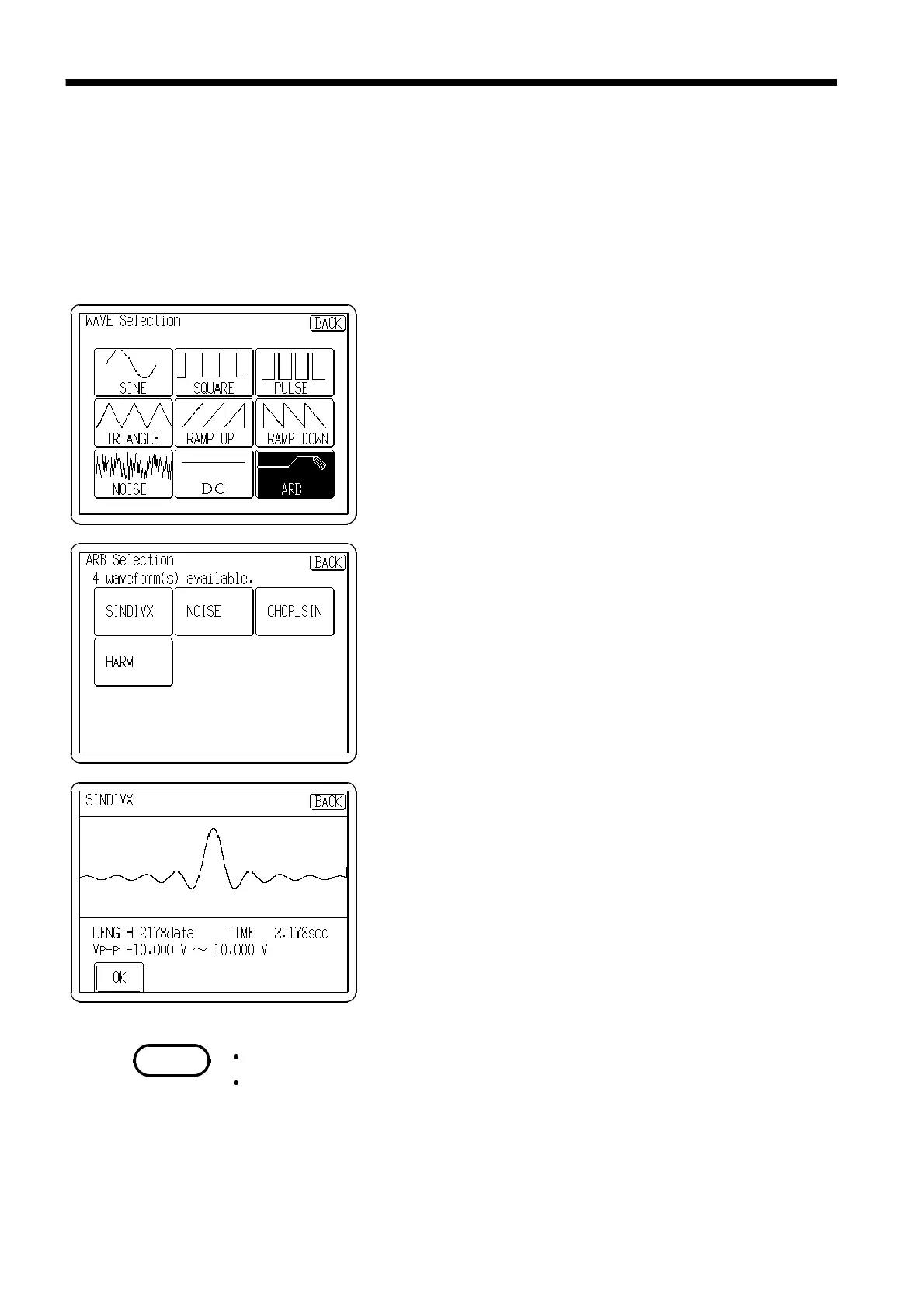
1. Press the Waveform display button, and the Waveform
selection window opens.
2. Select the waveform to be output.
For arbitrary waveforms, select ARB to display a list of
the arbitrary waveforms that have been stored in the
unit.
Otherwise, choose the desired waveform and return to
the main Output settings screen.
(Arbitrary waveform selection)
1. On the arbitrary waveform screen, select the waveform
to be output.
The information of waveform size, output time, and
amplitude for the specified waveform is displayed.
2. To set the waveform, press the
OK
button.
To change the waveform, press the
BACK
button to
return the ARB selection screen and select the
waveform again.
The waveform cannot be selected while RUN is active.
Arbitrary waveforms cannot be selected until they have been stored in the
unit. See Chapter 4, "Waveform Input Screen" to enter waveforms.



 To Next Page