37
────────────────────────────────────────────────────
3.7 Waveform Sweep Settings
────────────────────────────────────────────────────
3.7.18 Saving Sweep Settings
3.7.19 Loading Sweep Settings
NOTE
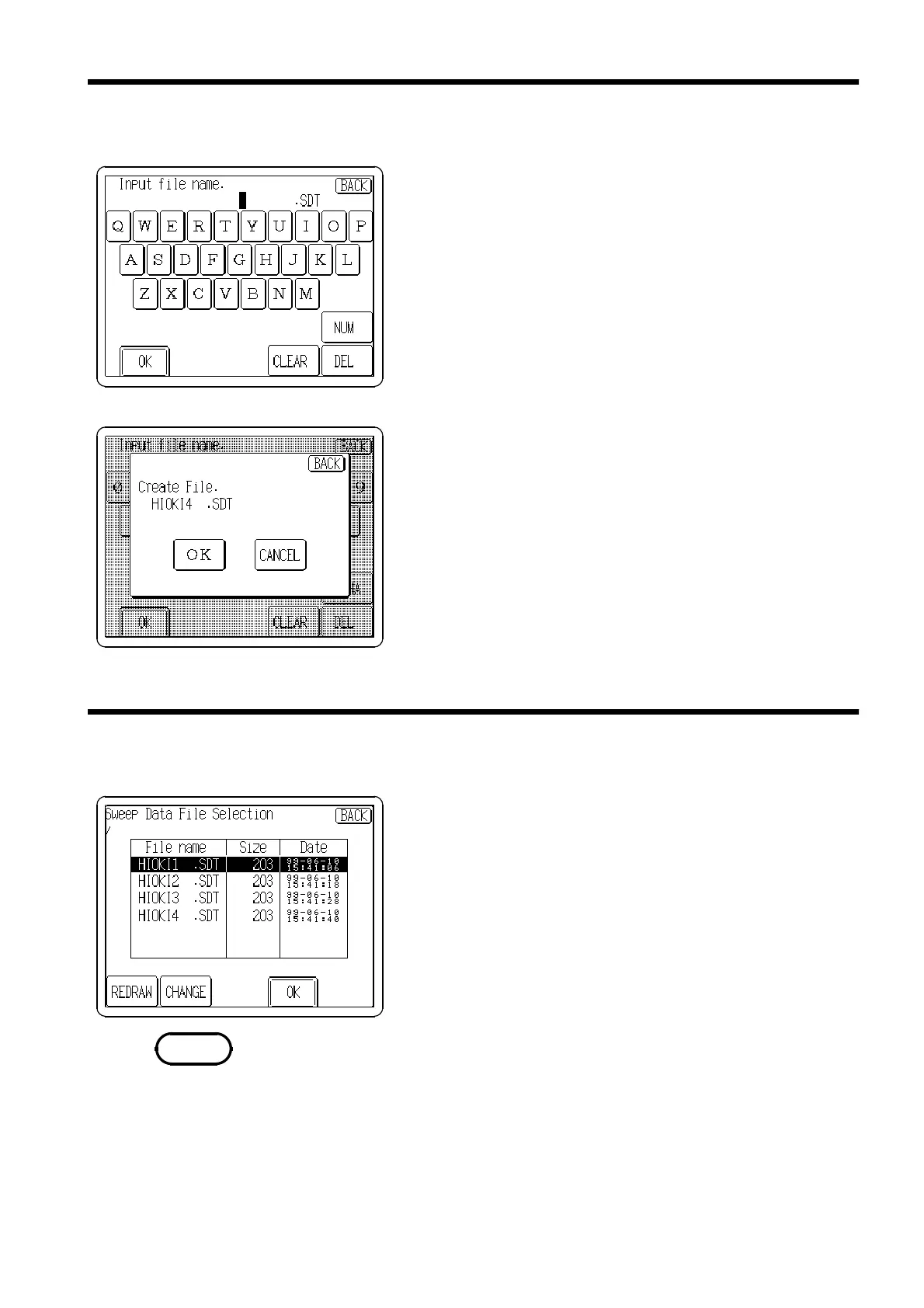
To save the sweep settings (output waveform, sweep items
and item settings) to floppy disk:
1. Press the
SAVE
button to display the Sweep Filename
entry screen.
2. Enter a file name (up to 8 characters).
3. Press the
OK
button. A confirmation window appears.
If no file name is entered, the data will be stored in the
file named TEMPDATA.SDT.
4. Click the
OK
button to save the sweep settings file to
the floppy and return to the Sweep Settings screen, or
click the
CANCEL
button to return to the Sweep Settings
screen without saving the data.
Sweep settings that have been saved to floppy disk can be
loaded back into the unit:
1. Press the
LOAD
button to display the Sweep Data File
Selection screen.
2. Turn the Jog dial to select (or just press on) the file
name of the file to be loaded.
3. Press the
OK
button to load the sweep settings file to
the unit. The sweep data is automatically regenerated.
Sweep setting files cannot be loaded while RUN is active.



 To Next Page