23
────────────────────────────────────────────────────
3.4 Setting the Waveform Parameter
────────────────────────────────────────────────────
3.4.5 Range Settings
NOTE
3.4.6 Filter Settings
NOTE
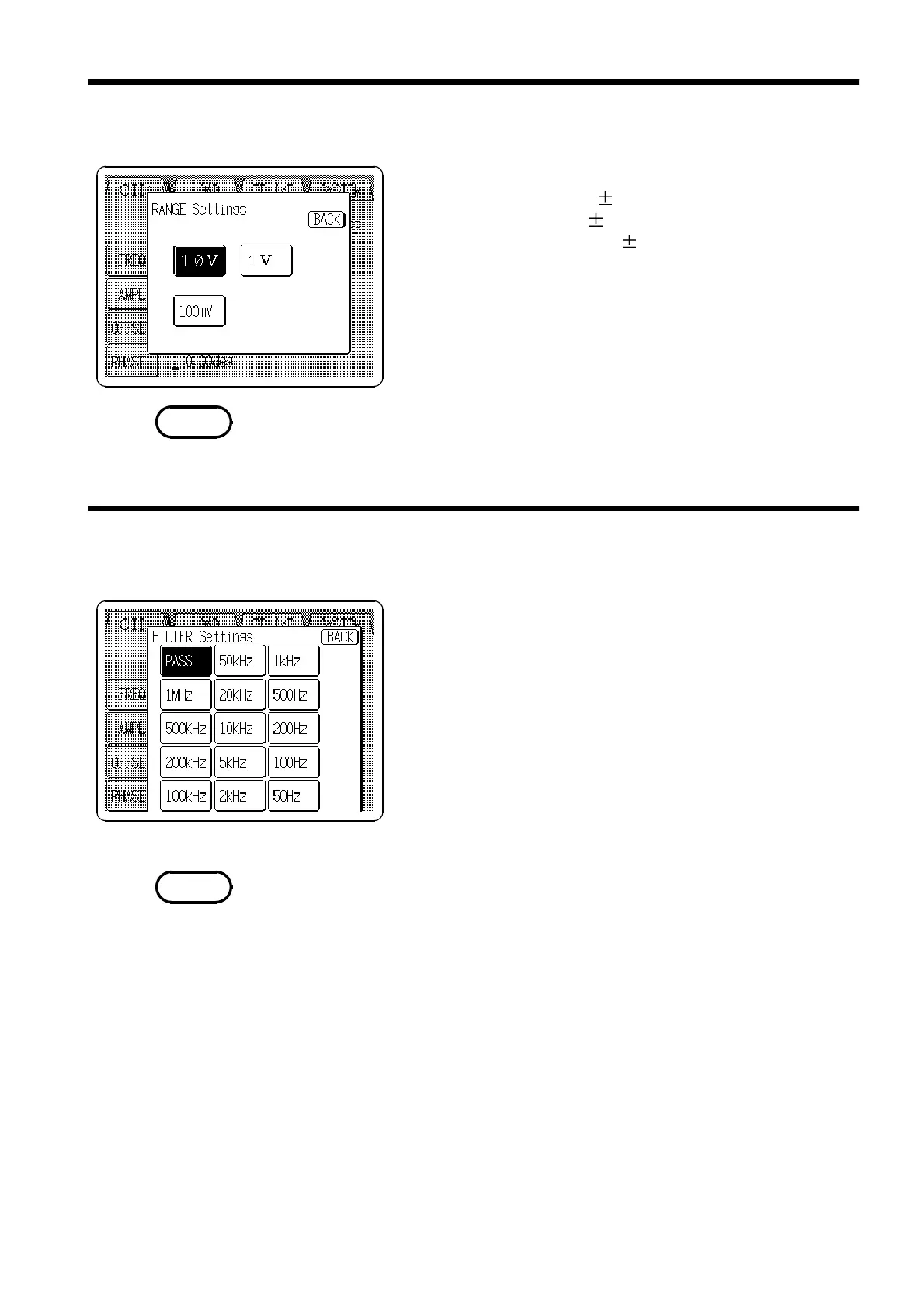
Select the output range.
10 V: output range upto 10V
1 V: output range upto 1V
100 mV: output range upto 100 mV
1. Press the Range setting button (
RANGE
) to open the
RANGE Settings window.
2. Press the button for the desired range to select that
range and return to the main Output settings screen.
When changing ranges, the amplitude/upper limit and offset/lower limit
values are automatically changed to correspond with the new range selection.
Select the cut-off frequency of the low pass filter.
1. Press the Filter setting button (
FILT
) to open the
FILTER Settings window.
2. Press the button for the desired cut-off frequency to
select that range and return to the main Output Settings
screen.
Filter selection is not available for sine wave, square wave and DC
waveforms.



 To Next Page