26
────────────────────────────────────────────────────
3.6 Setting Multiple Channels at the S ame Time
────────────────────────────────────────────────────
NOTE
3.6 Setting Multiple Channels at the Same Time
Setting items Waveform, frequency (period), amplitude, offset, filter, duty
Selections
None
All channels are set independently
CH1-CH2
Channels 1 and 2 are set simultaneously
CH1-CH3
Channels 1 and 3 are set simultaneously (7075-01 is not
possible)
CH1-CH4
All channels are set simultaneously (7075-01 is not possible)
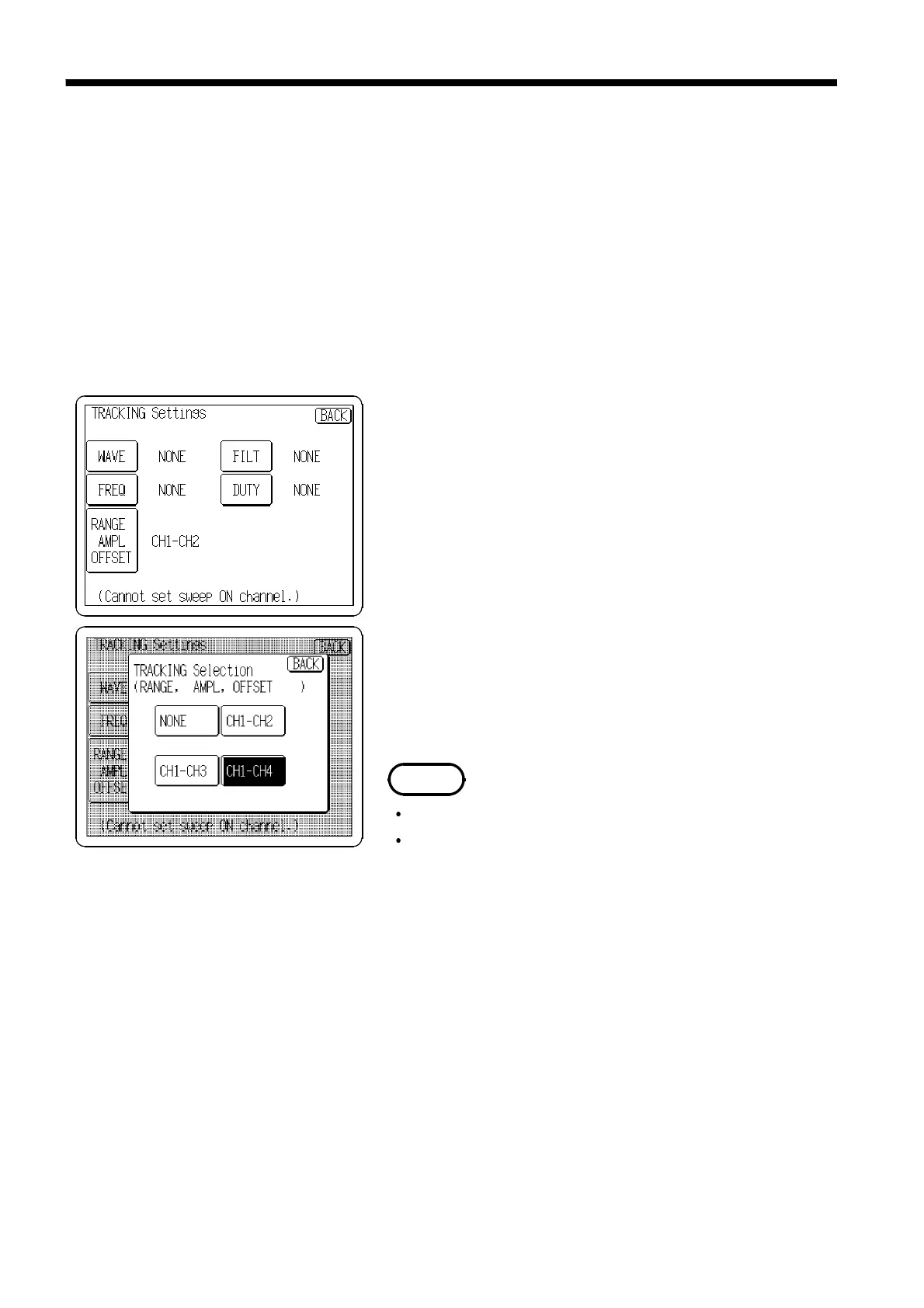
1. Press the channel number tab to open the CH Selection
window.
2. Press the
TRACKING
button to display a list of the states
of all channels.
3. Press the button for the channels to be set
simultaneously. The selection window for simultaneous
settings opens. Select the channels to be set
simultaneously and the Channel 1 settings to be copied
to the other channels.
4. For other settings, select the channels to be set
simultaneously in the same way.
5. When an item is set on a channel to be set
simultaneously with another, the setting for the other
channel is also set in the same way.
Setting is inhibited when sweep is active
Some settings cannot be set for multiple channels
simultaneously.



 To Next Page