11
────────────────────────────────────────────────────
2.6 Example of Basic Operations
────────────────────────────────────────────────────
2.6.1 Before Operations
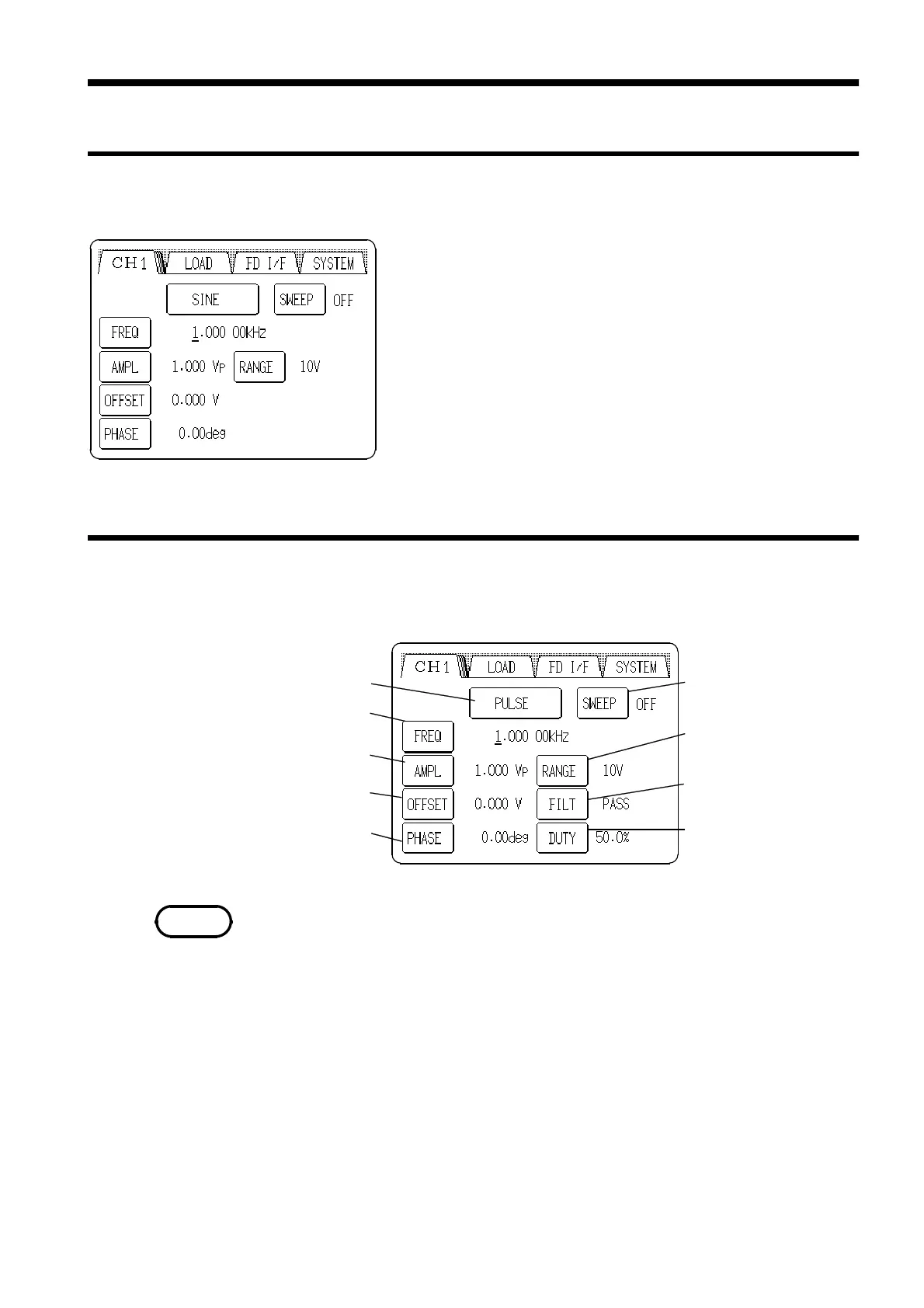
2.6.2 Output Setting Screen Buttons
Sweep setting button
(SWEEP)
Range setting button
(RANGE)
Filter setting button
(FILT)
Duty setting button
(DUTY)
Waveform display button
Frequency/Period setting button
(FREQ/PERIOD)
Amplitude/Upper limit setting button
(AMPL/UPPER)
Offset/Lower limit setting button
(OFFSET/LOWER)
Phase/delay setting button
(PHASE/DELAY)
NOTE
2.6 Example of Basic Operations
1. Connect the power cord and connecting cables to the unit.
2. Turn on the power.
3. The Output Setting screen is displayed after the opening
message screen.
The above buttons may not appear or may appear grayed out depending on
the waveform and output conditions. In such cases, they are disabled.



 To Next Page