63
────────────────────────────────────────────────────
7.2 Input Terminals and Functions
────────────────────────────────────────────────────
7.2.3 RUN/STOP IN
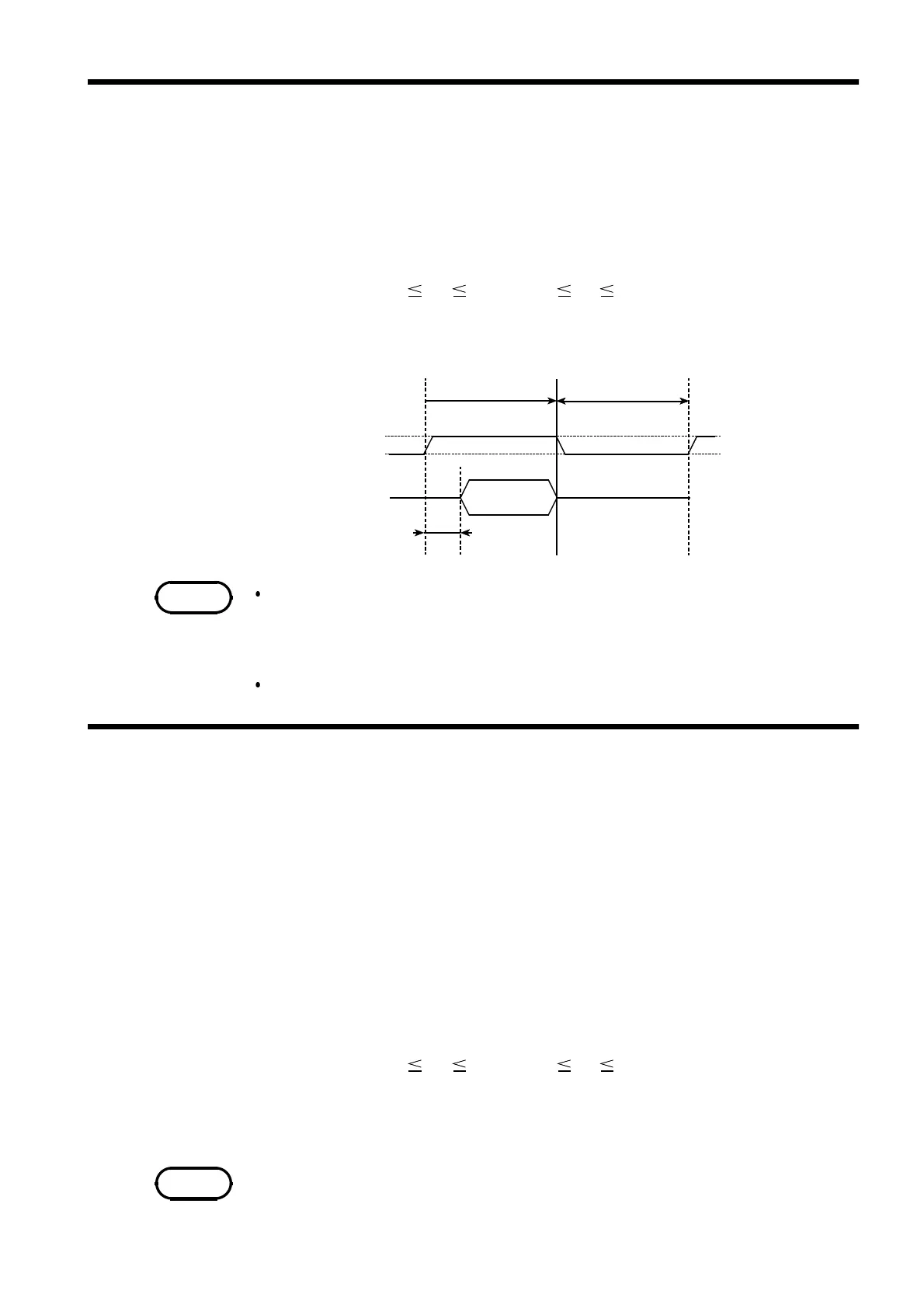
10 μs or less
RUN/STOP
Analog output
500 ms or more 500 ms or more
Effective
output
V
H
V
L
RUN STOP
NOTE
7.2.4 TRIGGER IN
NOTE
(1) Function
This input terminal allows external RUN/STOP control.
(V
H
: RUN/ V
L
:STOP)
Operation duplicates that of the
RUN/STOP
key on the front panel.
(2) Input format
Logic level (4.0 V V
H
5.0 V, 0 V V
L
0.8 V, with no loading)
Input impedance: 47 kΩ
(3) Operation Timing
Waveforms are output when either the front panel
RUN/STOP
key or the
RUN/STOP input is in the RUN state. Both the
RUN/STOP
key and the
RUN/STOP input must be in the STOP state for waveform output to be
disabled.
Waveforms cannot be changed when RUN is active.
(1) Function
This is the input terminal for a trigger signal to control sweep output. It
functions in the same way as the front panel
TRIG
key. When the TRIG
indicator on the front panel is lit, trigger input is enabled.
Triggering is valid only when the loop time is infinite or the HOLD function
is enabled in the sweep settings.
(2) Trigger Precautions
The trigger indicator shows the logical sum of each channel, so it lights
when the trigger condition is satisfied on any channel. The input is ignored
if no channel satisfies the trigger receiving condition.
(3) Input format
Logic level (4.0 V V
H
5.0 V, 0 V V
L
0.8 V, with no loading)
Input impedance: 47 kΩ
Minimum pulse width: 1 μs (rising edge)
Minimum input pulse interval: 5 μs
The input is invalid when the
TRIG
key on the front panel is pressed.



 To Next Page