25
────────────────────────────────────────────────────
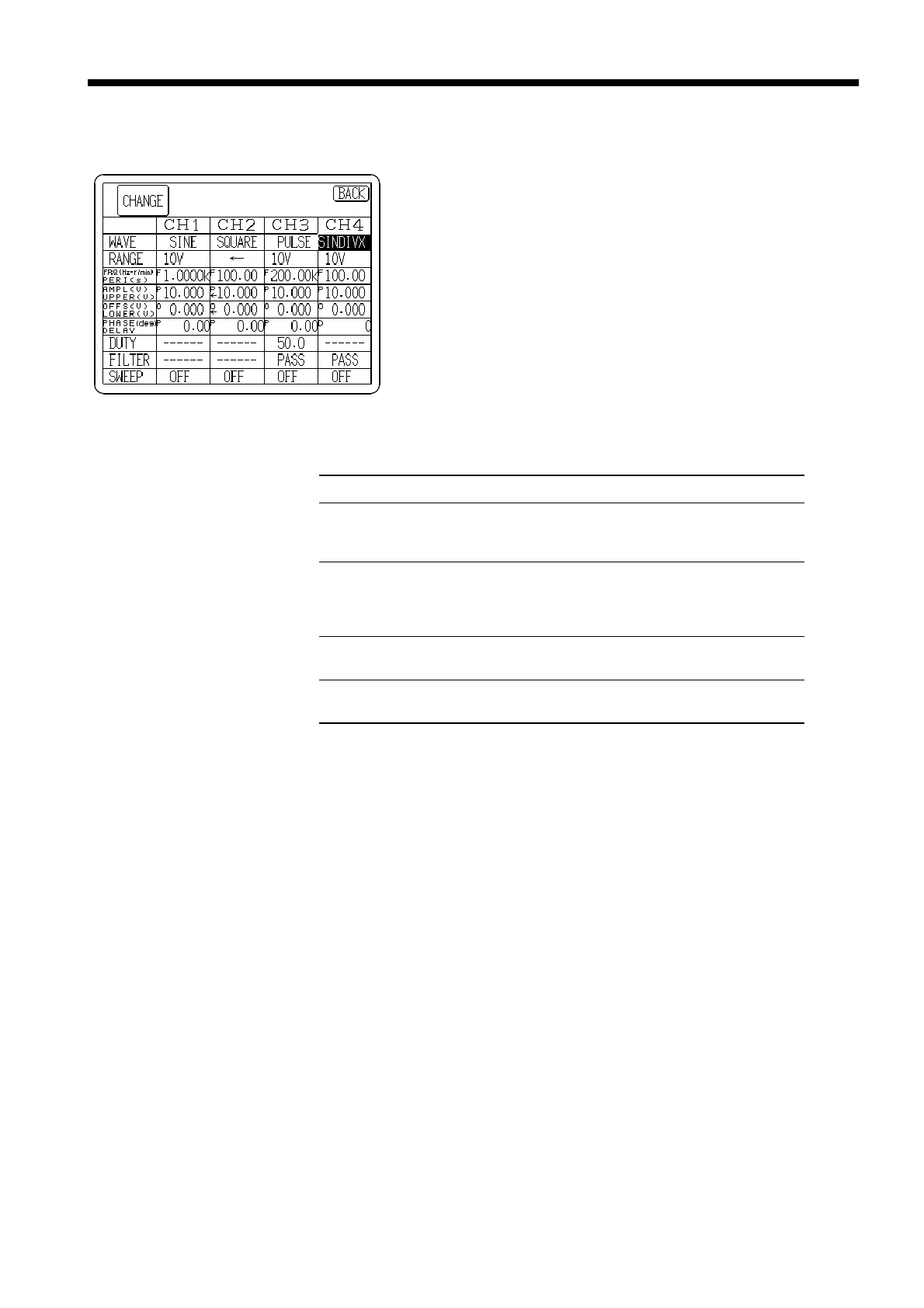
3.5 Displaying the States of All Channels List
────────────────────────────────────────────────────
Item Meanings of the symbols
Frequency/period display column
[FREQ/ PERI]
F frequency (Hz)
r frequency (r/min)
P period (s)
Amplitude/upper limit value display
column
[AMP/ UPPER]
P amplitude (Vpeak)
PP amplitude (Vpp)
R amplitude (V
RMS
)
U upper limit (V)
Offset/lower limit displays value
[OFFS/LOWER]
O offset (V)
L low limit value(V)
Phase/delay display column
[PHASE/DELAY]
P phase (deg)
D delay
3.5 Displaying the States of All Channels List
1. Press the channel number tab to open the CH Selection
window.
2. Press the
LIST
button to display a list of the states of all
channels.
3. Turn the Jog dial to change the selected (reverse display)
setting item.
Press the
CHANGE
button to modify the selected item.
Other setting items can also be selected by pressing the
desired item itself. Pressing a selected (reverse display)
item allows editing its contents.
The meanings of the symbols in the table are as follows:



 To Next Page