68
────────────────────────────────────────────────────
8.2 Operations
────────────────────────────────────────────────────
WARNING
Never connect another device to operate as controller when the
unit's control function is in use, as this could cause malfunctions
and, in the worst case, damage to the unit.
8.2.1 Settings of the GP-IB Interface
8.2.2 Settings of the RS-232C Interface
8.2 Operations
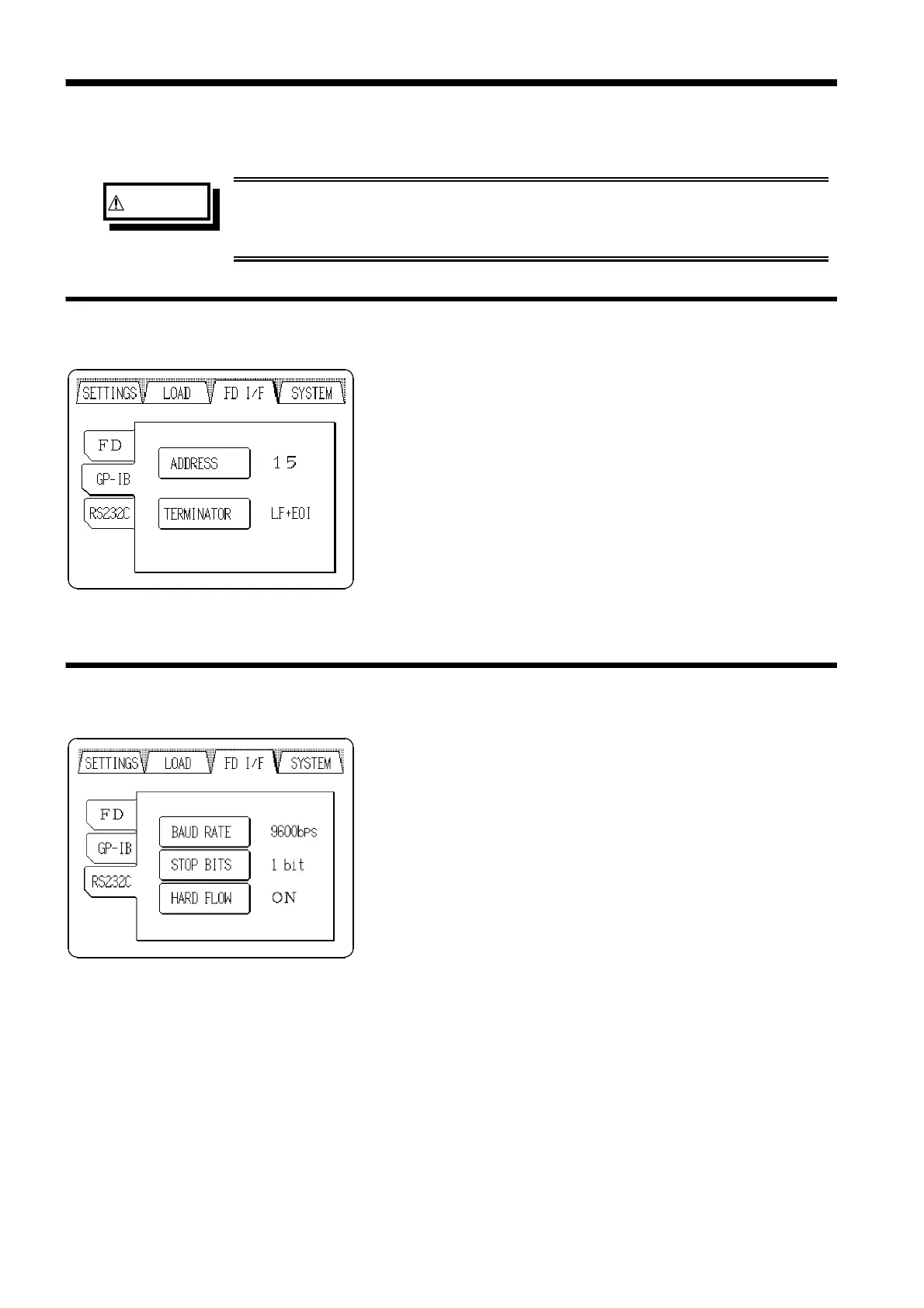
Set the function, address, transmit terminator on the GP-IB
screen.
Select GP-IB on the FD I/F screen.
(1) Address
Set the GP-IB device address. (0 to 30: Address number)
The device address is set to 15 when shipped from the
factory, and when the device is reset.
(2) Terminator
Select the appropriate delimiter sequence for the plotter
being used. (LF+EOI / CR+LF+EOI)
Set the baud rate, stop bit, and hardflow on the RS232C
screen.
Select RS232C on the FD I/F screen.
(1) Baud rate
Set the baud rate of the RS-232C interface.
(4800 bps/ 9600 bps/ 19200 bps)
The baud rate is set to 9600 bps when shipped from the
factory, and when the device is reset.
(2) Stop bit
Set the stop bit of the RS-232C interface. (1 bit / 2 bits)
(3) Hardflow
Set the flow control of the RS-232C interface. (ON/ OFF)



 To Next Page