18
────────────────────────────────────────────────────
3.4 Setting the Waveform Parameter
────────────────────────────────────────────────────
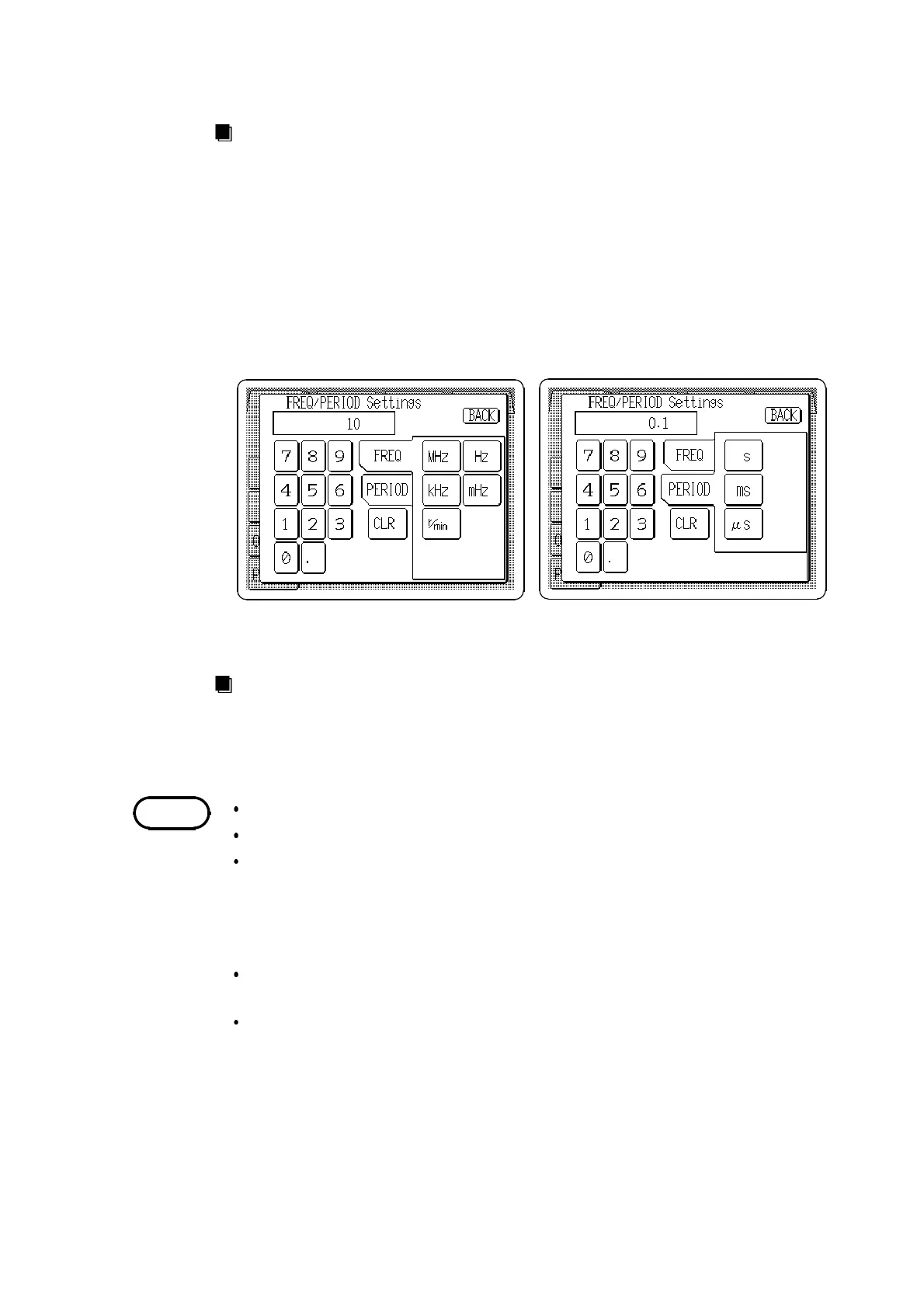
When the frequency is set
When the period is set
NOTE
Method
Direct Entry
1. Press the Frequency/Period setting button (
FREQ
/
PERIOD
) to open the
FREQ/PERIOD settings window.
2. Select either frequency or period entry format. For arbitrary waveforms, the
setting affects both output values or sampling clock frequencies.
3. Enter the numeric value by the tenkeys.
4. Select the units. Pressing the unit button accepts the value entered in step 3,
and returns to the main Output settings screen. The main screen shows the
entered format, or if the setting is invalid, the entry is cleared.
Jog Dial Entry
The Jog dial can be used to set frequency or clock frequency. When a
arbitrary waveform is selected, the clock frequency is displayed at the left
side and the output frequency can be set within parentheses.
Setting is inhibited when sweep is active
Setting is inhibited for noise or DC waveforms
All settings are stored as frequencies within the 7075. Because rpm (r/min)
and period (s) formats are converted to facilitate the internal analysis
functions, entered values and actual setting values may differ slightly, in
which case the actual setting is made as close as possible to the entered
value.
When changing a waveform, if the setting frequency exceeds the settable
range of that waveform, the maximum allowable value is used.
The Jog dial can be used to set frequency and clock frequency formats, but
not the rpm (r/min) or period (s) formats.



 To Next Page