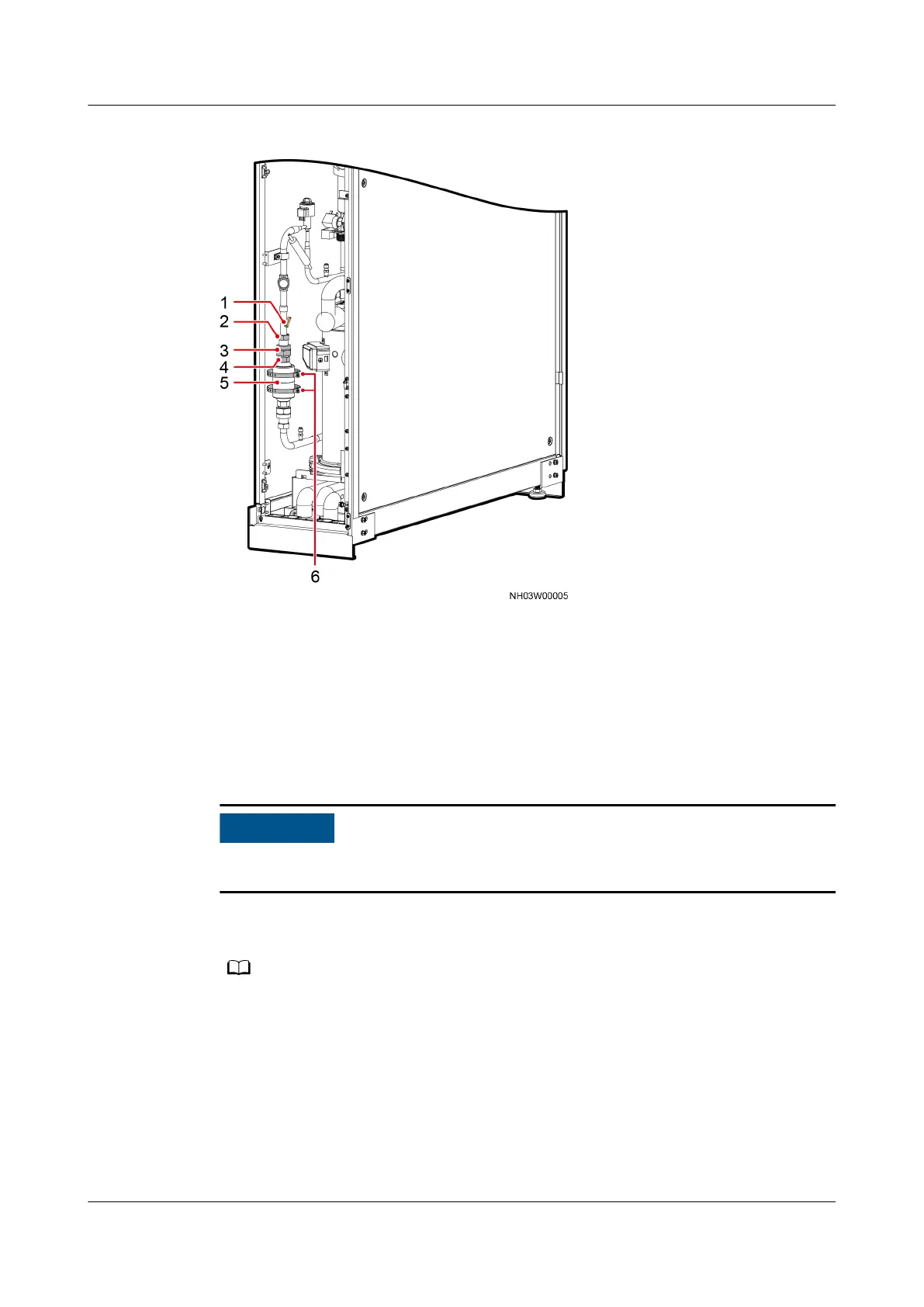
Figure 6-12 Position of the lter dryer
(1) Liquid pipe NTC
temperature sensor
(2) Pipe nut (3) Adjustable nut
(4) Filter dryer nut (5) Filter dryer (6) Hold hoop
Procedure
Step 1 Tap Shutdown on the LCD home screen and turn o the smart cooling product
switch in the PDC and the compressor switch QF3.
Exercise caution because the NetCol5000-A is still energized when it is being shut
down over the LCD.
Step 2 Reclaim all refrigerant from the system using a refrigerant retrieval device to
ensure that there is no pressure inside the system.
Discharge the refrigerant if the local laws and regulations allow.
Step 3 Remove the liquid pipe NTC temperature sensor shown by (1) in Figure 6-12.
Step 4 Remove the lter dryer, as shown in Figure 6-13.
NetCol5000-A025 In-row Air Cooled Smart Cooling
Product
User Manual (300 mm Width) 6 System Operation and Maintenance
Issue 15 (2020-12-10) Copyright © Huawei Technologies Co., Ltd. 238







 To Next Page