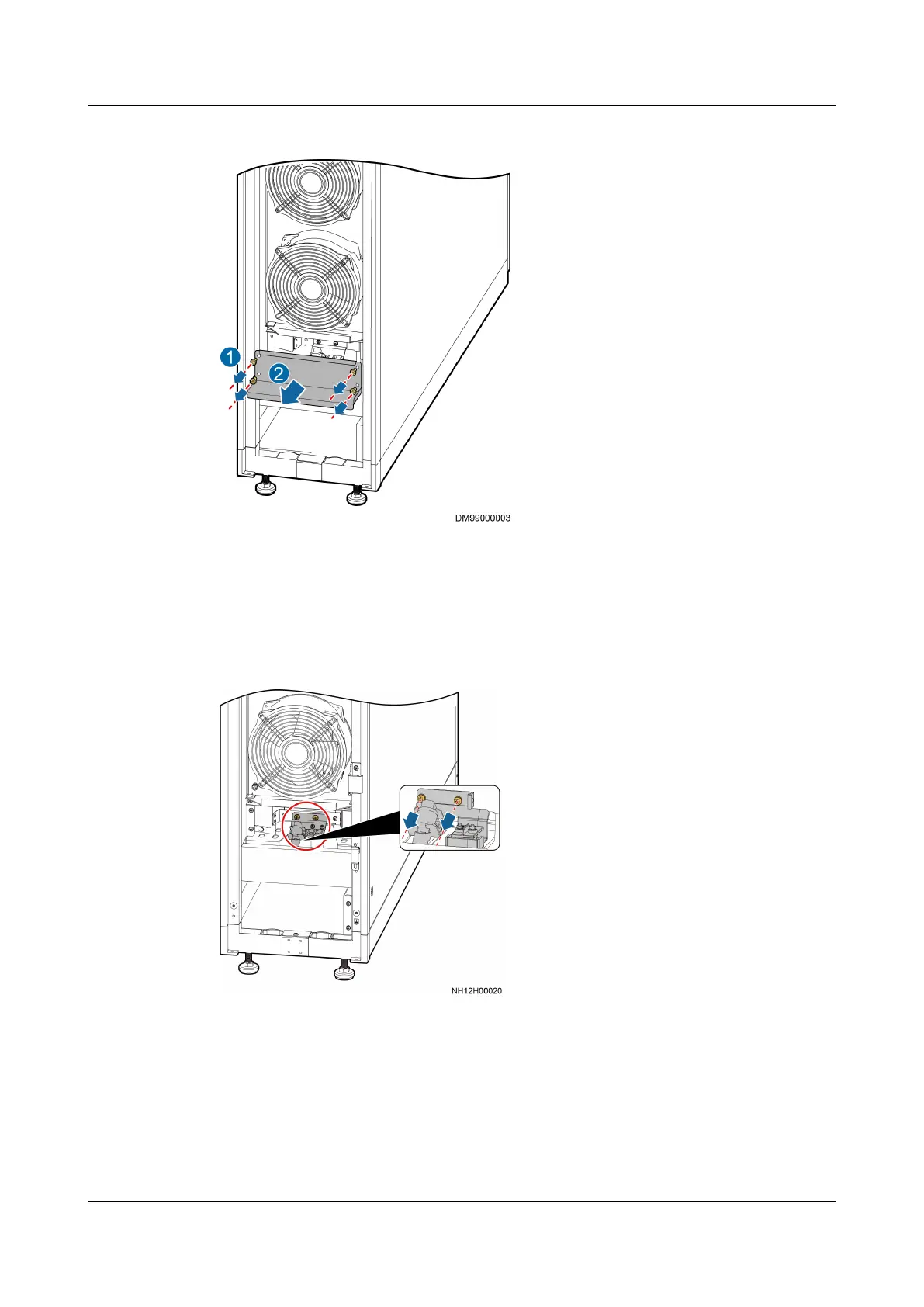
Figure 6-27 Removing a water pan cover
Step 3 Use a Phillips screwdriver to remove the two screws that secure the sheet metal
fastener of the liquid level detector, disconnect the interconnection terminal of the
liquid level detector, and then remove the sheet metal fastener of the liquid level
detector, as shown in Figure 6-28.
Figure 6-28 Removing screws from the sheet metal fastener of a liquid level
detector
Step 4 Use a Phillips screwdriver to remove the screws that secure the high liquid level
detector, and remove the high liquid level detector (the low liquid level detector
can be taken out by rotating it), as shown in Figure 6-29.
NetCol5000-A025 In-row Air Cooled Smart Cooling
Product
User Manual (300 mm Width) 6 System Operation and Maintenance
Issue 15 (2020-12-10) Copyright © Huawei Technologies Co., Ltd. 257







 To Next Page