● Backup power underfrequency alarm threshold < Backup power
overfrequency alarm threshold
● Supply air high temperature alarm threshold + 5°C ≤ Return air high
temperature alarm threshold
● Supply air high temperature alarm threshold + 5°C ≤ Hot aisle high
temperature alarm threshold
● Cold aisle high temperature alarm threshold + 5°C ≤ Hot aisle high
temperature alarm threshold
● Cold aisle high temperature alarm threshold + 5°C ≤ Return air high
temperature alarm threshold
● Supply air low temperature alarm threshold + 5°C ≤ Return air low
temperature alarm threshold
Context
● To set an alarm threshold, follow the instructions in this section.
● The method for setting each alarm is the same. This section describes how to
set Threshold of Supply air high temperature alarm to 45.
● If you need to change alarm settings, log in as the Admin user.
Be careful when conguring alarms. Only professional maintenance personnel can
change alarm settings.
Procedure
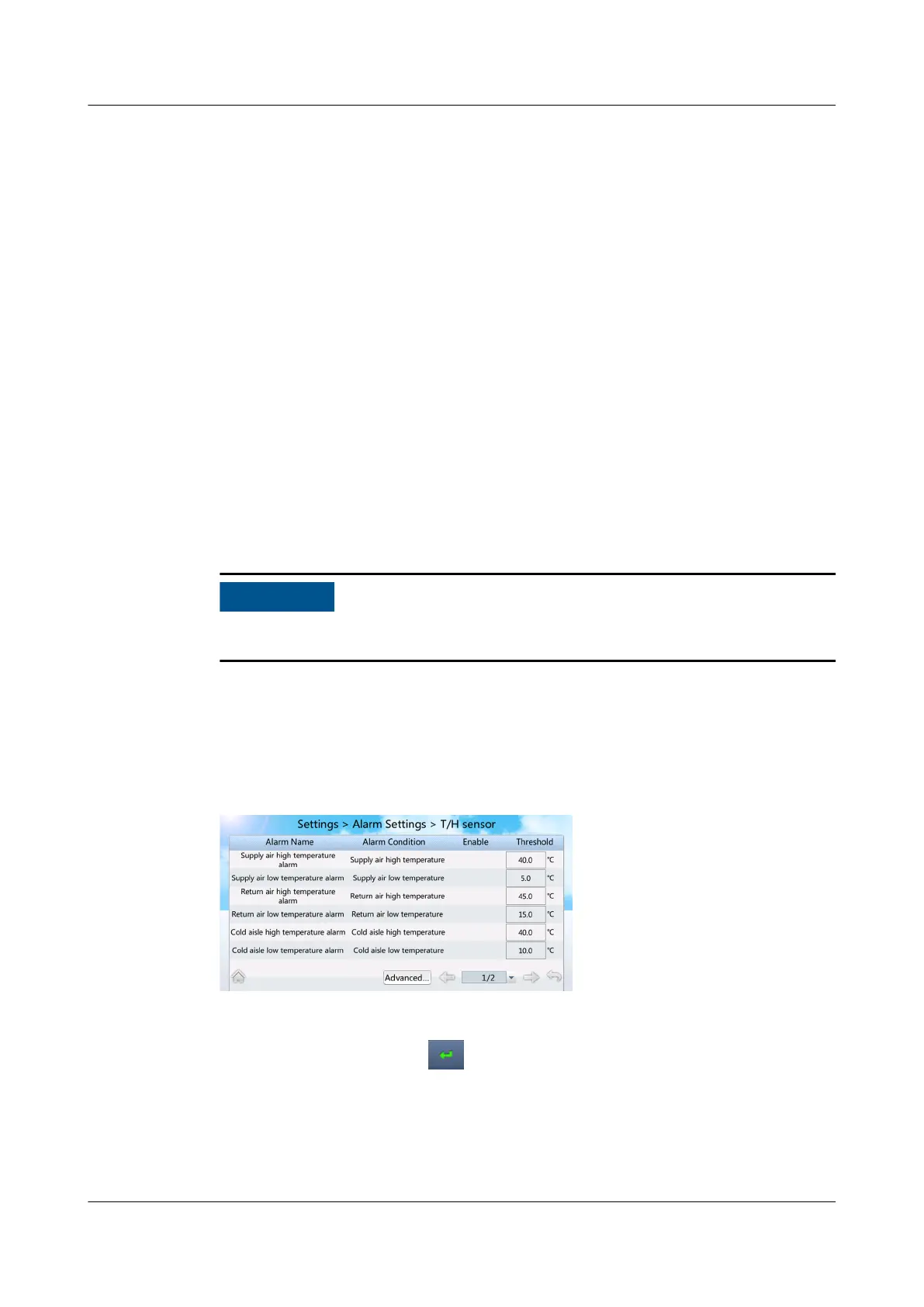
Step 1 Choose Settings > Alarm Settings > T/H Sensor on the home screen. Figure 7-16
is displayed.
Figure 7-16 Setting alarm parameter 1
Step 2 Tap Threshold following Supply air high temperature alarm.
Step 3 Set the value to 45 and tap , as shown in Figure 7-17.
NetCol5000-A025 In-row Air Cooled Smart Cooling
Product
User Manual (300 mm Width) 7 FAQ
Issue 15 (2020-12-10) Copyright © Huawei Technologies Co., Ltd. 279







 To Next Page