12-20
12. GPS OPERATION (ADVANCED)
GPS Memory
D Adding a GPS Memory
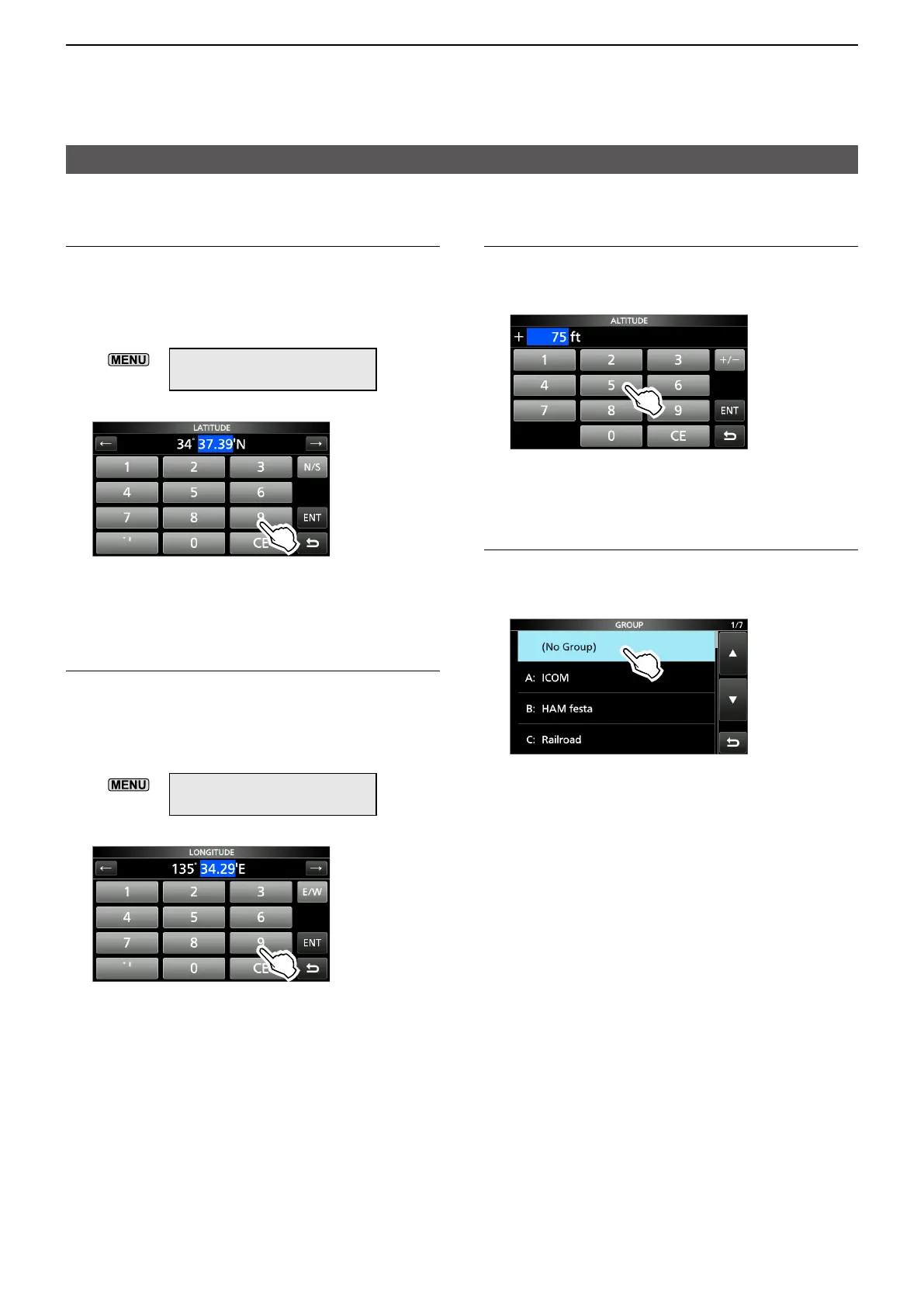
5� Entering the GPS Memory latitude
1. Touch “LATITUDE.”
2. Touch a digit to enter.
3. Enter the latitude.
L
L
»
SET > Display > Display Unit
> Latitude/Longitude
4. Repeat steps 2 and 3 to enter the latitude.
5. Touch [N/S] to set to a north latitude (N) or a
south latitude (S).
6. After entering, touch [ENT].
6� Entering the GPS Memory longitude
1. Touch “LONGITUDE.”
2. Touch a digit to enter.
3. Enter the longitude.
L
L
»
SET > Display > Display Unit
> Latitude/Longitude
4. Repeat steps 2 and 3 to enter the latitude.
5. Touch [E/W] to set to an east longitude (E) or
a west longitude (W).
6. After entering, touch [ENT].
7� Entering the GPS Memory altitude
1. Touch “ALTITUDE.”
2. Touch [+/-] to set to plus or minus.
3. Enter the altitude.
LSet to between –32808 and +32808 feet.
4. After entering, touch [ENT].
8� Selecting a GPS Memory group
1. Touch “GROUP.”
2. Touch the group between (No Group) and A ~
Z.
LYou can save up to 300 Memories in each
group.





 To Next Page