15-2
15. ABOUT THE DV GATEWAY FUNCTION
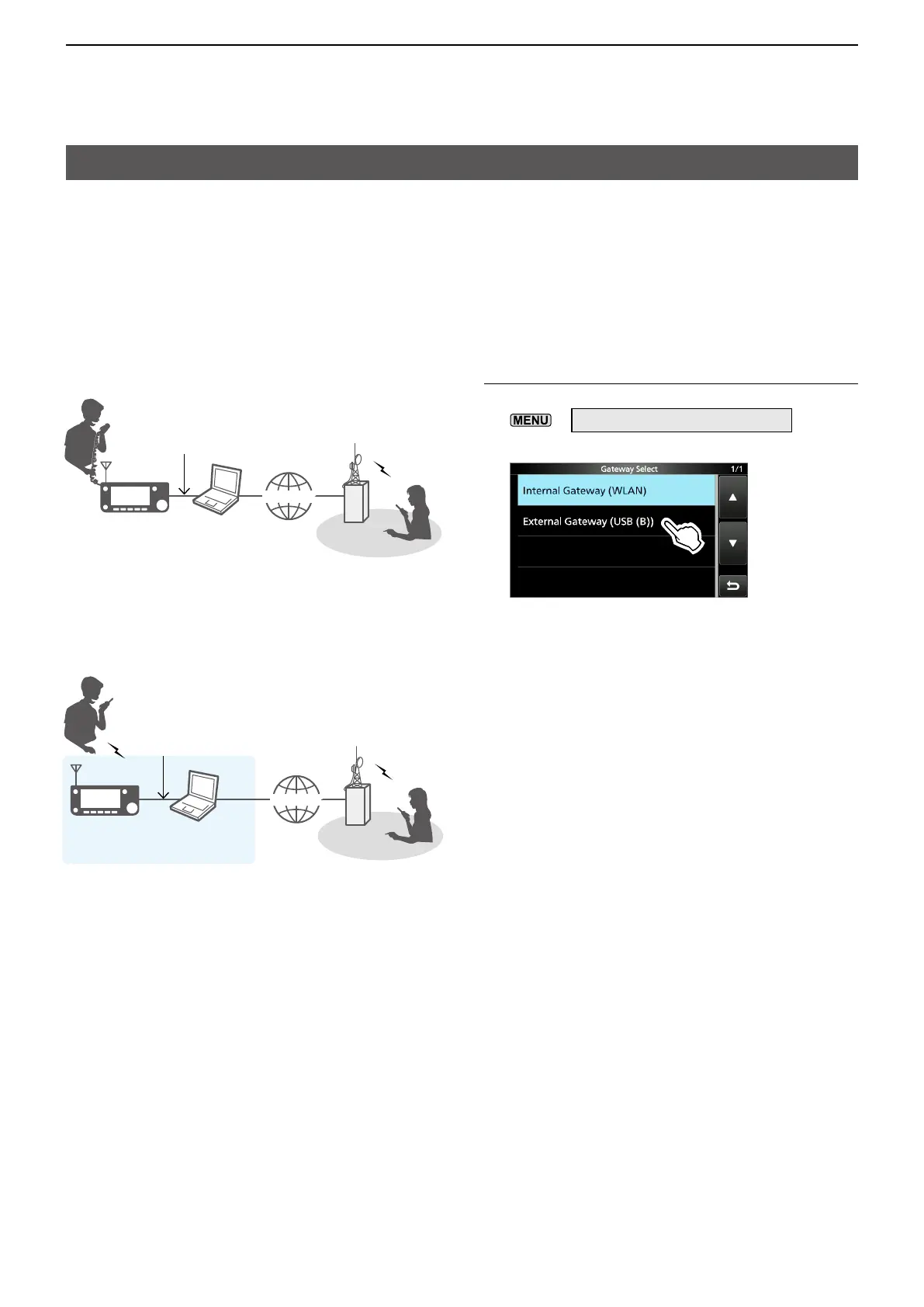
When using the External Gateway function
Even if you cannot connect the transceiver to the Internet directly, or you want to use a cellular system,
you can use the DV Gateway function by using a Windows or Android device that is running the
RS-MS3W or RS-MS3A application software.
LTo connect the transceiver to your device, you need a USB cable.
• When your device has a microUSB Type-B port, use the OPC-2417 (option).
• When your device has a USB Type-C port, use the OPC-2418 (option).
• When your device has a USB Type-A port, use a user supplied cable.
Access Point mode
Set “Gateway Select” to “External Gateway”
1. Open the “Gateway Select” screen.
»
2 > DV GW > Gateway Select
2. Touch “External Gateway (USB (B)).”
INTERNETINTERNET
INTERNETINTERNET
Terminal mode
IC-705
D-STAR
repeater
Other station
USB cable
Windows or
Android device
IC-705
D-STAR
repeater
Other station
USB cable
Windows or
Android device
Access Point
Remote D-STAR transceiver*
* Any model as long as the transceiver is D-STAR capable.
Only one D-STAR transceiver can access the Access Point
at the same time.





 To Next Page