10-7
10.
Bluetooth
®
OPERATION
Editing the Bluetooth
®
unit name
You can edit the transceiver Bluetooth unit’s
name.
LAfter initializing the unit, the edited name remains.
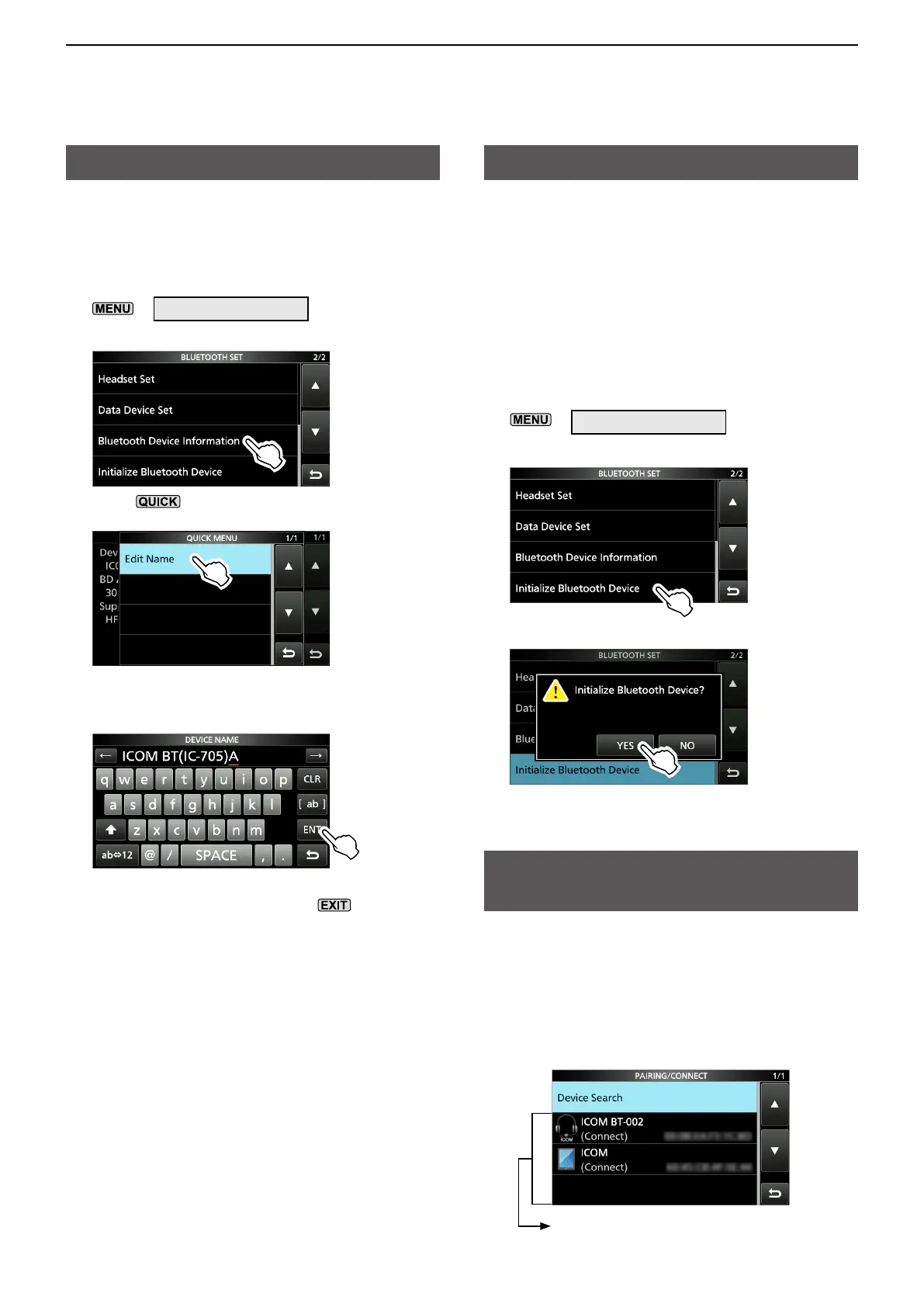
1. Open the BLUETOOTH SET screen.
»
SET > Bluetooth Set
2. Touch “Bluetooth Device Information.”
3. Push .
4. Touch “Edit Name.”
5. Enter a name of up to 9 characters*, and then
touch [ENT]. (Example: ICOM BT(IC-705)A)
*After “ICOM BT.”
6. To close the BLUETOOTH DEVICE
INFORMATION screen, push
several
times.
Initializing the Bluetooth
®
unit
You can initialize the transceiver’s Bluetooth unit.
You should initialize the unit if you have trouble
during Bluetooth operation.
LAfter initializing the unit, the pairing/connect list
is deleted, but the Bluetooth settings and the unit
name remain.
The Bluetooth settings return to their factory
defaults only when you do a partial reset or all
reset. (Basic manual)
1. Open the BLUETOOTH SET screen.
»
SET > Bluetooth Set
2. Touch “Initialize Bluetooth Device.”
3. Touch [YES].
• The transceiver will automatically restart.
The maximum number of
paired devices
You can pair 2 types of the Bluetooth devices:
a Headset and Data device.
Up to 5 Bluetooth devices can be paired with the
transceiver. However, you cannot pair with more than
4 headsets only or more than 4 data devices only.
Displays the paired Bluetooth device.




 To Next Page