15-15
15. ABOUT THE DV GATEWAY FUNCTION
Terminal mode operation
DOperating in the Terminal mode
NOTE: In the Terminal mode, you can make a
Gateway CQ call, or a call to a specific station,
using call sign routing.
LYou cannot make a call if you select “Local CQ” or
“Reflector.”
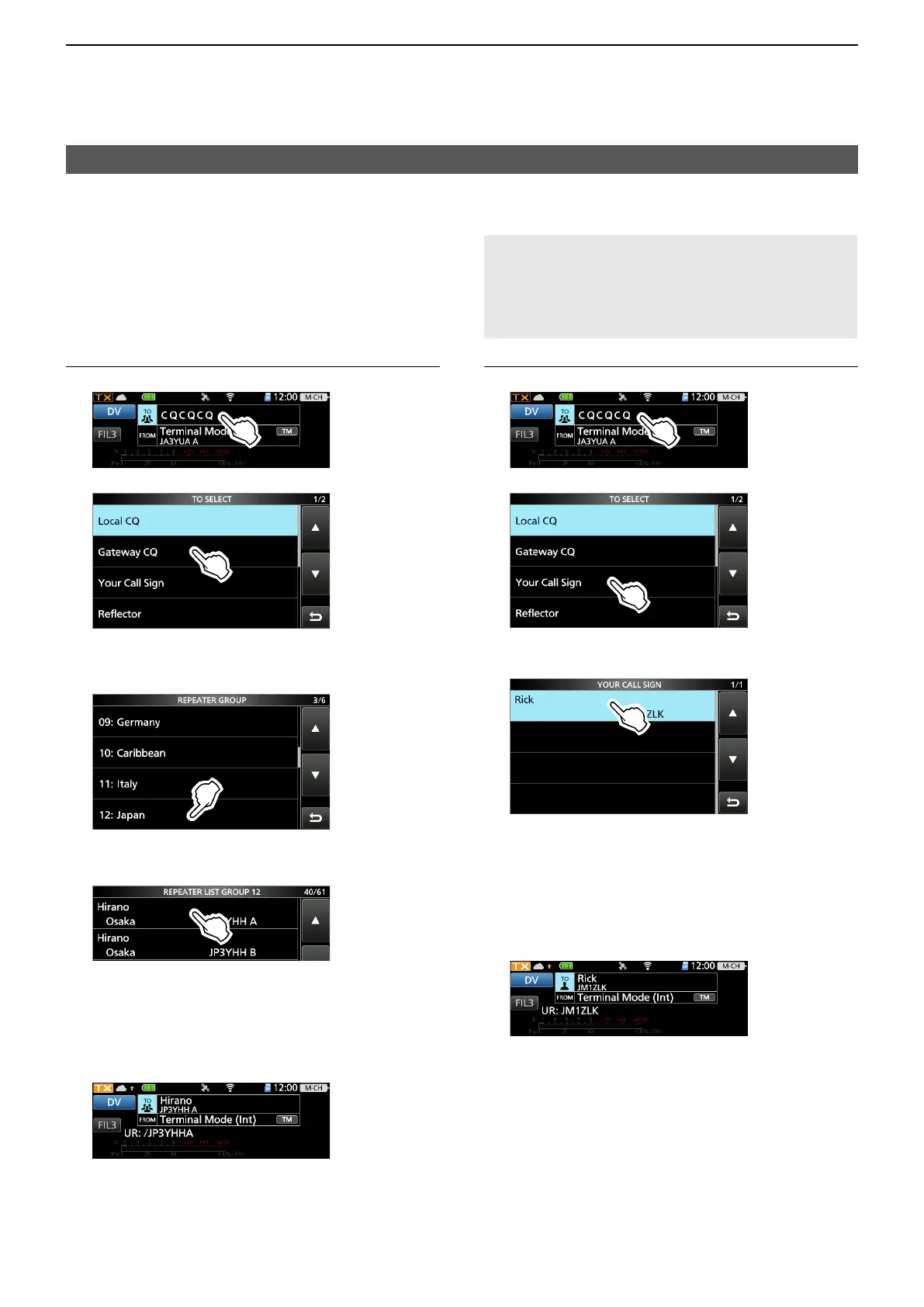
Example: Making a Gateway CQ call
1. Touch “TO.”
2. Touch “Gateway CQ.”
3. Select the repeater group where your
destination repeater is listed.
(Example: 12: Japan)
4. Select your destination repeater.
(Example: Hirano)
• Returns to the DR screen, and selected
repeater name is set in “TO.”
5. Hold down [PTT] to transmit.
• While transmitting, the TX/RX indicator lights orange.
LWhile receiving a signal through the Internet,
you cannot transmit.
6. Release [PTT] to receive.
LIf you do not receive a reply, see page 15-22 for
tips on how to solve the problem.
Example: Making a call to a specific station
1. Touch “TO.”
2. Touch “Your Call Sign.”
3. Select your destination station.
(Example: Rick)
• Returns to the DR screen, and the selected
name is set in “TO.”
4. Hold down [PTT] to transmit.
• While transmitting, the TX/RX indicator lights
orange.
LWhile receiving a signal through the Internet,
you cannot transmit.
5. Release [PTT] to receive.
LIf you do not receive a reply, see page 15-22 for
tips on how to solve the problem.





 To Next Page