12-26
12. GPS OPERATION (ADVANCED)
GPS Alarm
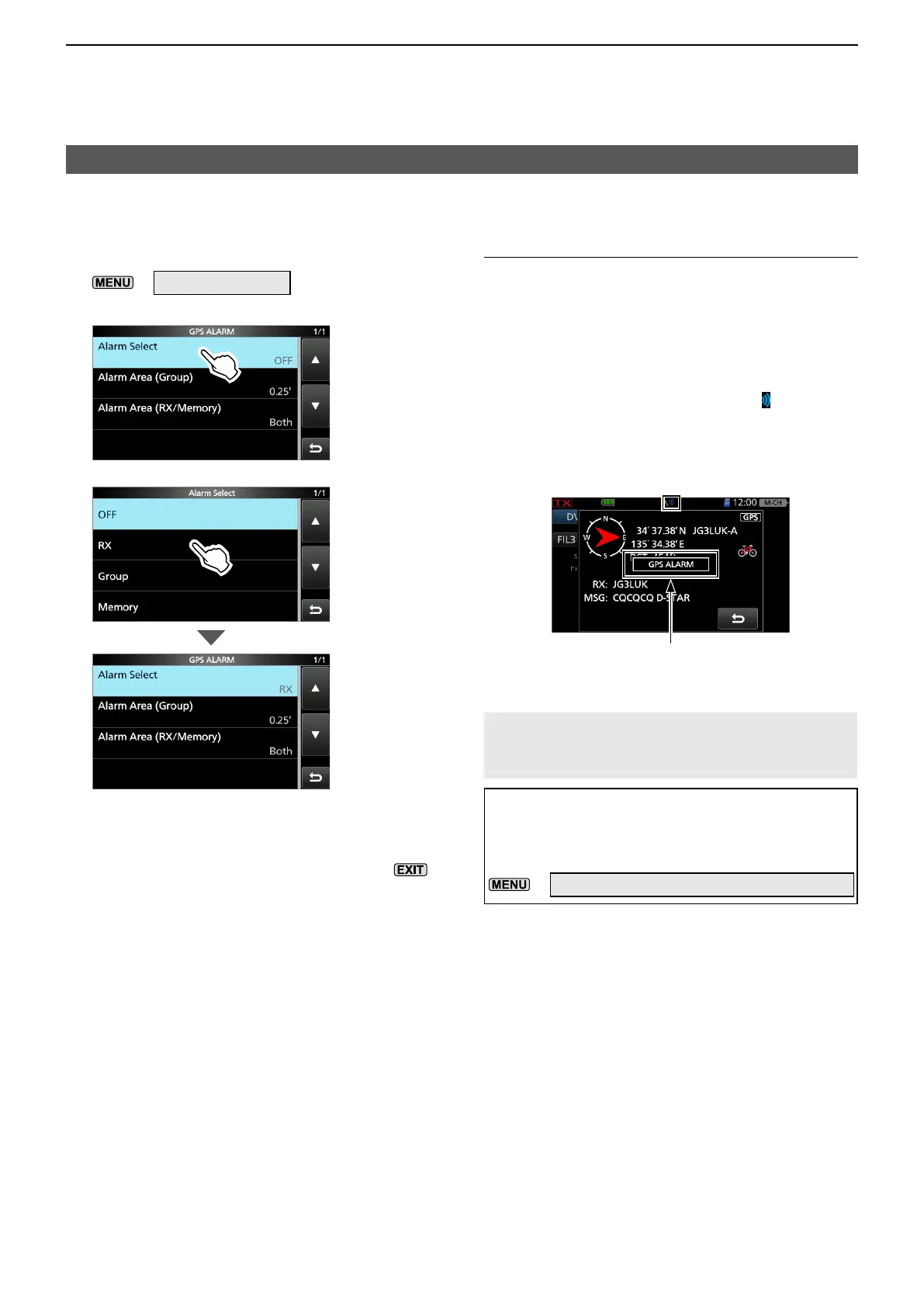
DSetting the GPS Alarm function to RX (a caller station)
1. Open the GPS ALARM screen.
»
GPS > GPS Alarm
2. Touch “Alarm Select.”
3. Touch “RX.”
LIf you want to set the alarm to a specific GPS
Memory, touch “Memory” and then select a GPS
Memory in a GPS Memory group.
4. To close the GPS ALARM screen, push
several times.
LInformation
• When a station with its GPS Alarm set enters within
an approximate 1 kilometer (1094 yards) range,
the alarm sounds once. When it enters within an
approximate 500 meters (547 yards) range, the
alarm sounds 3 times.
• When the transceiver sounds a GPS Alarm, “GPS
ALARM” pops up on the screen, and “ ” blinks. See
the illustration below.
• To cancel the GPS Alarm function, touch “OFF” in
step 3 to the left.
“GPS ALARM” pops up on the screen
and the alarm sounds 3 times.
Blinks
NOTE: Even if “RX” is selected in step 3, when
the received signal has no position data, the
GPS Alarm does not sound.
TIP: When selecting “RX” or a specific GPS
Memory in step 3 to the left, you also have to
set “Alarm Area (RX/Memory)” to use the GPS
Alarm function.
»
GPS > GPS Alarm > Alarm Area (RX/Memory)





 To Next Page