14-13
14. D-STAR OPERATION (ADVANCED)
<3rd page>
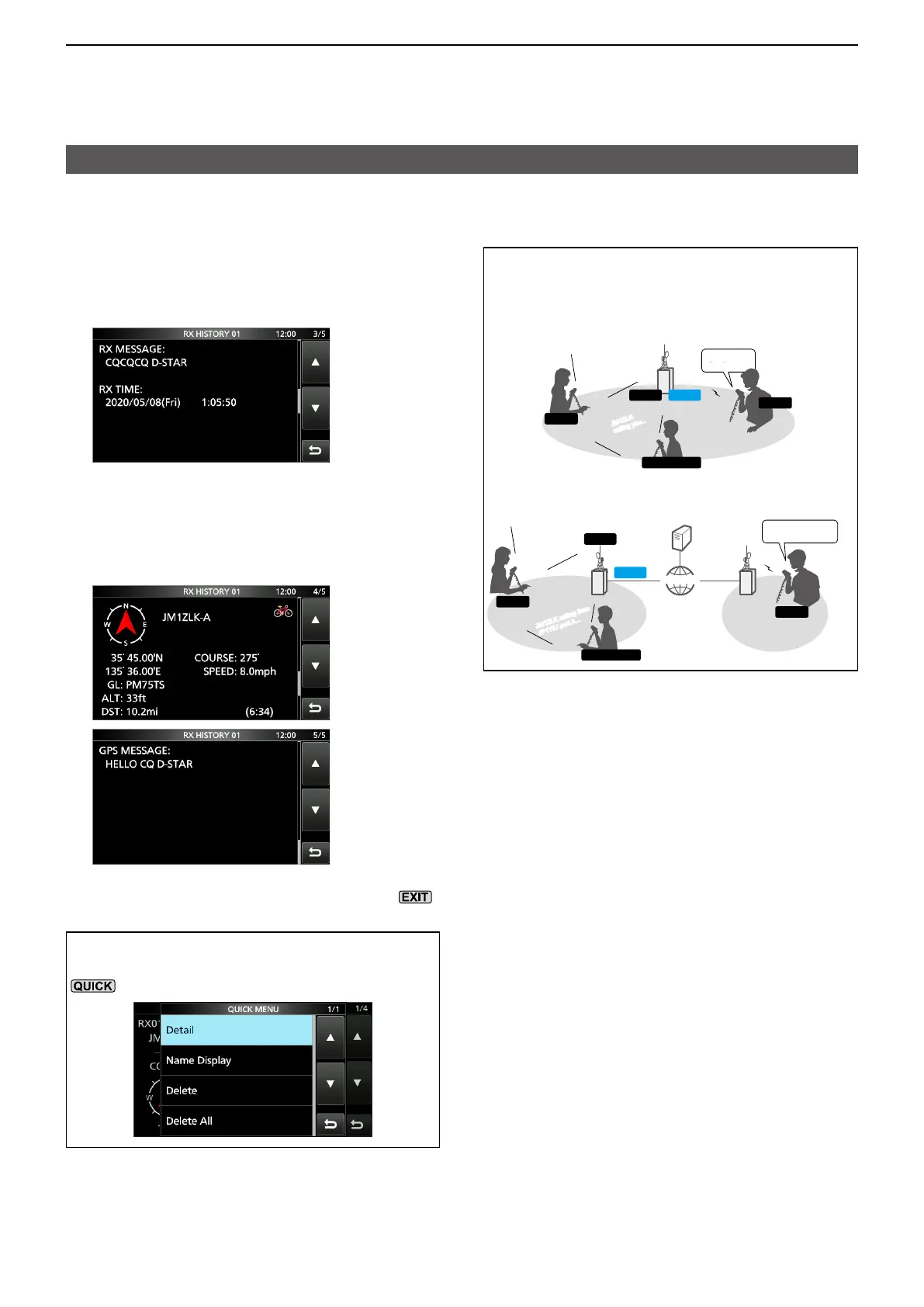
• RX MESSAGE: Displays any message included
in the received call, if entered.
• RX TIME: Displays the date and time the
call was received.
<4th, 5th page>
Displays position data of the caller station. If a
received signal has no data, no position data
is displayed.
4. To close the RX HISTORY screen, push .
TIP: To delete RX HISTORY data
On the RX HISTORY or the detail screen, push
, then touch “Delete” or “Delete All.”
Viewing received call signs
D View the call signs on the RX History screen
TIP: “RX RPT1” setting may differ, depending
on the way the call was made.
Example 1: When a Local area call is received.
JM1ZLK
calling you...
JM1ZLK
calling you...
JM1ZLK
calling you...
JM1ZLK
calling you...
JM1ZLK
calling you...
JM1ZLK
calling you...
RXRPT2
RXRPT1
CALLED
CALLER
YOUR STATION
Example 2: When a Gateway call is received.
JM1ZLK calling from
JM1ZLK calling from
JM1ZLK calling from
JP1YIU port A...
JM1ZLK calling from
JP1YIU port A...
RXRPT2
RXRPT1
JM1ZLK calling from
JP1YIU port A...
JM1ZLK calling from
JP1YIU port A...
CALLER
GW
INTERNET
INTERNET
CALLED
YOUR STATION





 To Next Page