95
ifm Vision Assistant O3M
UK
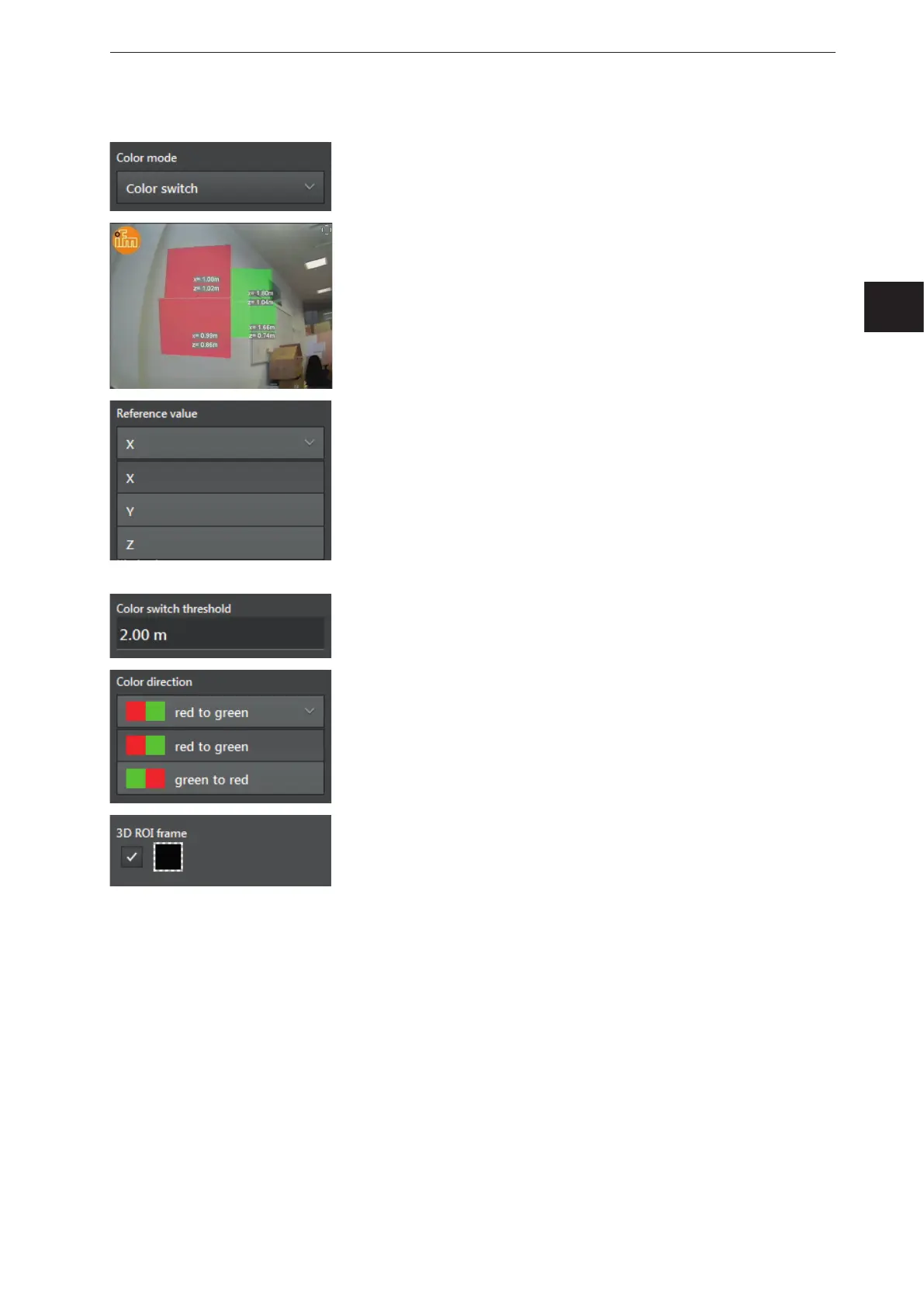
Colour mode [Colour switch]
In the colour mode [Colour switch], there is a change between 2
colours when a threshold is reached.
In the figure on the left, the output of 4 ROI groups and the X and Y
values are visualised as a colour change.
[Colour switch] is set as colour mode.
The "3D ROI frame" is deactivated.
The "reference value" defines the output of the ROI group which the
threshold value takes as a reference. The following reference values
can be selected:
● [X] - The moving wall is projected in the Y-Z level and moves with
the reference value X.
● [Y] - The moving wall is projected in the X-Z level and moves with
the reference value Y.
● [Z] - The moving wall is projected in the Y-X level and moves with
the reference value Z.
The "colour switch threshold" defines the threshold for the colour
change. The threshold value is based on the set reference value.
The "colour direction" determines what is to happen when the
threshold is exceeded or not reached. Change from
● [read to green]
● [green to read]
The "3D ROI frame" is configurable:
● By activating the control field, the "3D ROI frame" is shown.
● By clicking on the colour field, the colour of the "3D ROI frame" can
be changed.



 To Next Page