ifm Vision Assistant O3M
96
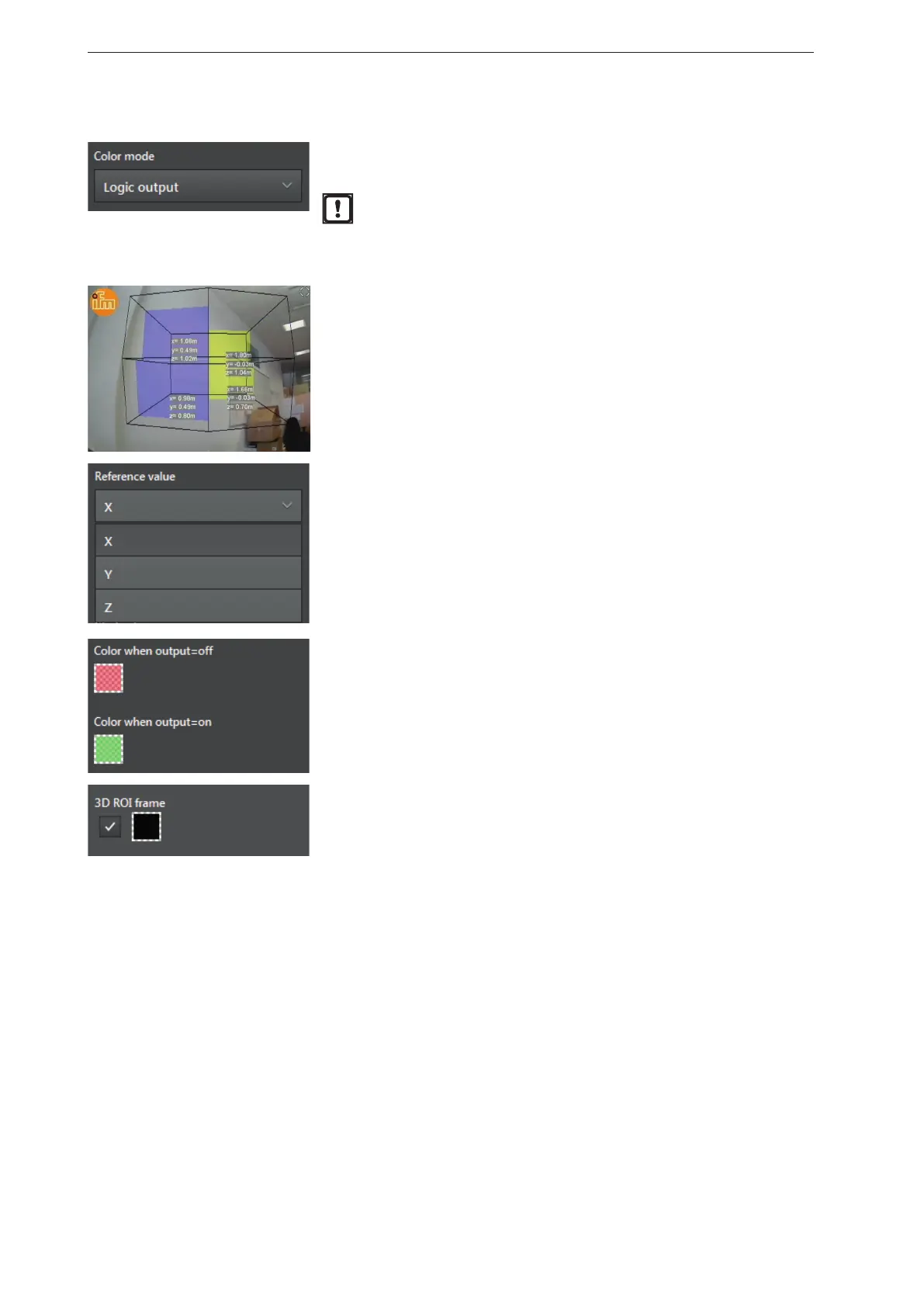
Colour mode [Logic output]
In the colour mode [Logic output] the colour changes in relation to the
condition of the virtual digital outputs of the ROI groups.
When using the standard logic of the device, the virtual output
with the number of the ROI group is used.
► Ensure that the numbering of the virtual outputs is correct if a
logic is used that you have defined yourself.
In the figure on the left, the output of 4 ROI groups and the X and Y
values are visualised as a logic output.
[Logic output] is set to "colour mode".
The "3D ROI frame" is set to [black].
The "reference value" defines with which ROI group output the moving
wall shifts. The following reference values can be selected:
● [X] - The moving wall is projected in the Y-Z level and moves with
the reference value X.
● [Y] - The moving wall is projected in the X-Z level and moves with
the reference value Y.
● [Z] - The moving wall is projected in the Y-X level and moves with
the reference value Z.
The colour fields "Color when output=off" and "Color when output=on"
determine how the moving wall is visualised for the 2 possible
conditions.
The "3D ROI frame" is configurable:
● By activating the control field, the "3D ROI frame" is shown.
● By clicking on the colour field, the colour of the "3D ROI frame" can
be changed.



 To Next Page