11: External Devices
227
The SIM card is inserted into a slot on the bottom of the GFU housing.
Take the SIM card, a coin and a pen.
Locate the SIM card screw, that covers the SIM card slot, on the bottom of the GFU housing.
Insert the coin into the groove of the SIM card screw.
Turn the coin anticlockwise to loosen the SIM card screw.
Remove the SIM card screw from the housing.
Using the pen, press the small button of the SIM card slot to eject the SIM card holder.
Take the SIM card holder out of the housing.
Put the SIM card into the SIM card holder, the chip facing up.
Insert the SIM card holder into the SIM card slot, the chip facing the connectors inside the slot.
Place the SIM card screw back on the housing.
Insert the coin into the groove of the SIM card screw.
Turn the coin clockwise to tighten the SIM card screw.
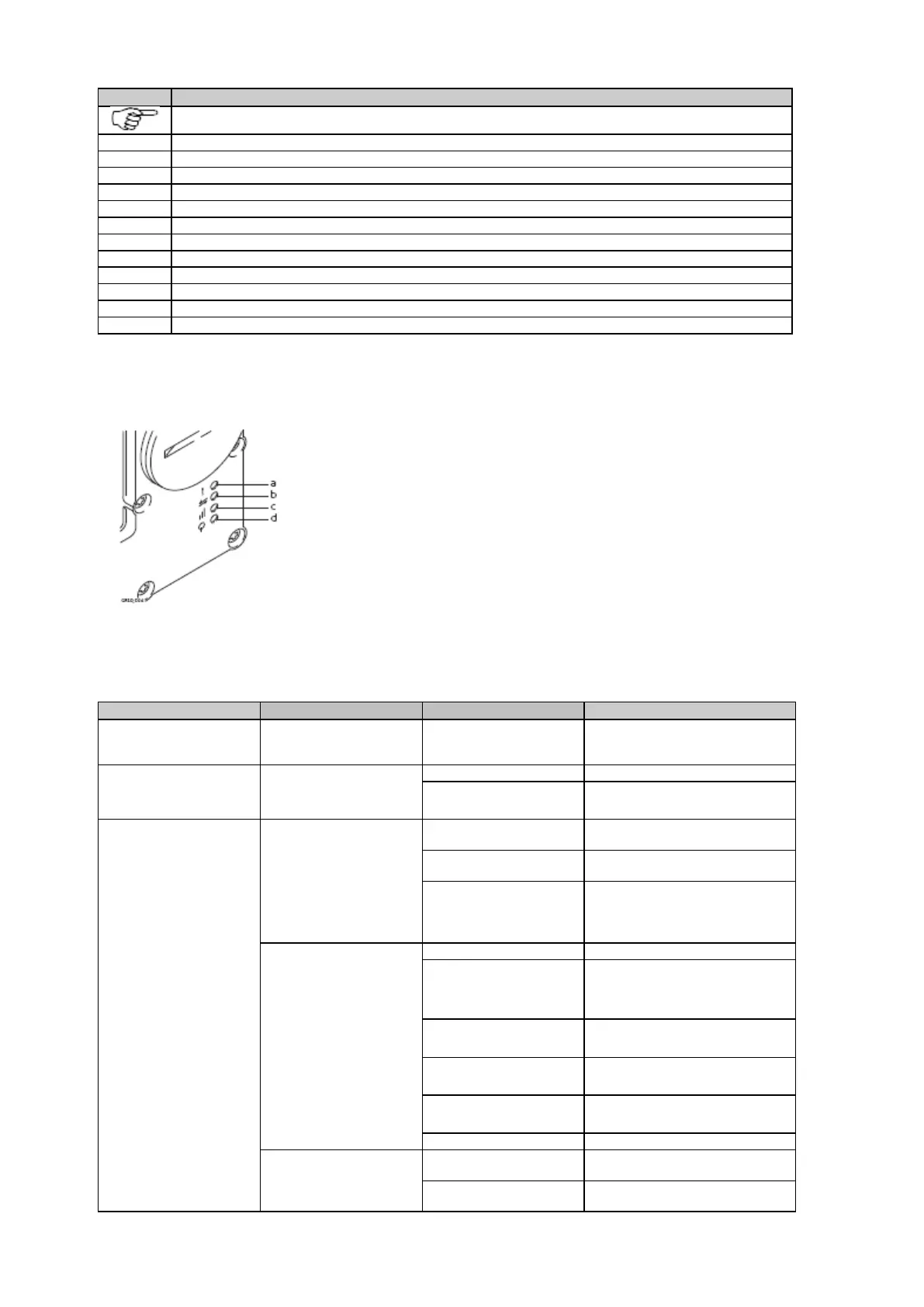
LED indicators
a. Warning LED, available for Satelline SAS
b. Data transfer LED
c. Signal strength LED
d. Power LED
Description of the LED's
3AS
the device is in the configuration
mode controlled from the PC via
data is not being transferred.
data is being transferred.
GFU25 (CAN),
GFU26 (US)
with CDMA
MultiTech
device is on, not registered on the
network.
device is on, registered on the
network.
download mode or device is off.
Siemens MC75
GFU28 with Telit 3G
long break
no SIM card inserted, no PIN
entered or network search, user
authentication or network login in
red: short flash,
long break
logged onto network, no call in
progress.
red: flashing
red, long break
GPRS PDP context activated.
red: long flash,
short break
Packet switched data transfer is in
progress.
PXS8
LED has not been activated by
the GS10/GS15.
network searching or limited
GSM/UMTS service due to



 To Next Page