34
Web interface components
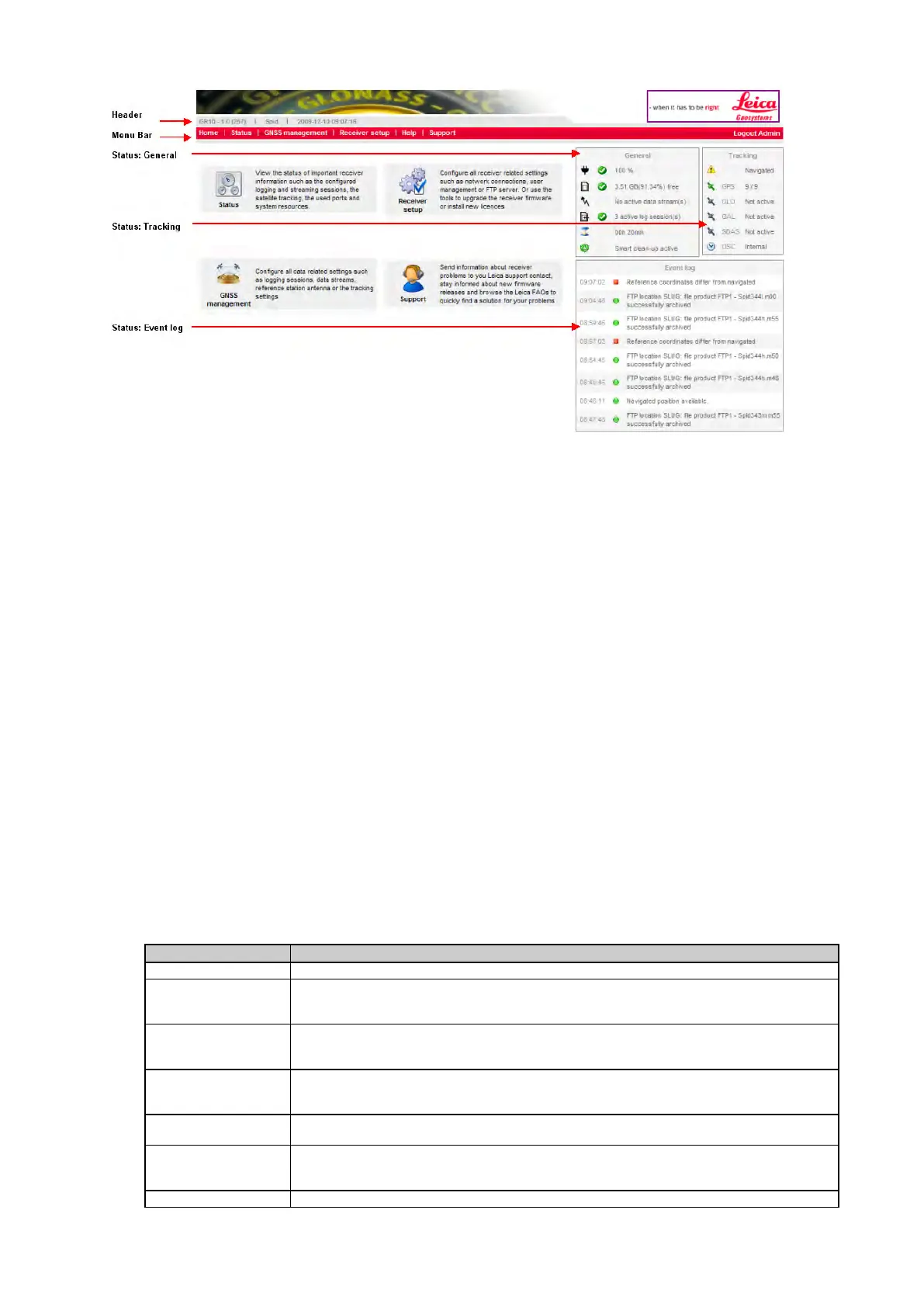
Header
The header contains general information about the receiver, including
• Receiver type
• Loaded firmware version.
• Site code
• Current system date and time.
Menu Bar
The menu bar is a special tool bar at the top of the screen that contains links for the home page, all status information, GNSS
management pages, receiver setup, a help link and the support pages. The menus are extended when the mouse is moved
over a menu item. When clicking on one of the menu items, a site map is displayed listing all links contained in that menu.
If a link is not available to the logged in user, it is grayed out and not accessible. Which menu items are available depends on
• whether the Access to Web interface is set to Unrestricted, Partially restricted or Fully restricted, and
• the selected Web interface user level of the logged in user.
Press to return to the overview page.
Status
View the status of important receiver information, such as the configured logging sessions and
data streams, the satellite tracking, an overview of the ports in use and the power and memory
GNSS Management
Configure all GNSS data related settings, such as logging sessions, data streams and the
tracking settings. Or enter site specific information such as the site name, position and antenna
Receiver setup
Configure all receiver related settings such as network connections, Leica GNSS Spider remote
access ports and the user management. Or use the tools to upgrade the receiver firmware, add
new option keys or switch to your preferred language.
Help
Access the complete web interface online help. Go to How to display and use the Online Help
for further information.
Support
Send receiver information and questions to your Leica support contact, stay informed about
new firmware releases or browse the Leica FAQs to quickly find a solution for common
Select to logout of the web interface and return to the main login page.



 To Next Page