72
The latency of the last received correction information in seconds.
The connection type and port over which the data stream is received.
Related topics
GNSS management: Data streams overview
GNSS management: Incoming data streams
Streaming session wizard: Configure Meteo
Streaming session wizard: Configuration Tilt
Status: Logging sessions
Background Information
View status information about all configured logging sessions.
Configure or edit a logging session via GNSS management / Logging sessions. A logging session wizard will guide you through the
procedure.
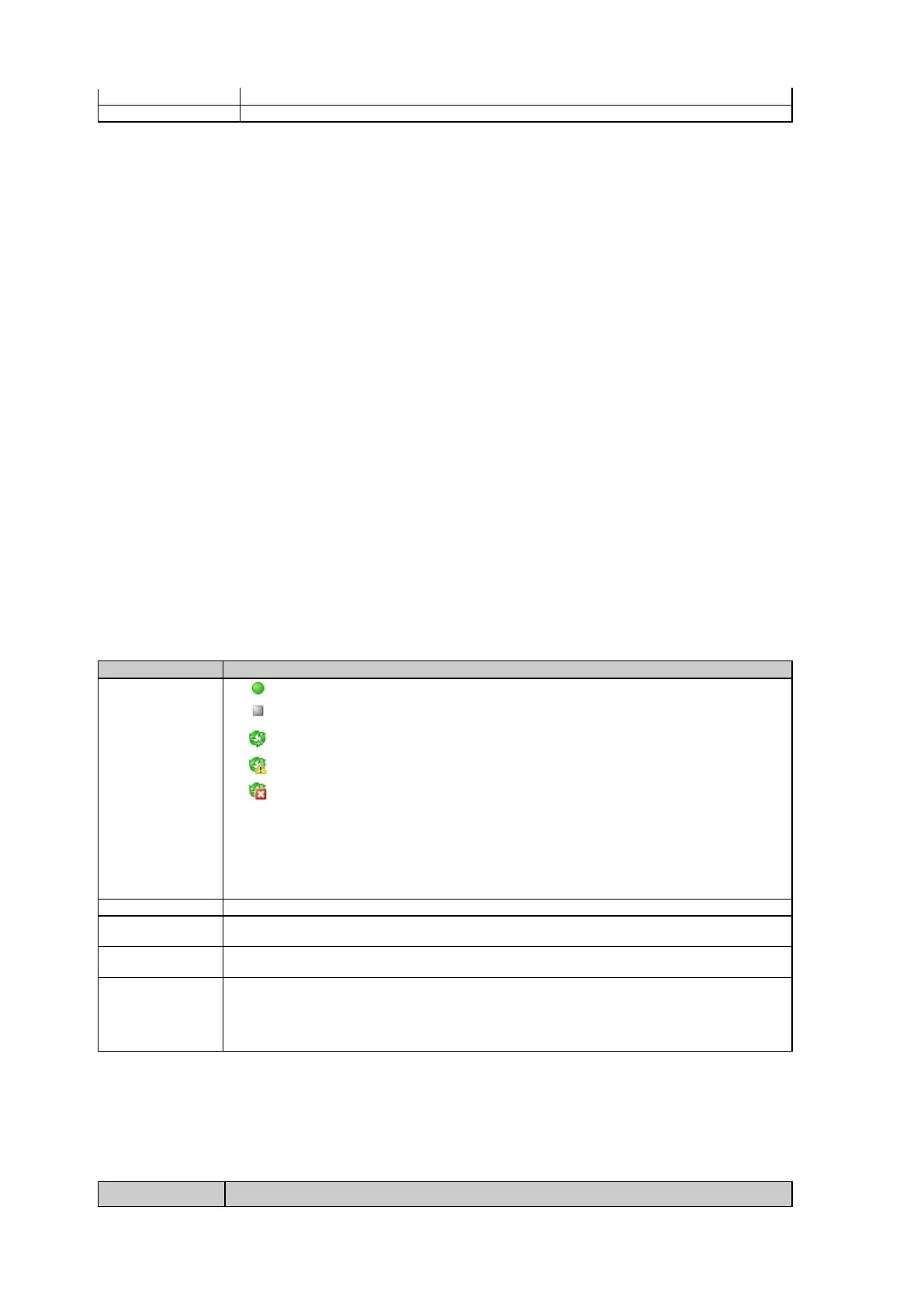
Field Description
The table below describes the fields in the Status: Logging session page.
The logging sessions can be sorted by each of these criteria by clicking on the header.
Logging session is active.
Logging session is inactive.
Smart clean-up is activated.
Smart clean-up is activated and deleting files.
Logging session is blocked by Smart clean-up.
To activate or deactivate a session go to GNSS management / Logging session / Sessions tab.
To activate or deactivate Smart clean-up go to
GNSS management / Logging session / Smart
The name of the logging session.
The configured logging session type (MDB, RINEX or Hatanaka) and if the session is continuous
or timed.
The time that the session has run or is running since it was last activated. For timed logging
sessions this is the overall time of the session logging data to files.
The number of files logged in the session runtime and available on the SD card or USB device for
this logging session.
Please note: If logging sessions are configured and the SD card is formatted, the number of files
for the logging sessions will not be updated immediately. This may take several minutes.
Logging session properties
The table below describes the additional logging session status information that is shown when the logging session Name is selected.



 To Next Page