4: User Interface
27
Bluetooth connection configured and connected.
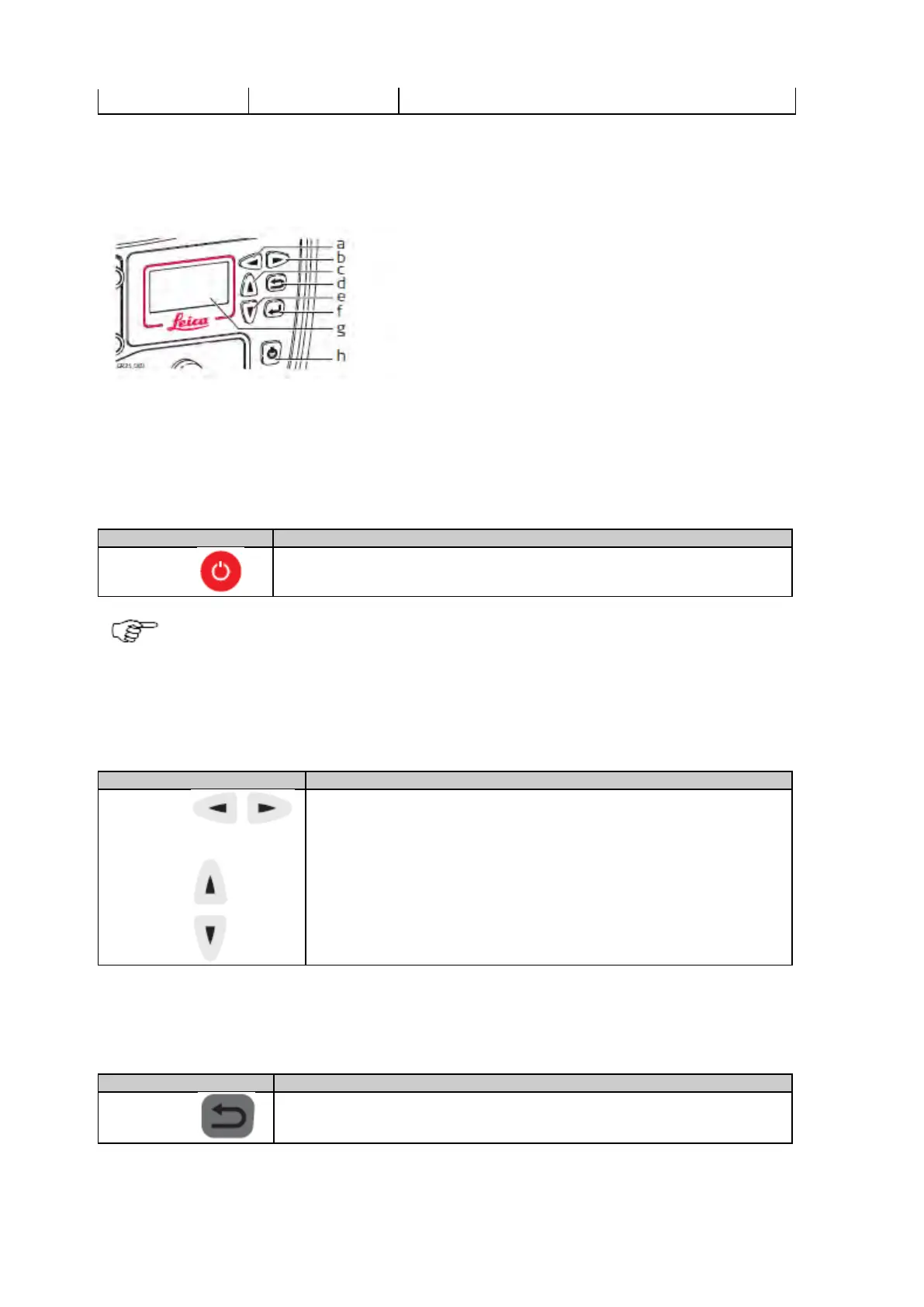
Keyboard: GR25/50
b. Right button
c. Up button
d. Cancel button
e. Down button
f. Enter button
g. Display
h. ON/OFF button
The instrument can be turned on and off by holding down the ON/OFF button for 3 s. A green steady light at the power LED indicates
that the instrument is turned on and ready.
ON/OFF button
If receiver is off: Turns on the receiver when held for 3 s.
If receiver is on: Turns off the receiver when held for 3 s.
Hold the ON/OFF button for 10 s, to force the instrument to turn off. Instrument settings and some data can
be lost when using this method.
Arrow buttons
Up/Down
To scroll through menus and configuration options.
For editable fields use the arrow buttons for scrolling and selecting alphanumeric
fields.
Cancel button
To exit pages without storing changes.
Enter button



 To Next Page