10
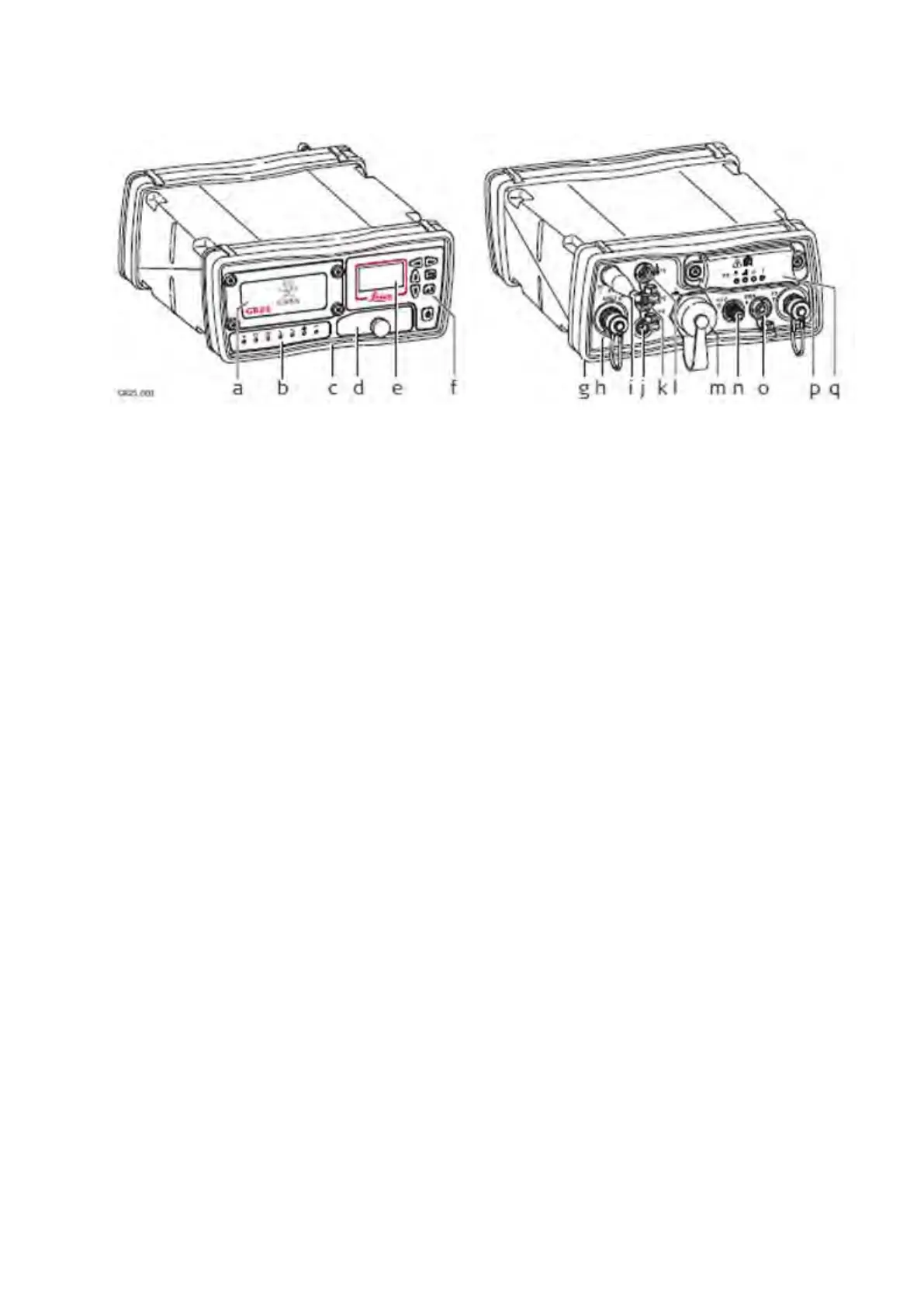
Instrument Components GR25/50
a. Battery cover
b. LED's
c. Front rubber bumper
d. USB and SD card cover
e. Display
f. Buttons
g. Back rubber bumper
h. GNSS Antenna port
i. Bluetooth or WLAN Antenna
j. PPS port
k. Serial and Event in port (P2)
l. Serial port (P1)
m. Ruggedised Ethernet port
n. External Oscillator port
o. Power port
p. Communication Slot-in port Antenna (P3)
q. Communication Slot-in port (P3)
Related topics
Ports & Pins Assignments: GR25/50
Operation
The GR/GM receivers can be operated by:
• pressing its buttons
• the display (GR25/50 only).
• the Web interface
• Leica GNSS Spider software
• or with the Leica Binary 2 (LB2) interface. Contact your Leica Geosystems representative for information on LB2
documentation.
The GR/GM receivers are delivered with default settings which cover the needs of the typical user. Use the Web interface or Leica
GNSS Spider to adjust the settings.



 To Next Page