4: User Interface
23
Activate dual button functionality as described above.
Press the Function button until the SD card LED starts flashing slowly:
Press the Function button for until the LED flashes quickly to format the SD card.
After the SD card format is completed, the LED and instrument functionality goes back to general behaviour.
Exit combined button functionality
• Use the buttons functionality as described above.
• Press the Function button until all LEDs stop flashing.
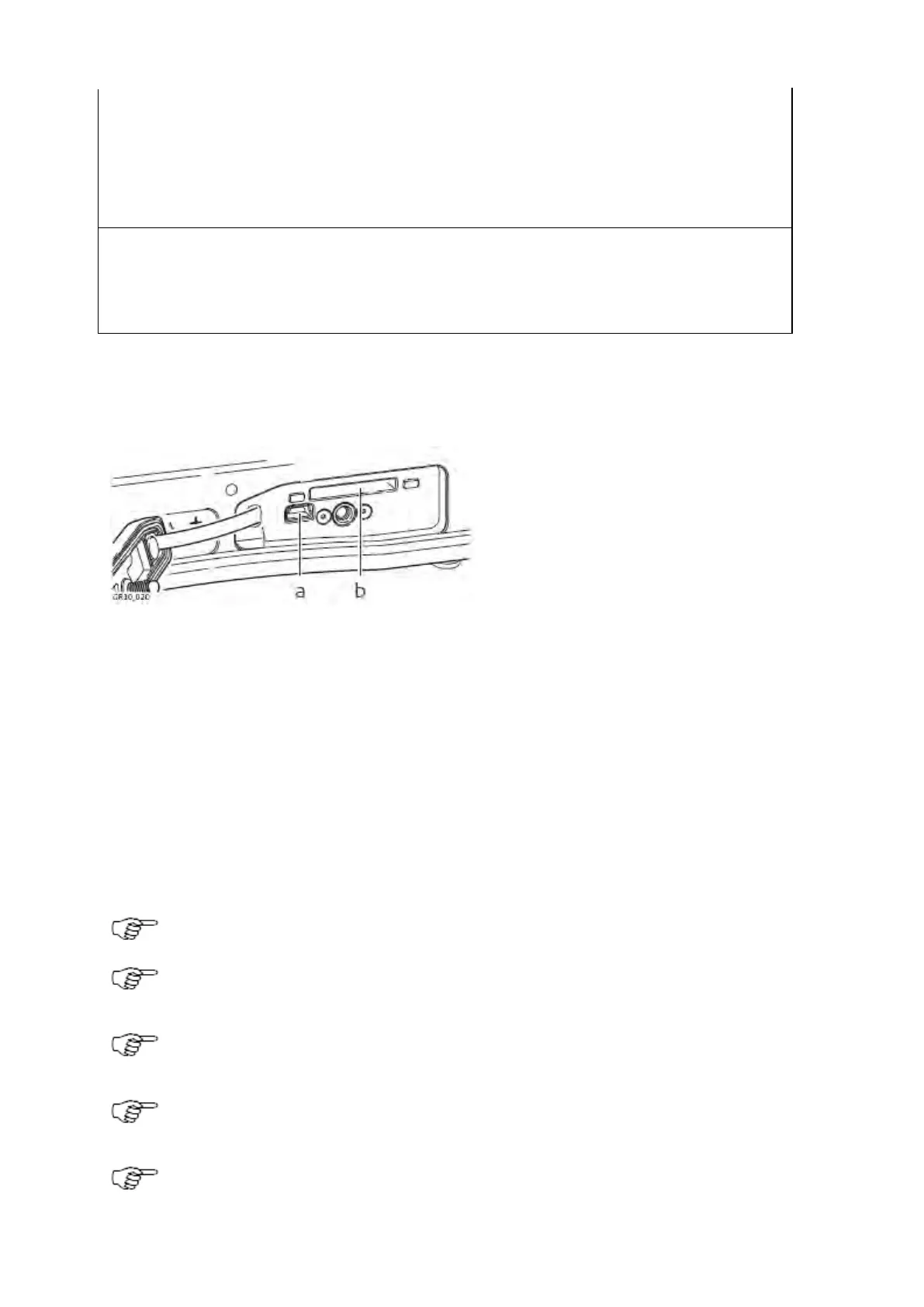
USB and SD Card Cover: GR10/30 & GM10/30
The GR10/30 & GM10/30 have a USB port and an SD card slot.
b. SD card slot
USB client port
The USB port can be used:
• to connect the receiver to a computer and access the Web interface and FTP server.
• to connect the receiver to a CS10/CS15 field controller and access the Web interface.
SD card slot
Data is stored on a removable SD card. For more information on how to work with the SD card, refer to Working with the Memory
Device.
If no SD card is inserted, data storage is not possible.
Unplugging connection cables or removing the SD card during data logging or streaming can cause loss of
data. It is recommended to switch off the instrument before removing the SD card.
While other SD cards can be used, Leica Geosystems recommends only using Leica SD cards. Leica
Geosystems is not responsible for data loss or any other error that can occur while using a non-Leica card.
SD cards can directly be used in the Leica USB Card Reader (767895 MCR7). Other computer card drivers
can require an adaptor.
If formatting the SD card is necessary, we highly recommend to format the SD card on the instrument. Refer
to the How to reset the receiver settings - Step-by-step format the SD card for detailed instructions.



 To Next Page