4: User Interface
21
stream LED
No active real time in data stream or the sensor is turned off.
A real time in data stream is configured and active, data is received
and a fixed position is available.
A real time in data stream is configured and active, data is received,
a DGPS position is available.
A real time in data stream is configured and active, data is received
but no fixed or DGPS position is available.
There is an active real time data stream available, but no data is
received (e.g. connection to reference lost).
Position LED
The instrument is switched off.
A navigated position is available.
The instrument is tracking satellites but no position is available.
No satellites are tracked and no navigated position is available.
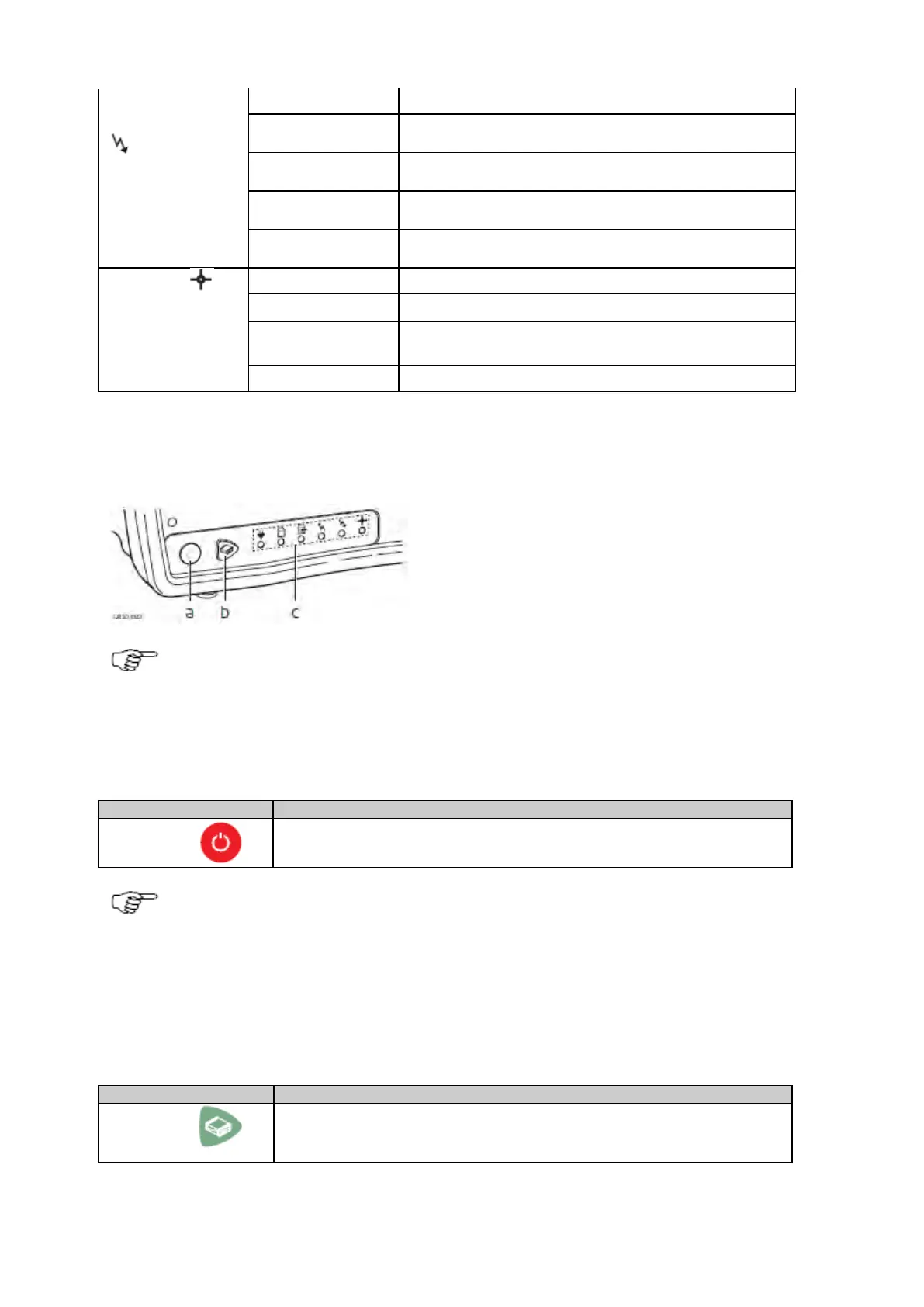
Keyboard: GR10/30 & GM10/30
b. Function button
c. LED's
The instrument can be turned on and off by holding down the ON/OFF button for 2 s. A green steady light at
the power LED indicates that the instrument is turned on and ready.
ON/OFF button
If receiver is off: Turns on the receiver when held for 3 s.
If receiver is on: Turns off the receiver when held for 3 s.
Hold the ON/OFF button for 10 s, to force the instrument to turn off. Instrument settings and some data can
be lost when using this method.
Function button
All the following functions described assume the receiver is already on.
The Function and ON/OFF button work in combination and allow a number different
functions as described in Button combinations.
The Function button switches between these different functions.



 To Next Page