2-120 Service Manual
5060-4xx
No indication that the chad box is full, no message
Chad Box Full message when chad box is not full
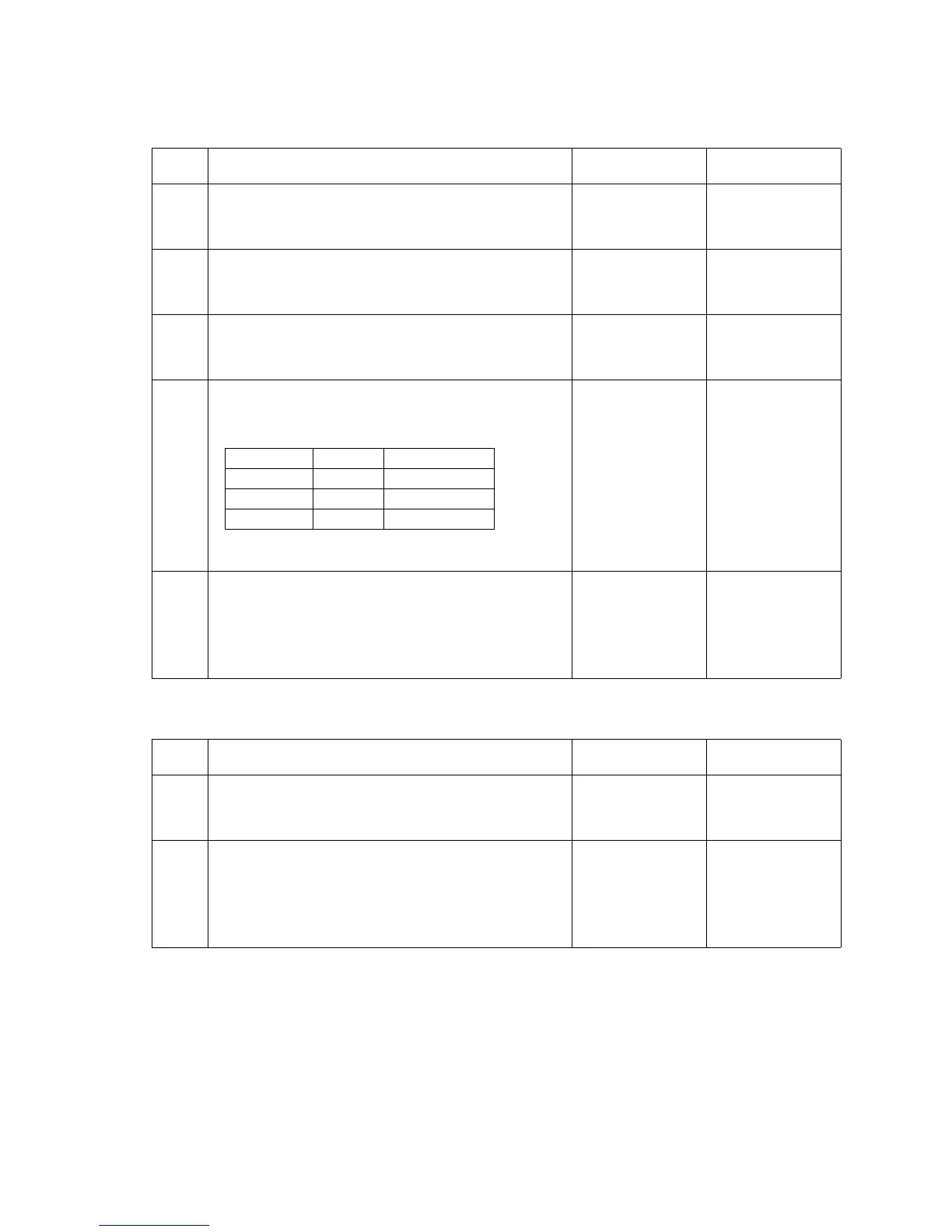
Step Action and questions Yes No
1 Make sure the chad box is correctly installed in the
finisher.
Is the chad box correctly installed?
Go to step 2 Install the chad
box correctly
2
Make sure the chad box cable S5 is properly
connected to CN5 on the finisher system board.
Is the cable properly connected?
Go to step 3 Install the cable
correctly
3
Make sure the chad box cable is properly connected to
the chad box sensor located above the box.
Is the cable properly connected to the sensor?
Go to step 4 Install the cable
correctly
4
Check the chad box sensor with a voltmeter. Empty the
chad box. Check the voltages on CN5. The voltages
read the following approximate values with the chad
box empty:
Are the voltages correct?
Go to step 5 Replace the
finisher system
board
5
Check the sensor by placing the chad box or a piece of
paper in front of the sensor. As the chad box or piece of
paper is moved away from the front of the sensor the
voltage on CN5-2 should change from +5 V dc to 0 V
dc.
Does the voltage change?
Problem solved Replace the chad
box sensor.
Step Action and questions Yes No
1 Make sure the chad box is correctly installed in the
finisher.
Is the chad box correctly installed?
Go to step 2 Install the chad
box correctly
2
Check the chad box sensor with a voltmeter. Empty
any material that is in the Chad Box. Measure the
voltage on CN5-2. The voltage changes from
approximately +5 V dc to 0 V dc as the sensor is
activated.
Does the voltage change?
The sensor is
working correctly
Replace the
finisher system
board
Connector pin Voltage
CN5-1 +5 V dc +5 V dc supply
CN5-2 +5 V dc sensor signal
CN5-3 0 V dc Ground



 To Next Page