Managing Users, Passwords and Permissions11
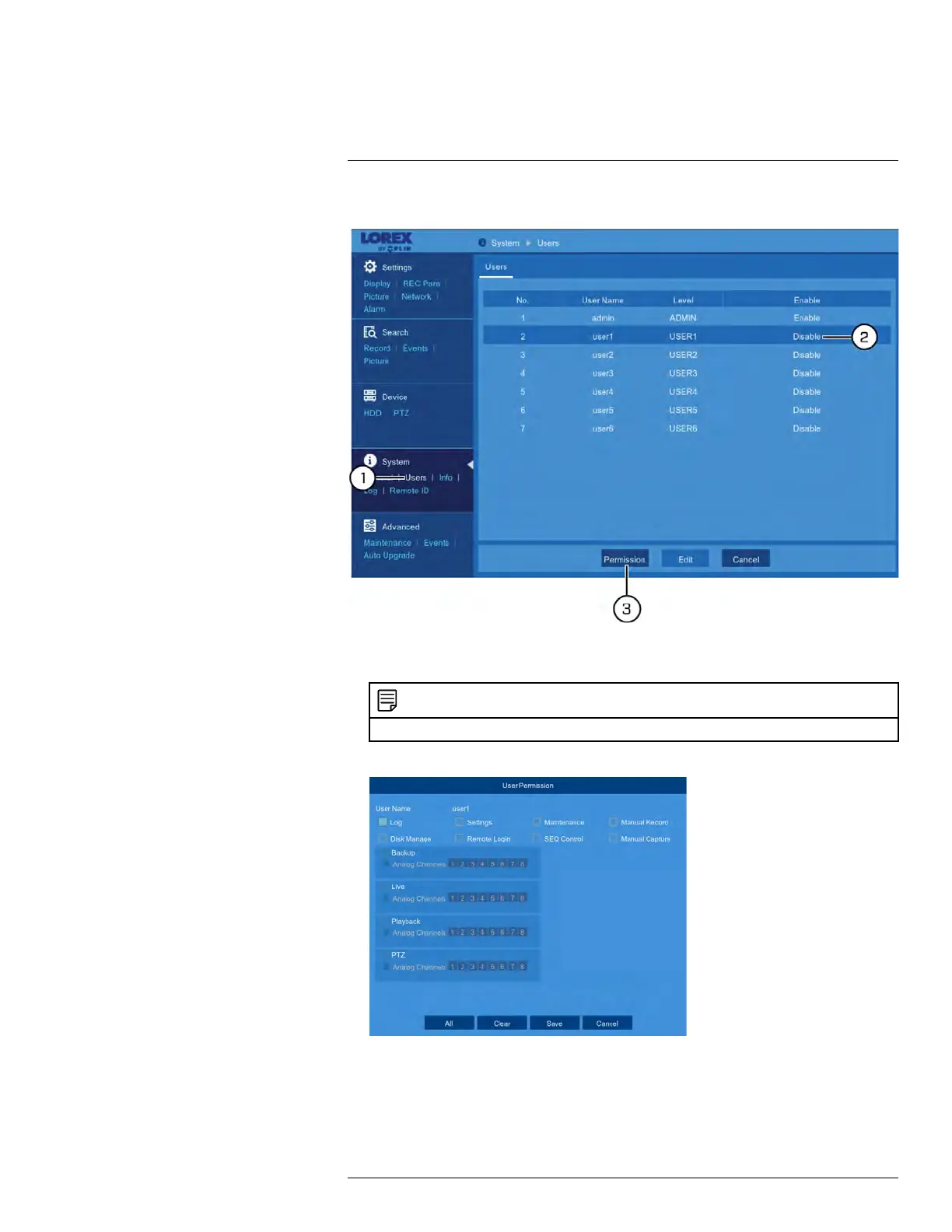
To edit user permissions:
1. Enter the main menu. Under System, click Users to open the Users tab.
2. Click one of the user accounts.
NOTE
For instructions on enabling user accounts, see 11.2 Adding a New User.
3. Click Permission.
#LX400086; r. 1.0/39246/39246; en-US
46








 To Next Page