General operation procedure
Lorrca Maxsis User Manual Page 105
Version 5.04 MRN-231-EN
2. Select "HARDWARE CHECK" and "LORRCA IO".
3. Place a sample tube with basic Elon ISO (QRR 030901) on needle position.
4. Move the sample needle to the bottom of the tube.
5. Select the "P
RIME ALL" button.
Check that both Osmo LOW and HIGH are pumped, indicated by different click-noises,
moving air-fluid meniscus (eventually after the introduction of an air bubble).
Check the sample feeding through the needle after introduction of an air bubble.
In case of a problem check whether all tubing and connections have a free passage and
are not folded or clogged.
6. Remove (priming) tube from the needle position.
7. Return to main screen
In case of starting the day with Osmoscan: Prepare a blood sample Osmoscan (on page 105).
7.3.1. Preparing a blood sample
Use the dedicated Lorrca reagents (see Appendix - Parts list (on page 191))
A blood sample can be stored at room temperature during a limited time. After that the sample cannot be
used anymore.
1. Mix 5 ml ready to use Elon ISO with 200 μl of normal EDTA-anticoagulated blood (shortly
before the measurement). Gentle mix the blood by immediately inverting the tube 10-12 times
(don’t shake) until it colours homogeneous red.
2. Click on O
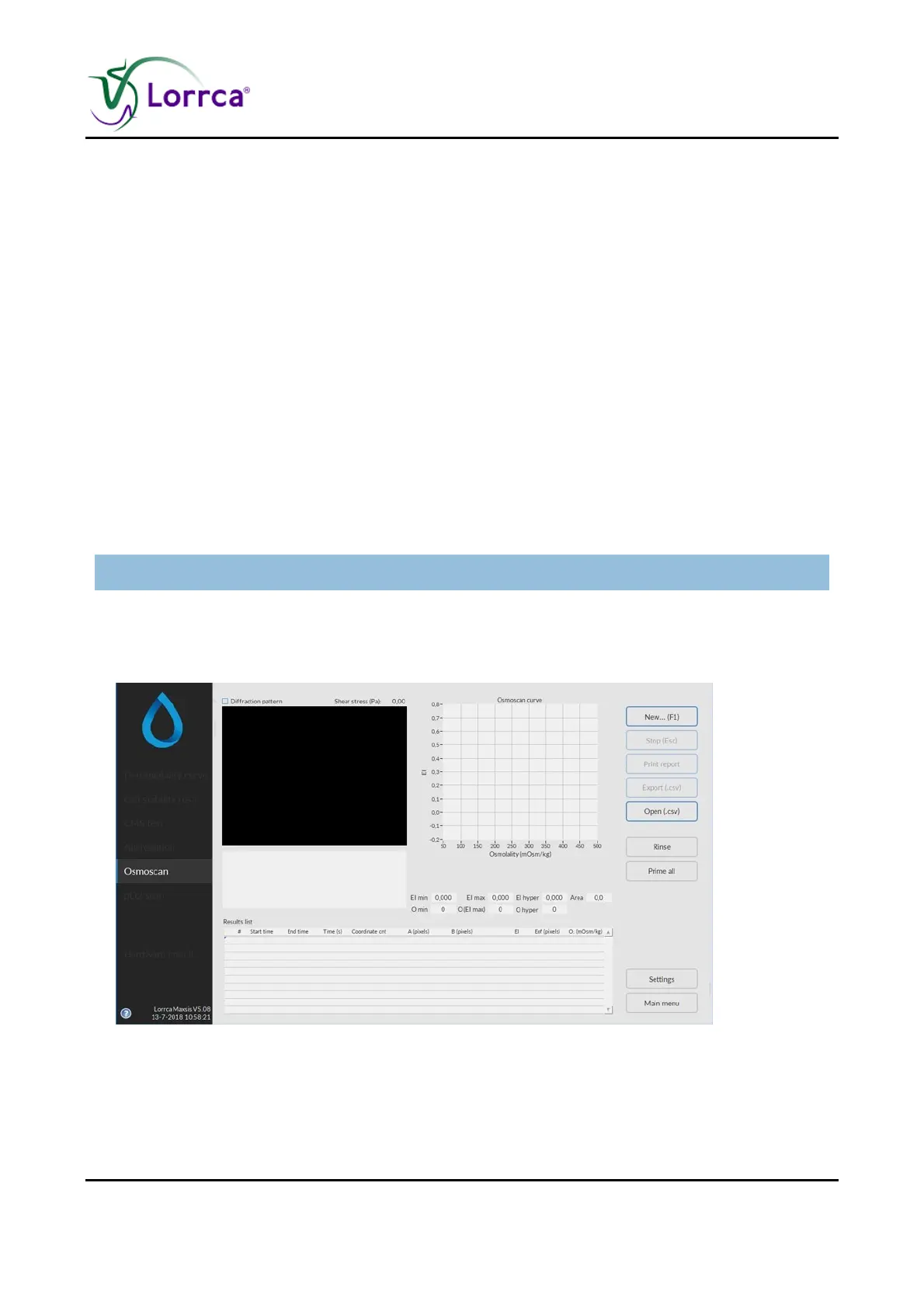
SMOSCAN on the Main screen. The Osmoscan start screen appears:
3. Press N
EW...(F1)



 To Next Page