Lorrca MaxSis Program
Page 74 Lorrca Maxsis User Manual
Version 5.04 MRN-231-EN
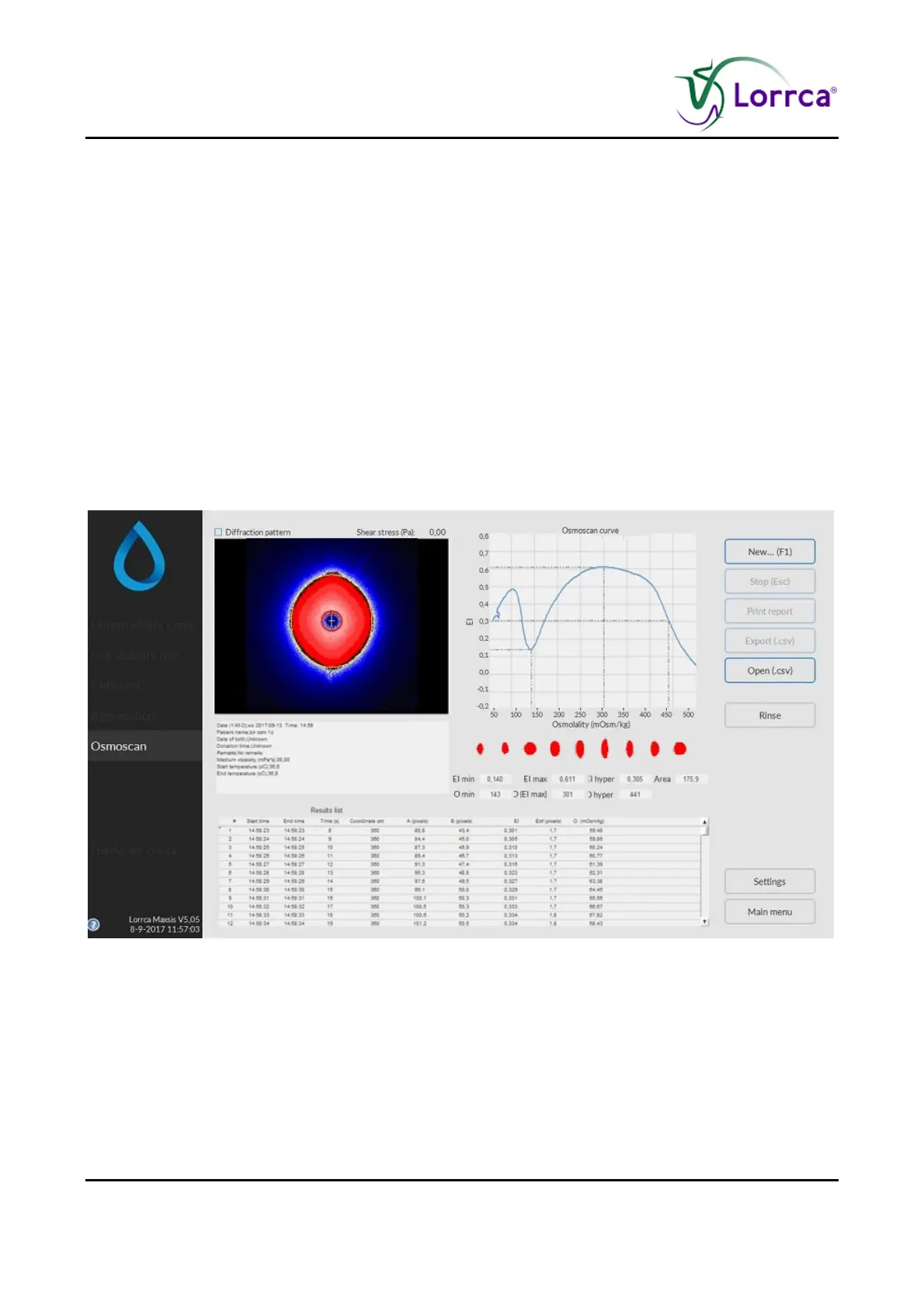
This screen appears when starting a scan. See Osmoscan options (on page 66) settings for
details on the Settings parameters that influence the measurement.
A measurement starts after subsequently clicking <N
EW...(F1)>.
On this screen are shown:
1. Coloured diffraction pattern.
2. Curve display screen.
3. Indication of cell shape.
4. Measurement and sample details.
5. Measurement results.
6. Parameters.
6.5.1. Osmoscan result screen
At measurement completion measurement results are displayed on-screen, the software offers an
option to print (yes/no).
It is possible to print a measurement report by clicking the <P
RINT REPORT> button.
The latest results automatically overwrite the results file (Default name: Results.CSV). If enabled,
the results will also be written to other files (see “Settings/Files (on page 59)”). Return to the main
menu by clicking the <M
AIN MENU> button.
Check Osmoscan parameters explanation (on page 75)



 To Next Page