Maintenance
Lorrca Maxsis User Manual Page 183
Version 5.04 MRN-231-EN
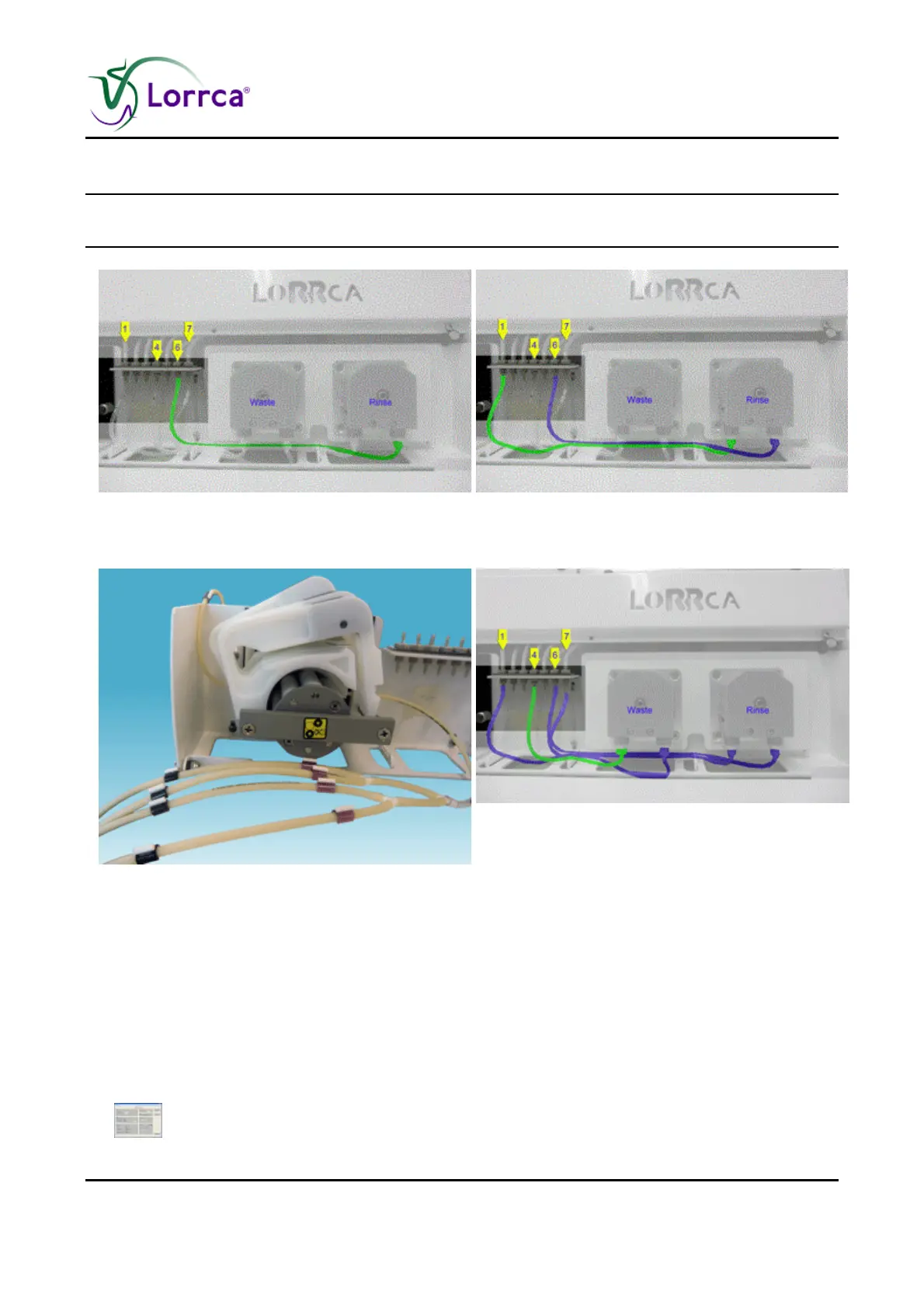
10.10.5.5. Install LORC070904 tubing set 3
Note: Start to install with the tube end with label 6 which is shown GREEN in the picture.
Next picture: The installed tube is now BLUE continues with the next GREEN tube.
-
1. Connect tube with label 6 to the output port of
the Rinse pump
2. Connect tube with label 1 to the Input port of
the Rinse pump.
3. Connect tube with label 7 to the output port of
the Waste pump.
4. Connect tube with label 4 to the Input port of
the Waste pump.
10.10.5.6. After replacement of all tubing
Close the drawer.
Place the sample needle in sample tube.
Perform two times a PRIME ALL function.
HARDWARE CHECK [ LoRRca IO ] [ Prime all ] [ Start ]



 To Next Page