Lorrca MaxSis Program
Lorrca Maxsis User Manual Page 55
Version 5.04 MRN-231-EN
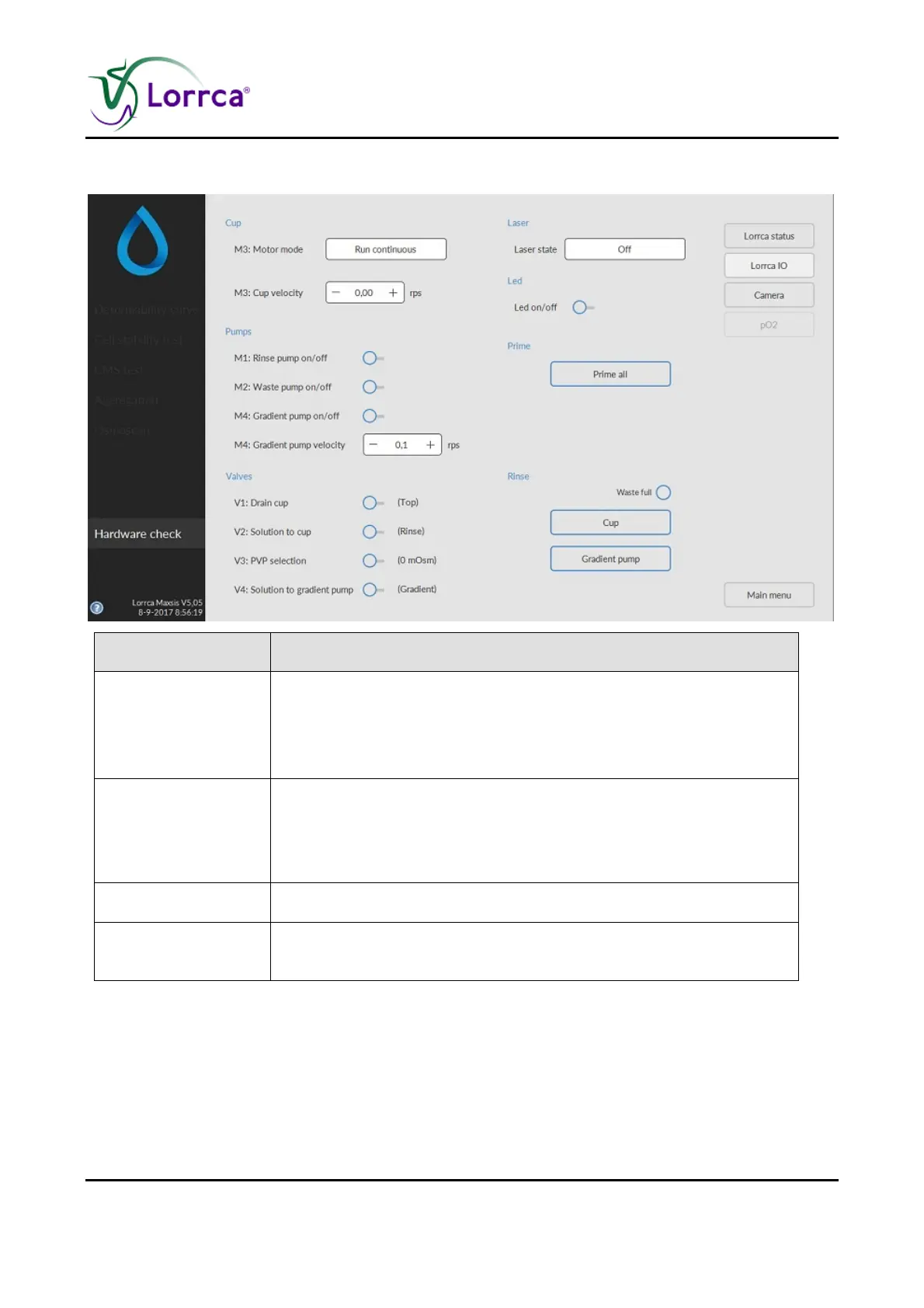
6.3.1. Hardware check IO screen
Function Description
Laser state
Control to select one of the following laser states:
1. On, continuous
2. On, Flash (Modulated)
3. Off.
Motor mode
Control to select one of the following motor modes:
1. Run until in home position,
2. Run continuous. If in the home position, the motor can be re-
activated by changing any of the other motor parameters.
Run motor at (rps) Sets motor revolution speed
Valves
With toggling ON/OFF the functioning of the pinch valves can be
checked (each valve should give a "click")



 To Next Page