General operation procedure
Lorrca Maxsis User Manual Page 125
Version 5.04 MRN-231-EN
Before insert blood Preparing a blood sample Stability (on page 117) for RBC test first.
Lower the BOB if necessary.
Start a new measurement by clicking the <NEW…(F1)> button in the screen.
Enter measurement ID.
The measurement ID is not allowed to contain characters other than digits or letters. It is used to
store measurement data (if enabled in the Settings menu). The “R
EMARKS” and “DONATION TIME” fields
may be ignored but serve to include sample details. The "V
ISCOSITY" field is the viscosity parameter
of the test sample, which is mainly determined by the reagent. The indicated value differs per batch
and have to be entered at the start of each test run. See chapter Lorrca reagents (on page 102)
for obtaining batch information.
Always check whether CUP and BOB are clean and dry before entering a blood sample. When
CUP and/or BOB are dirty or some cleaning fluid is left, the measurement results may be
influenced.
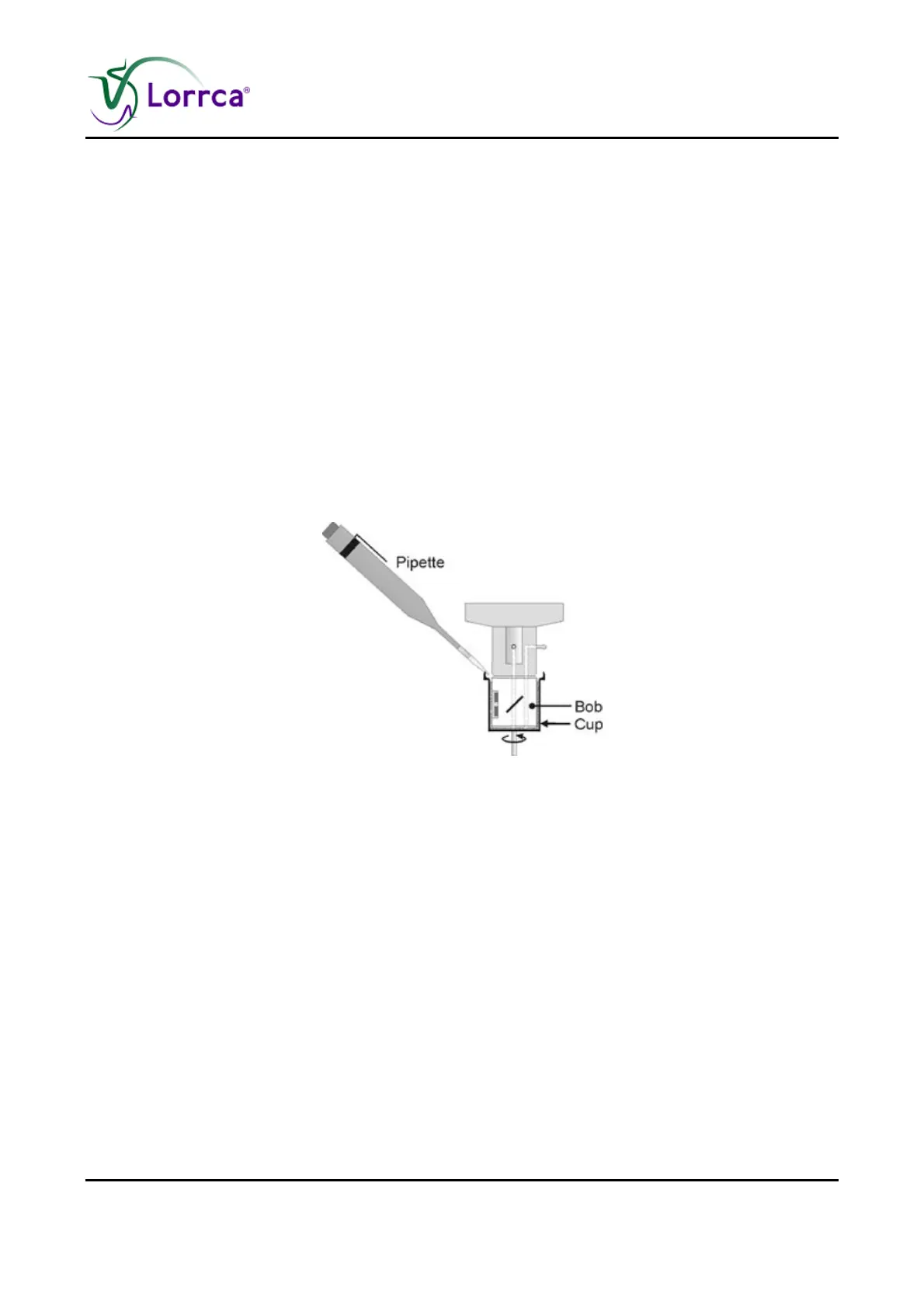
Insert 600-900 µl of the blood suspension in the gap between BOB and CUP using a pipette
(see above Figure.). Press Aspirate and check if the suspension level is high enough and
without air bubbles. Capillary forces usually keep the suspension within the gap. However, if
capillary forces are insufficient, more of test suspension is required to fill the whole geometry
(including the bottom). After inserting more blood suspension, aspirate again.
Close the hood.
Press <OK>



 To Next Page