Maintenance
Page 162 Lorrca Maxsis User Manual
Version 5.04 MRN-231-EN
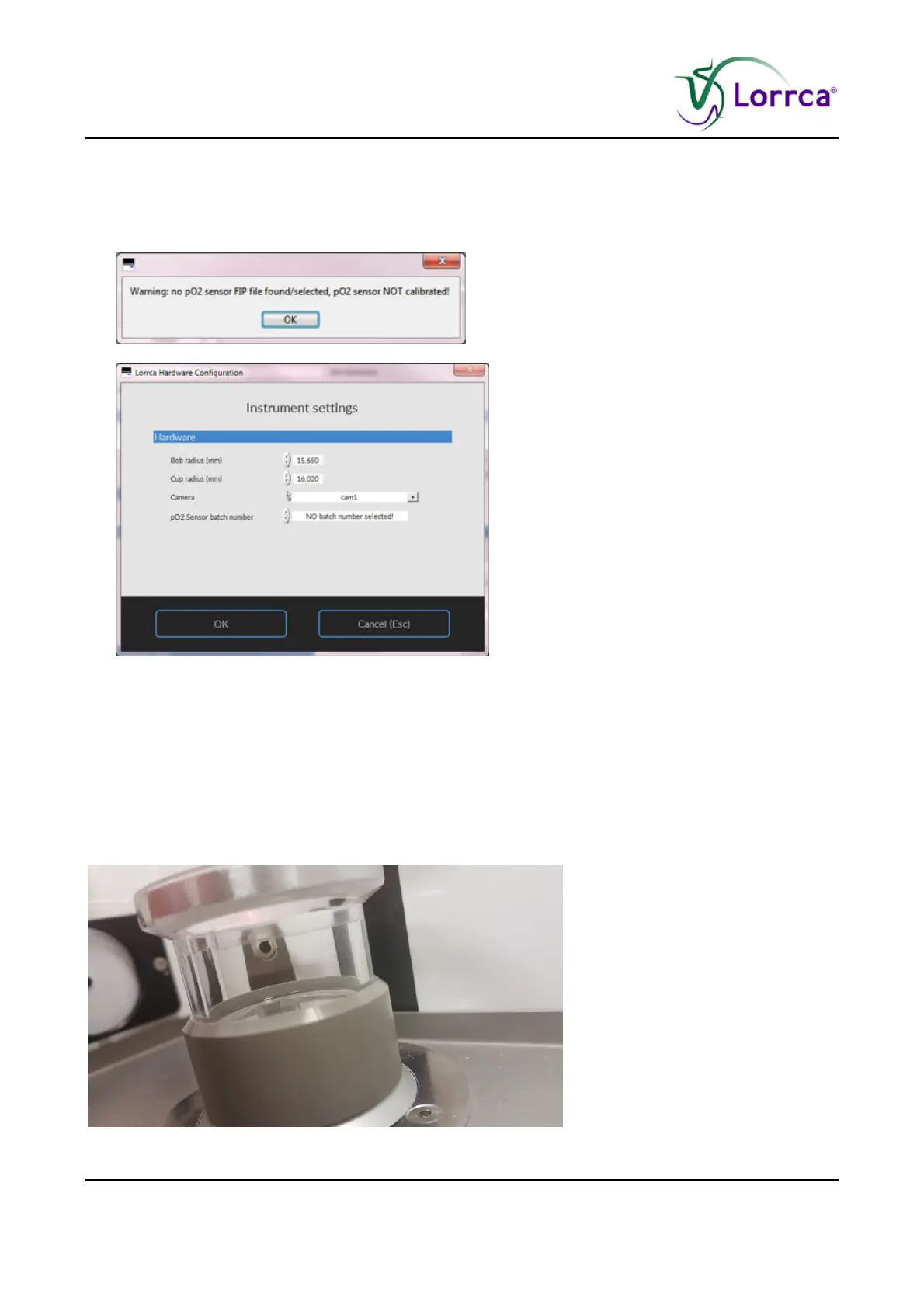
5. Select at PO2 Sensor batch number the correct calibration file, which is given with the
sensor-spot.
If the new calibration file cannot be found after replacement of the sensor-spot, the following
warning is given
Press OK
6. When the Lorrca program is restarted it will notice that the original sensor spot datafile is
missing. The new file will need to be linked through the settings screen and then selecting the
tab instrument settings and from there hardware settings. There you can select the current
sensor spot data file to be linked.
The self-check may be skipped at any time.
If Step 2 of the self-check reads 0 mmHg, the pO2 sensor spot is likely misaligned with the fiber-
optic cable and must be adjusted. Adjustment is done by rotating the cup relative to its holder.



 To Next Page