Maintenance
Page 166 Lorrca Maxsis User Manual
Version 5.04 MRN-231-EN
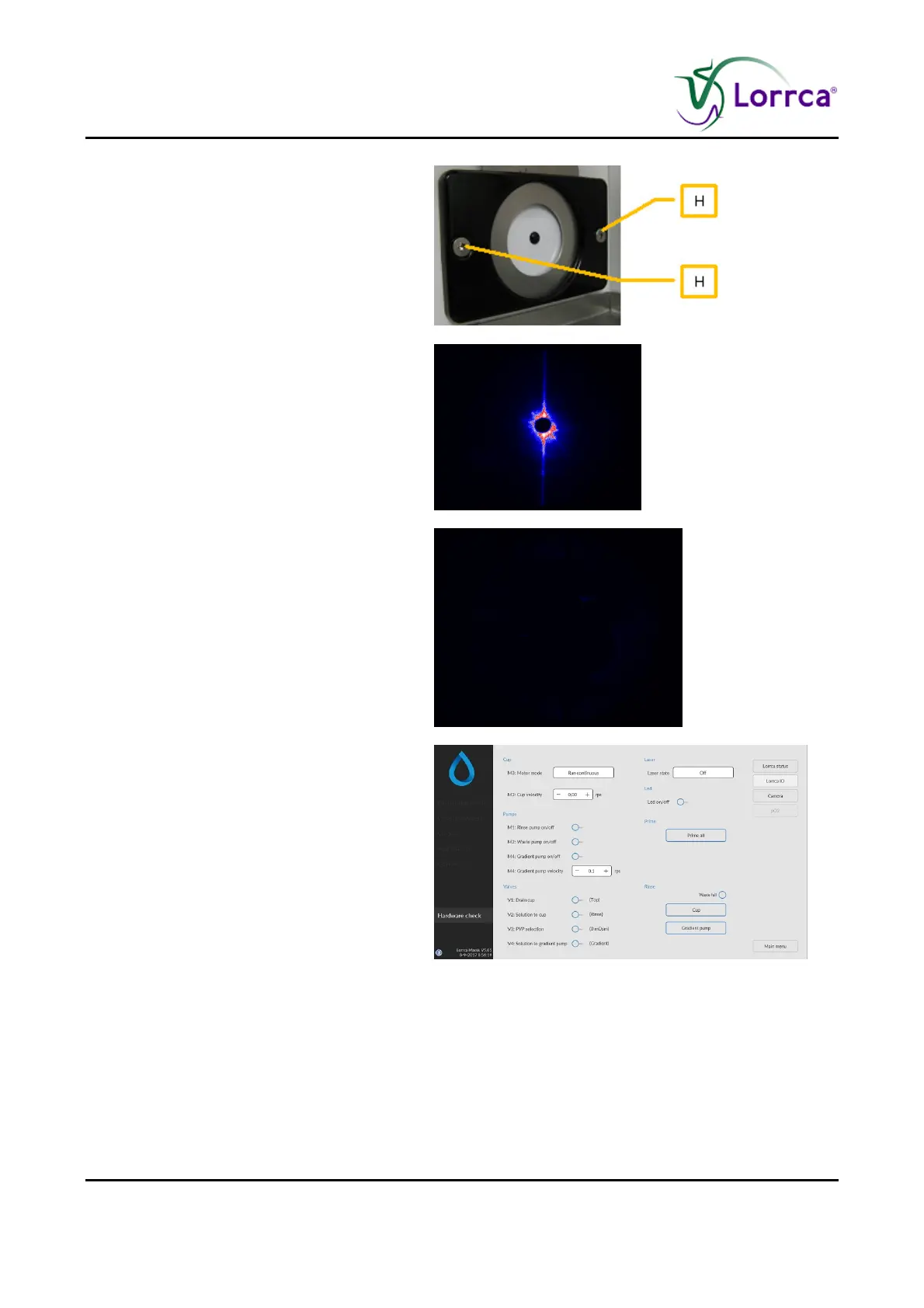
Alignment of the projection screen:
Use the hexagon key 2mm to loosen
the projection screen holder.
Align the projection screen until the
black dot on the screen is aligned with
the laser spot. Note: The projection
screen holder itself can also be
adjusted (equipped with slotted holes)
Tighten the screws of the projection
screen holder.
Not OK: Driver failure.
Update the camera driver. See
Camera driver installation (on page
156)
Choose <LORRCA IO><RINSE CUP> and
confirm.
The tubes are being filled.
Dry BOB and CUP. Do not scratch the cup
and do not touch the glass with your
fingers to prevent staining! Pay attention to
the hole in the BOB.



 To Next Page